How to Register as a Chaturbate Model in 2026: Complete Guide with Real Screenshots
This guide shows the registration flow step by step, with real screenshots from the Chaturbate broadcaster signup process. It is written in plain English so you know exactly what to click, what to fill in and when age verification is required. Adults only: you must be 18+ and legally allowed to perform adult content where you live.
Disclosure: EarnPorn may earn a commission when you register through links on this page, at no cost to you. This never changes the steps, the screenshots or the data. How we made this guide.
How to register as a Chaturbate model — each screen explained in plain English.
Use the red button below to open the official Chaturbate registration page, then follow the screens in order. The goal is simple: know exactly what to click, what to fill in and what to prepare before verification.
Before you start: click the button to open the official Chaturbate broadcaster registration page. Only continue if you are 18+ and legally allowed to create adult content in your country or jurisdiction.
Start Registration on Chaturbate ↗Fill in the Chaturbate Broadcaster Signup Form
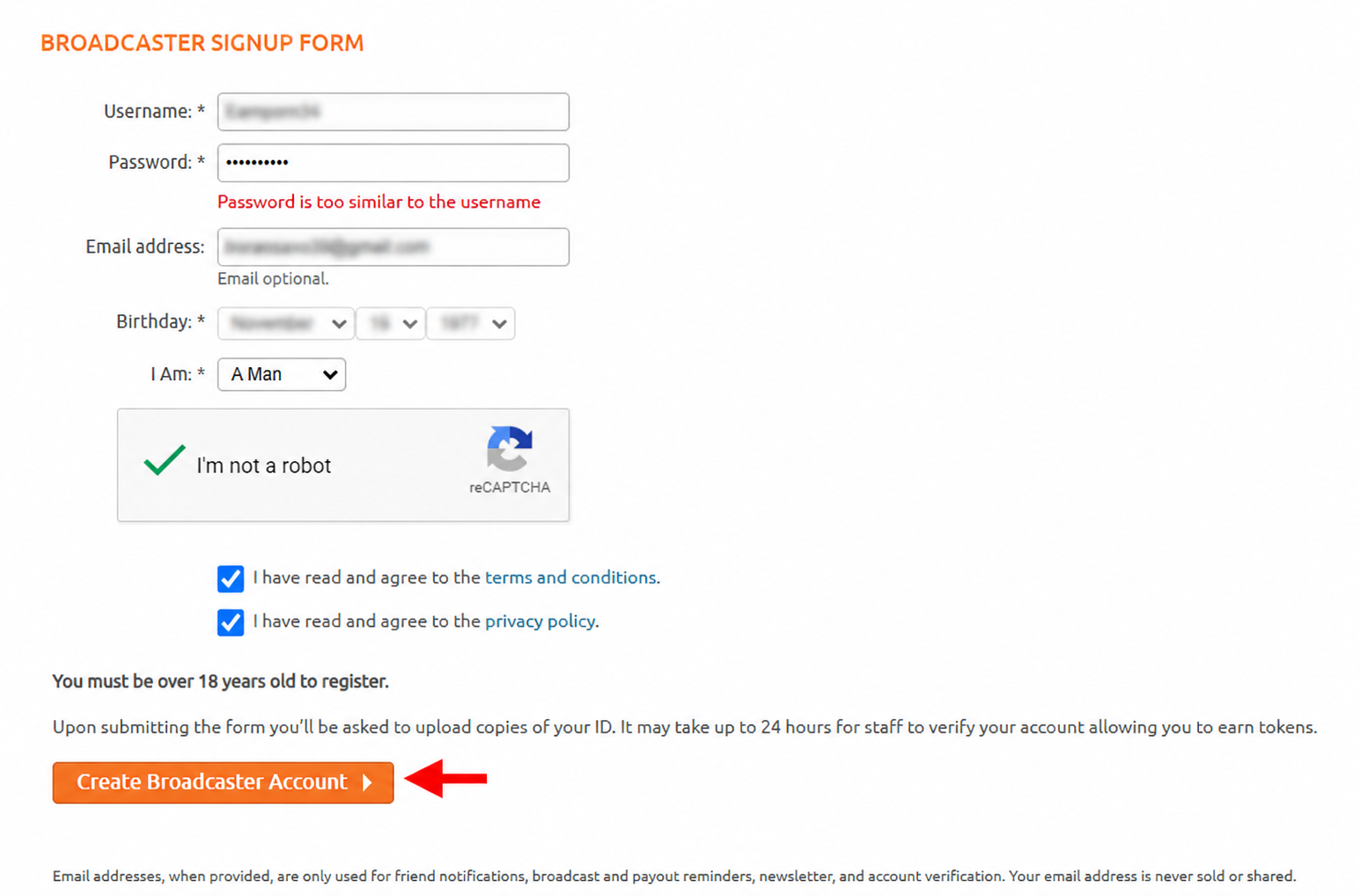
This is the main signup form. Fill in your username, password, email address, birthday and the option that describes the broadcaster account, such as woman, man or couple.
Then tick the boxes to confirm that you accept the Terms and Conditions and the Privacy Policy, complete the “I’m not a robot” check, and click “Create Broadcaster Account”.
Click “Start Age Verification”
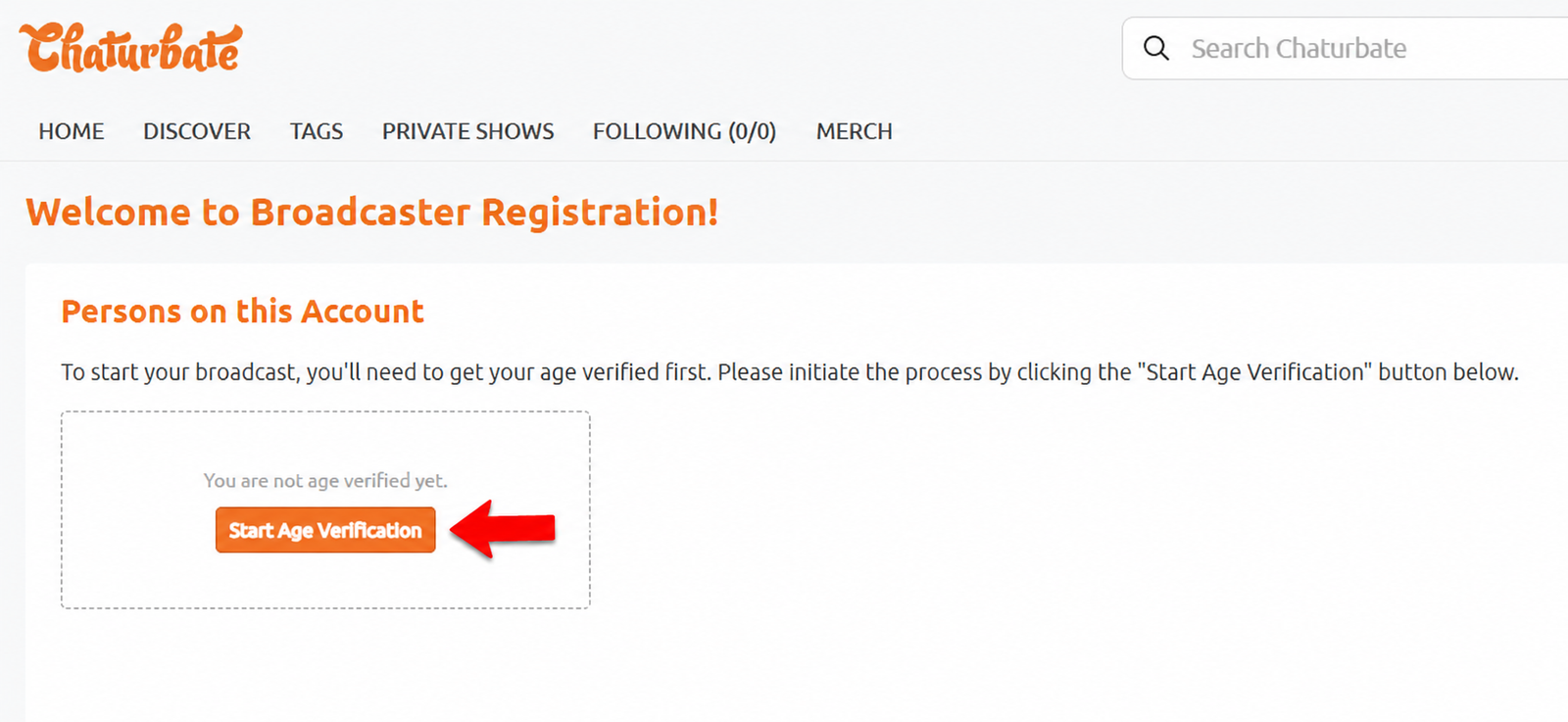
After creating your account, Chaturbate shows the Welcome to Broadcaster Registration screen. The page tells you that you are not age verified yet. Click the orange “Start Age Verification” button to continue.
This step is mandatory. You cannot legally broadcast, appear as a performer or earn tokens until Chaturbate has verified that you are an adult and that your identity documents match the person registering.
Read the age verification terms and continue to upload ID
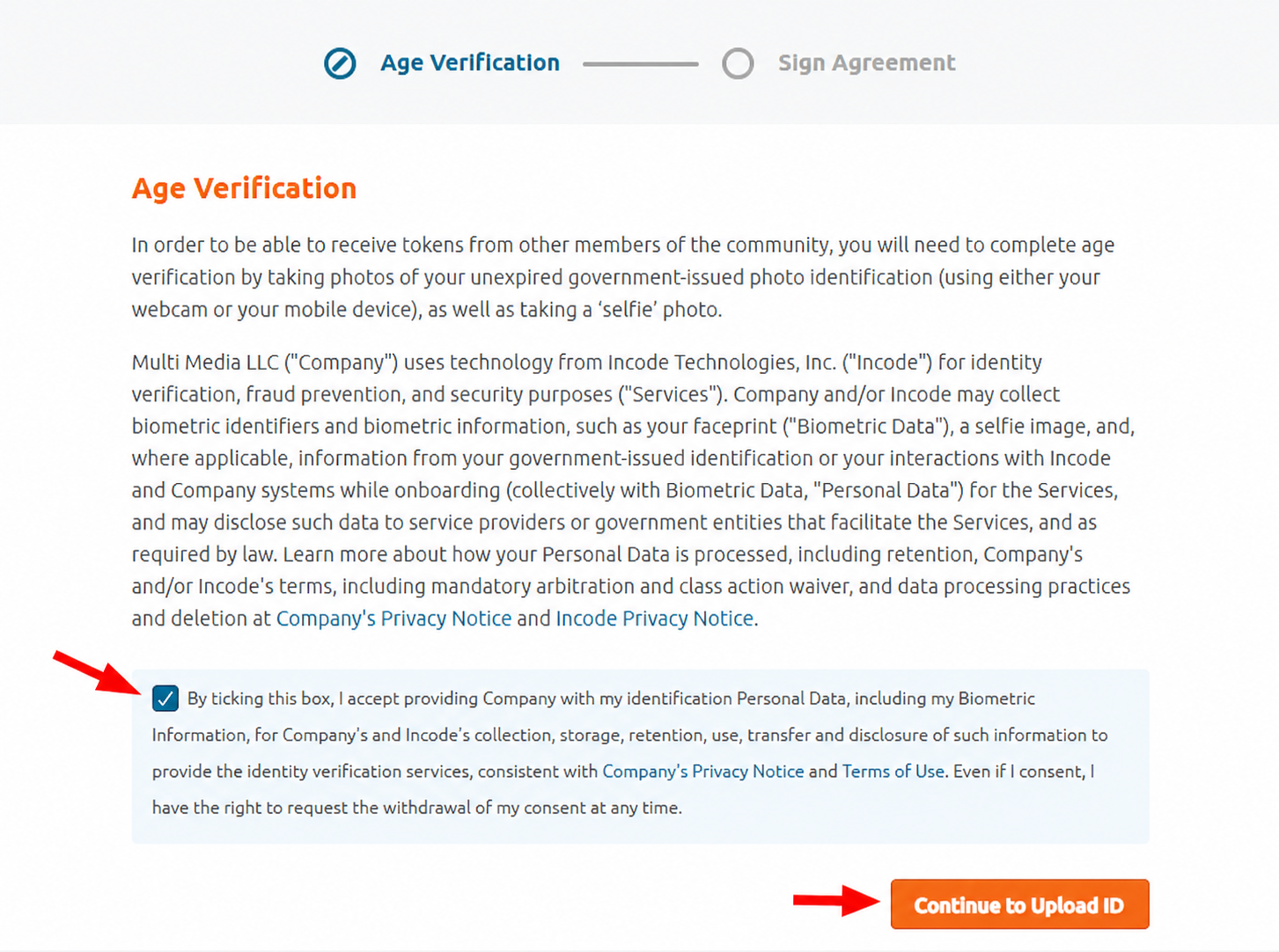
This screen explains that Chaturbate uses Incode Technologies to help verify your age and identity. It also explains that the process may involve a photo of your government ID, a selfie and biometric face data used to confirm that the person registering is the same person on the document.
Read the text carefully. If you agree and you are legally allowed to continue, tick the checkbox and click “Continue to Upload ID”.
Choose how to continue the verification
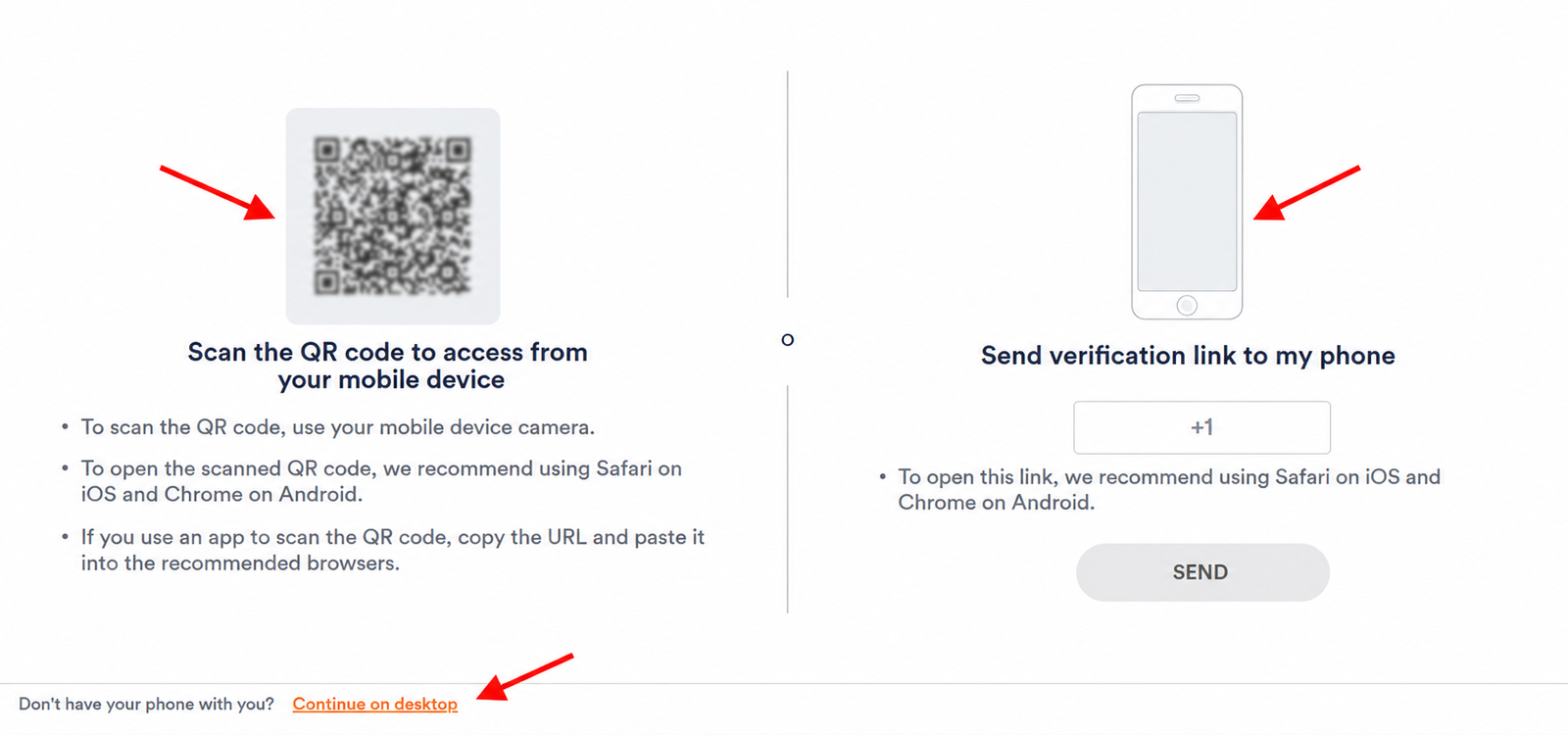
Chaturbate then gives you several ways to continue. The easiest option for most people is to scan the QR code with your phone camera. You can also send a verification link to your phone if that option works for your country, or click “Continue on desktop” if you prefer to use your computer.
Using your phone is usually better because the camera is clearer and it is easier to take sharp photos of your ID document.
Start the Chaturbate Identity Verification screen
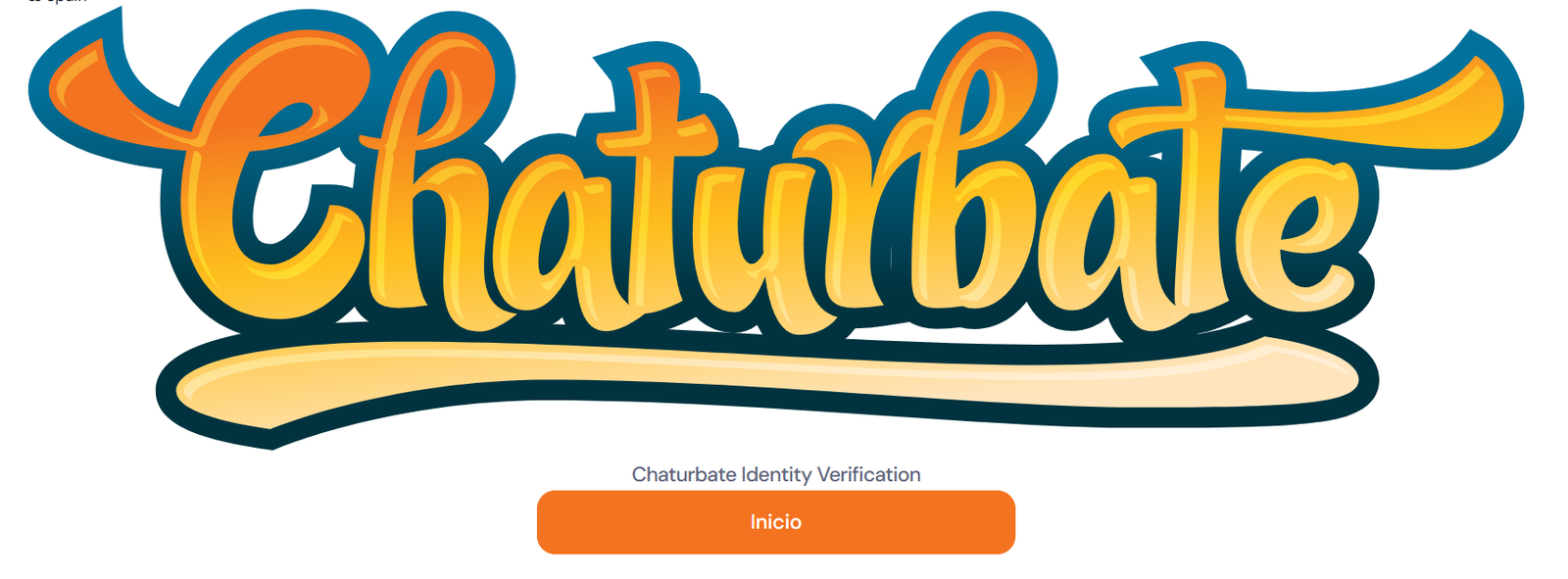
After opening the verification link, you may see a screen titled “Chaturbate Identity Verification”. In this screenshot, the button appears in Spanish as “Inicio”, but on your device it may appear as “Start” or in another language depending on your browser settings.
Press the orange start button to begin the document scan. Keep your valid ID nearby, because the next screens will ask you to choose the document type and photograph it.
Review the Worldwide Consent screen
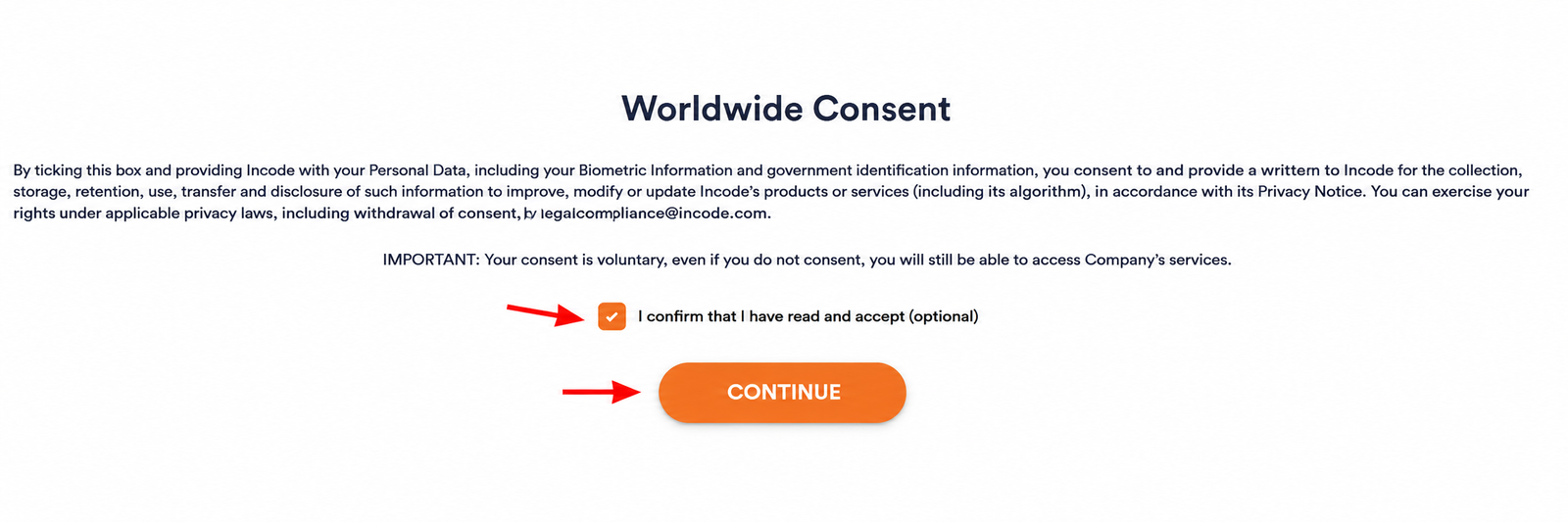
Incode may show a Worldwide Consent screen. Read it carefully. This type of screen usually asks whether you consent to certain uses of your biometric information, such as improving the verification service.
Do not rush this part. If the screen says the consent is voluntary, you can decide whether to tick the checkbox or leave it unticked. Then click “Continue” to move forward with the verification.
Select the type of document you want to scan
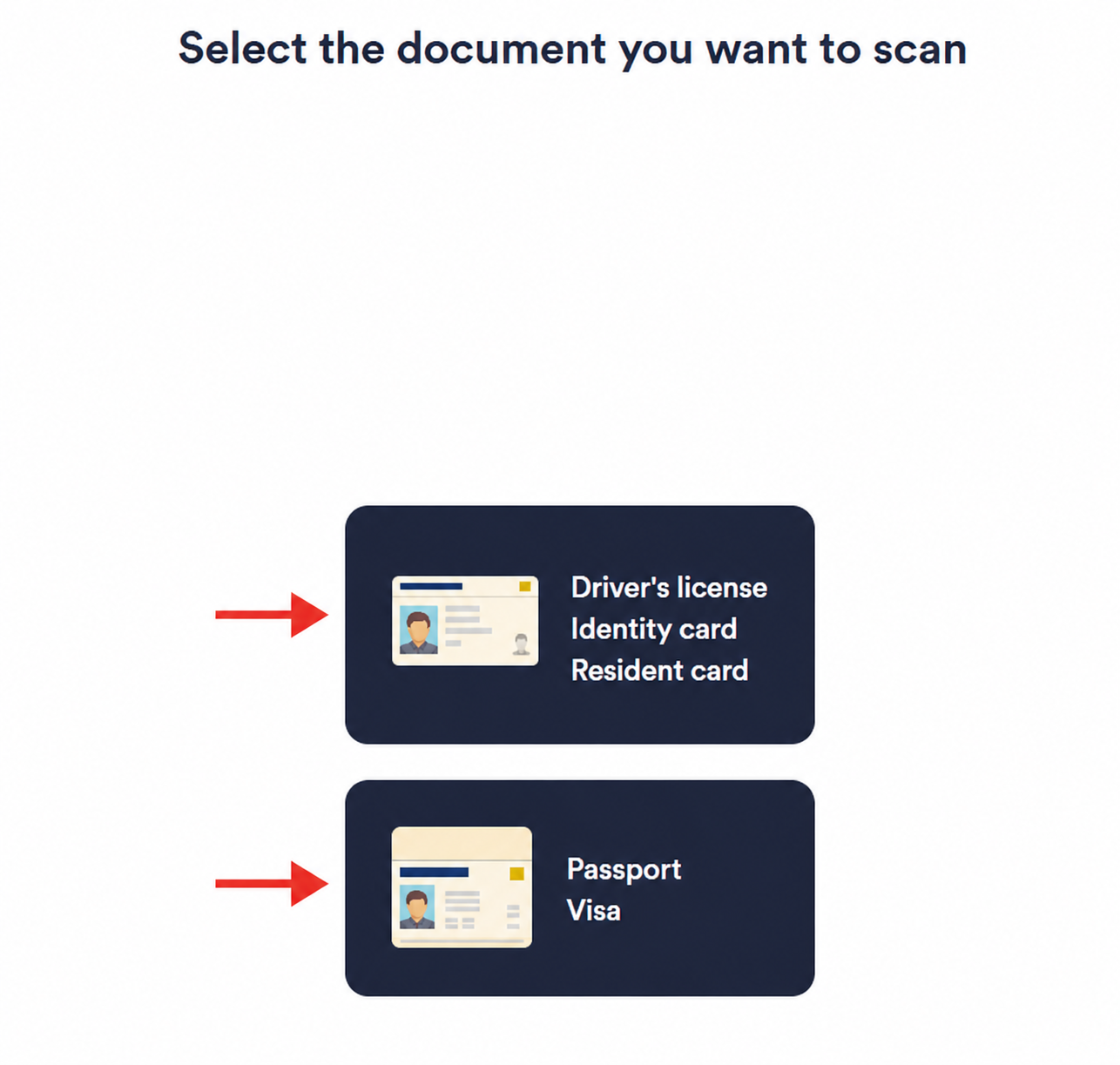
Now choose which document you are going to use. The screen gives options such as driver’s license, identity card, resident card, passport or visa.
Use a valid, unexpired, government-issued photo ID. The document should clearly show your legal name, date of birth, photo and ID number. If the document is damaged, expired, blurry or partly covered, verification may fail.
Continue after the ID scan and finish the remaining checks
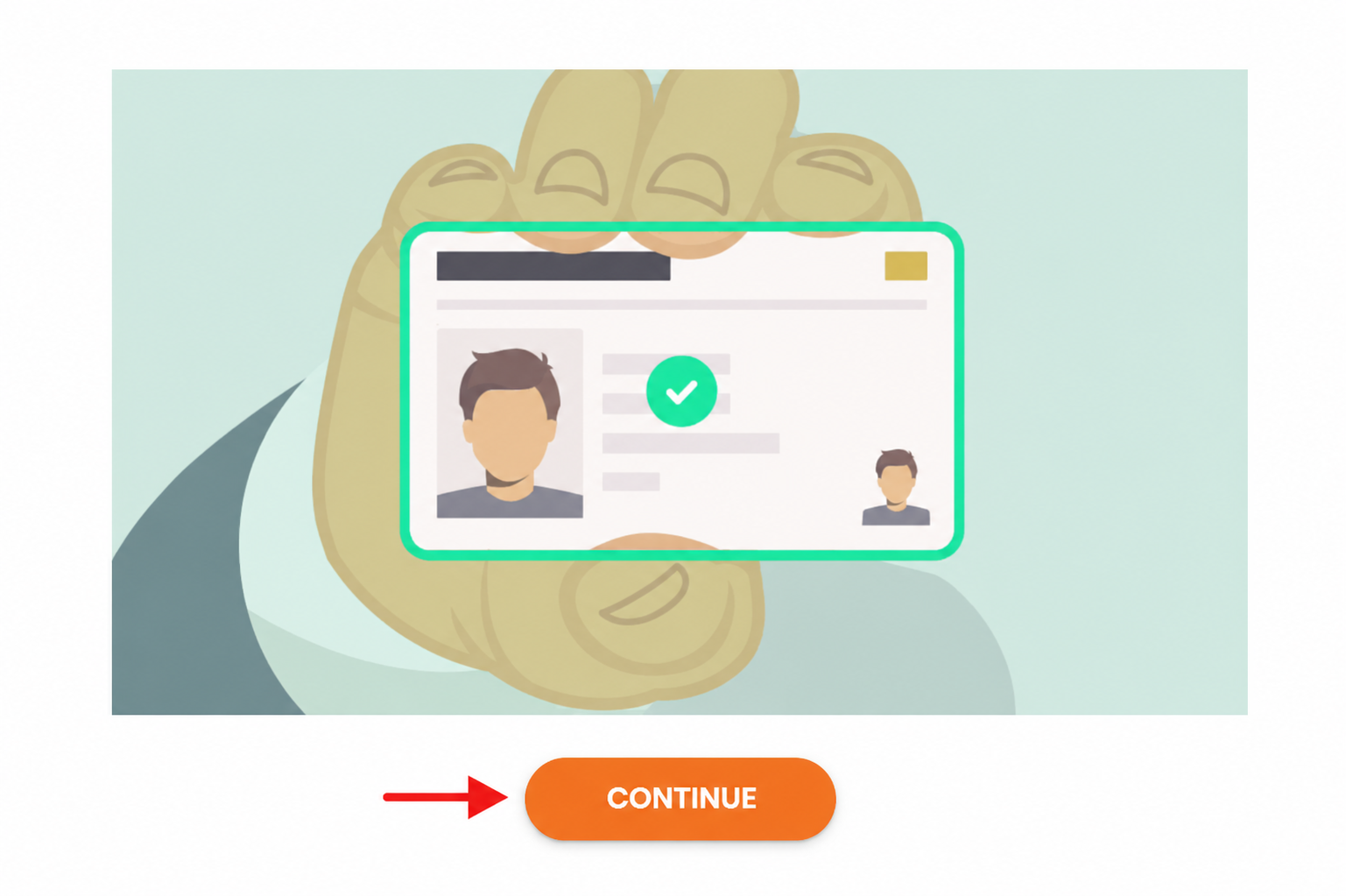
When the scan is accepted, you may see a green checkmark and a “Continue” button. Click “Continue” and complete any remaining steps, such as taking the other side of the ID or taking a selfie so the system can compare your face with the document.
After you submit everything, wait for Chaturbate to review your verification. Do not try to broadcast with anyone who has not completed their own verification. Once approved, you can finish your profile, set up payout details and prepare your first broadcast.
That’s the whole process. Eight screens, about 30 minutes, and a 1–3 day wait for approval. Open the official registration page and follow this guide screen by screen.
Start Registration on Chaturbate ↗What happens after verification — from first login to first broadcast.
Verification approved. Now what? These are the next practical steps to prepare your account before your first broadcast.
Set up your payout method
Go to My Account → Payout Settings and check the payout options currently available in your account. Add your payment method before your first stream so you are not trying to solve payment setup after earning tokens.
Complete your profile and room settings
Write your bio — include your schedule, personality and what viewers can expect. Set your room category (female/male/couple/trans). Add a tip menu with specific token amounts for specific activities. Set a show goal countdown.
Enable geo-blocking for your home state
Go to Settings → Privacy → Geolocation Blocking. Block your home state before your first stream. Set your room’s visible location to a different city. This is the most important privacy step and must be done before you go live.
Click “Broadcast Yourself” and start
Click Broadcast Yourself in the top navigation. Stream directly via your browser — no software needed to start. For better quality, use OBS or Streamster via the “Use External Encoder” option. Your room is immediately visible on the Chaturbate homepage.
Choose consistent hours and test when your audience is online
Traffic can vary by country, category and audience. For your first weeks, test consistent time blocks, write down which sessions get more viewers and tips, and build a schedule around the hours that actually work for your room.
Set an active goal countdown every stream
Use a clear, realistic first goal so viewers understand what the room is working toward. Keep your tip menu simple at the beginning, then adjust it based on what viewers actually request and support.
Ready for step one? None of this matters until your account exists. Create your broadcaster account now, and use the waiting time during verification to prepare everything above.
Create Your Account ↗How Chaturbate token earnings work — understand the numbers before you stream.
Chaturbate is token-based. Viewer purchase prices, model payouts, platform fees and payout methods can change, so always check your account dashboard before making income plans.
| Token amount | What viewer pays | What model earns | Platform cut | Notes |
|---|---|---|---|---|
| 100 tokens | ~$10.99 (small pack) | $5.00 | ~$5.99 (~55%) | Standard tip — most common public show amount |
| 500 tokens | ~$44.99 (bundle) | $25.00 | ~$19.99 (~44%) | Mid-size goal show / private show range |
| 1,000 tokensFirst payout | ~$79.99 (best value) | $50.00 | ~$29.99 (~37%) | Minimum payout threshold ($50) |
| Private show (30 min @ 60 tk/min) | Viewer pays ~$180 | $90.00 | ~$90 | Most models charge 30–90 tk/min. Your rate, your choice. |
| Fan Club (monthly) | $5–$25/month (you set) | 80% of fee | 20% | Recurring monthly income — 50 members × $15 = $750/month |
Important: use this table as a simple educational example. Always confirm the current token value, minimum payout and payment methods inside your own Chaturbate account before relying on the numbers.
Every token starts with a verified account. Registration is free, takes about 30 minutes, and you can compare these numbers with other cam platforms here before you decide.
Start Earning Tokens ↗How we made this guide — and how we earn from it.
Google’s quality standards — Experience, Expertise, Authoritativeness and Trustworthiness — are the same standards we hold ourselves to. Here is exactly how this Chaturbate guide was built.
Built from the real registration flow
Every screenshot on this page comes from the actual Chaturbate broadcaster signup process — not from marketing pages or competitor articles. We went through every screen, including the Incode identity verification flow, and documented each button, checkbox and friction point exactly as a new model will see them.
Data verified June 2026, updated when it changes
Token rates, payout thresholds, verification times and payment methods were checked against the live platform in June 2026. Because platforms change these details, we always tell you to confirm the current numbers inside your own account dashboard — and we update this guide when the data changes significantly.
Our affiliate relationship, disclosed openly
EarnPorn earns a referral commission when you register on Chaturbate through the red buttons on this page, at no cost to you. That commission never changes the steps, the screenshots or the warnings. We would give you the same guide without it — and where a platform pays us nothing, we say so and link it anyway.
Spotted something outdated or incorrect in this guide? Tell us and we will fix it. For how we handle age restrictions on this site, read our 18+ age verification policy.
Common questions about Chaturbate model registration in 2026.
How long does Chaturbate model verification take in 2026?
Chaturbate model verification typically takes 1–3 business days in 2026. The platform states up to 24 hours, but verification is reviewed manually and during busy periods it can take slightly longer. You will receive an email when your account is approved, and every person appearing on camera must be verified before broadcasting.
How much does Chaturbate pay per token in 2026?
Chaturbate pays models $0.05 USD per token in 2026, while viewers pay approximately $0.08–$0.11 per token depending on the package they buy. The minimum payout threshold is $50. Token values and payout rules can change, so always confirm the current numbers inside your Chaturbate account dashboard — and compare rates with other platforms in our full webcam earnings guide.
What documents do I need to register as a Chaturbate model?
You need one valid, unexpired government-issued photo ID such as a driver’s license, identity card, resident card, passport or visa. The document must clearly show your legal name, date of birth, photo and ID number. Chaturbate uses Incode Technologies for verification, and the flow may also ask for a selfie so the system can compare your face with the document.
Can I change my username after registering on Chaturbate?
No. Your Chaturbate username is permanent and cannot be changed once set. The only option is to create an entirely new account. Choose your username very carefully — it becomes your public brand and room name. Keep it short, memorable and avoid numbers, underscores or anything that can personally identify you.
What are the payout options for Chaturbate models?
Chaturbate offers payout methods such as ACH direct deposit (fee-free, recommended for US models), Paxum, Skrill, wire transfer, check and cryptocurrency. The minimum payout is $50 and payouts are processed weekly. Available methods can depend on your country, so check your account’s payout settings after approval.
Can I protect my privacy when broadcasting on Chaturbate?
Yes. Before going live, enable geo-blocking for your home state or country, review your camera background, remove personal items from view and never use your real name. If you want to earn without showing your face at all, our faceless content guide covers strategies that work on cam and subscription platforms alike.
Ready to register as a Chaturbate model?
Follow the steps in this guide carefully. Start with the red registration button, fill in the form, complete age verification, prepare your ID and wait for approval before broadcasting. You must be 18+ and legally allowed to perform adult content where you live.
For adults 18+ only, or the legal age for adult content in your country or jurisdiction, whichever is higher — see our age verification policy. Age and identity verification are mandatory before broadcaster activity. This guide is informational and is not legal advice. EarnPorn.com may earn a commission when you register through links on this page — this does not affect the step-by-step information provided. Read our privacy policy or contact us with corrections.