ManyVids Signup Guide 2026: register as a creator and start selling vids the right way
ManyVids is not the same as OnlyFans, Fanvue or Fansly. It is more of a creator store: videos, bundles, custom requests, clubs, tips, paid messages and live options. This guide walks through the real ManyVids creator signup flow we tested ourselves — Join Free, choose Creator, confirm email, upload ID documents and submit your application — in normal human language.
Disclosure: ManyVids is linked here as an official non-affiliate resource because we do not currently have a confirmed EarnPorn ManyVids referral link. EarnPorn may earn a commission if you join Fanvue, Fansly, Chaturbate or BongaCams through our links, at no extra cost to you.
Use ManyVids as a store — but send beginners to Fanvue or Fansly first.
ManyVids can be great for selling a catalog of videos, bundles, custom requests and club-style content. But if someone is just starting and wants a simpler subscription creator page, Fanvue and Fansly are cleaner conversion paths for EarnPorn because we have confirmed referral links and full tested guides.
So the honest funnel is this: read ManyVids if you want a clip store, start Fanvue if you want a modern subscription platform, and start Fansly if you want discovery-style creator monetization.
Fanvue: best tested alternative
We created and verified a Fanvue creator account ourselves, with real screenshots and dashboard access.
Read Fanvue GuideFansly: strong from zero
Fansly is a confirmed EarnPorn referral path and fits creators who want subscriptions, locked content and discovery tools.
Read Fansly GuideHow to register as a ManyVids creator — each screen explained in plain English.
Use the purple CTA below to open the official ManyVids signup page. The numbered guide starts with the first screen the user sees on ManyVids itself. This is a normal informational guide, because ManyVids is not a confirmed EarnPorn referral path right now.
Before you start: click the button to open the official ManyVids account creation page. Choose Creator, not Member, if your goal is to sell content.
Start Registration on ManyVids ↗Click “Join Free” on ManyVids.
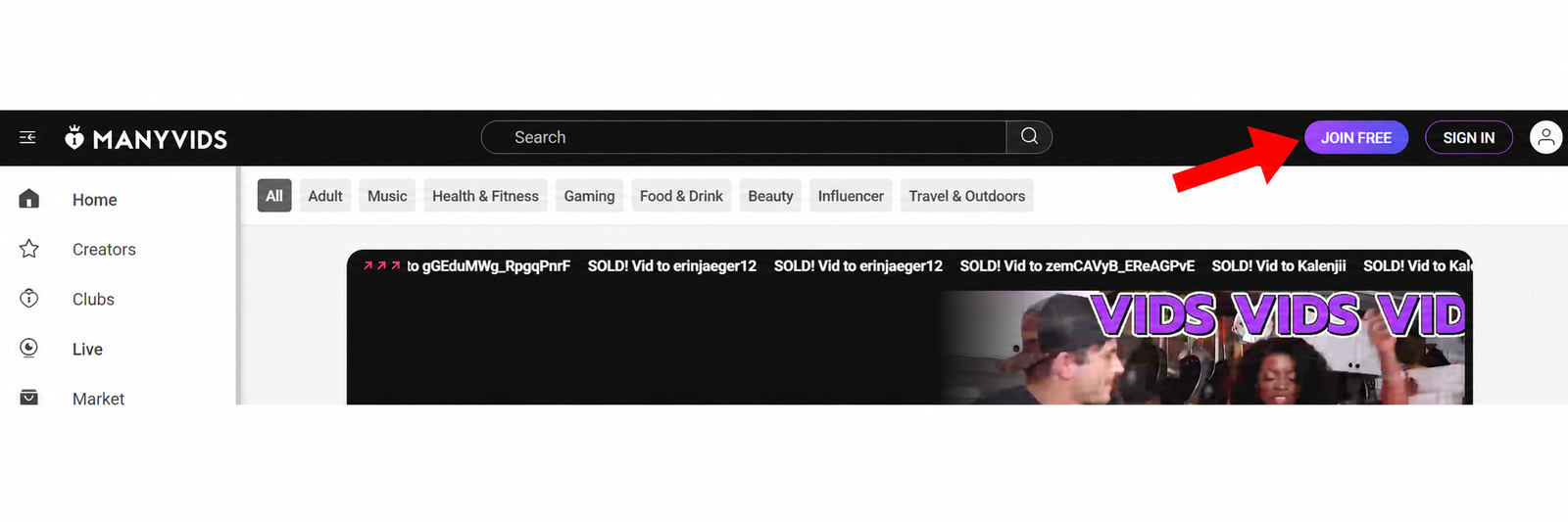
Once you land on ManyVids, look at the top-right area and click Join Free. This opens the account creation screen.
Choose Creator, fill in the form and click Join.
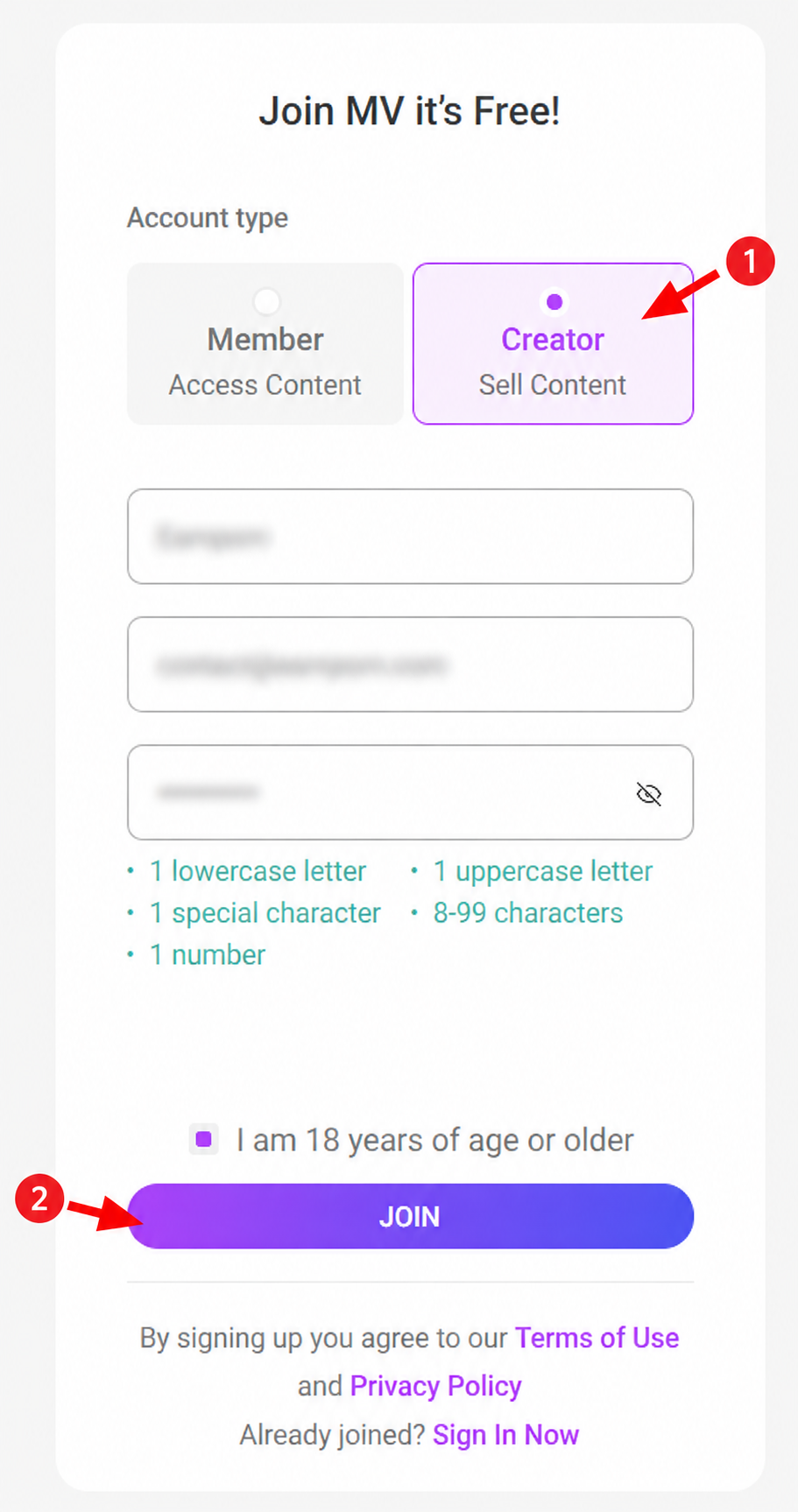
This is where many beginners make the wrong choice. Select Creator — Sell Content, not Member. Then enter your username, email and password, tick that you are 18 years of age or older, and click Join.
ManyVids says creator signup is free and asks you to choose Account type > Creator and verify that you are 18 or older before the confirmation email is sent.
Check the confirmation message on screen.
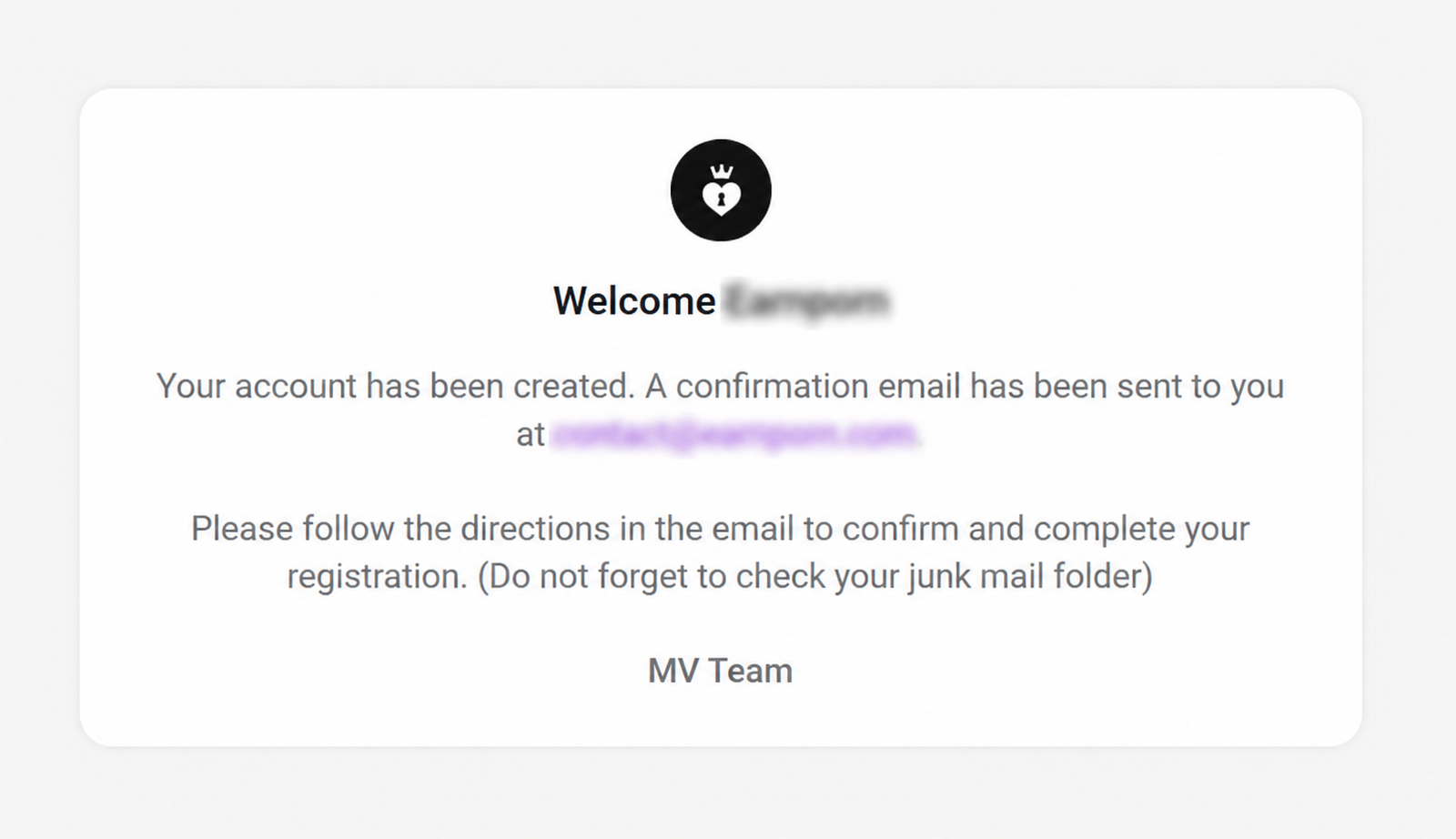
After you click Join, ManyVids confirms that your account has been created and tells you that a confirmation email has been sent. Go to the email address you used during signup.
Open the ManyVids email and click the activation link.
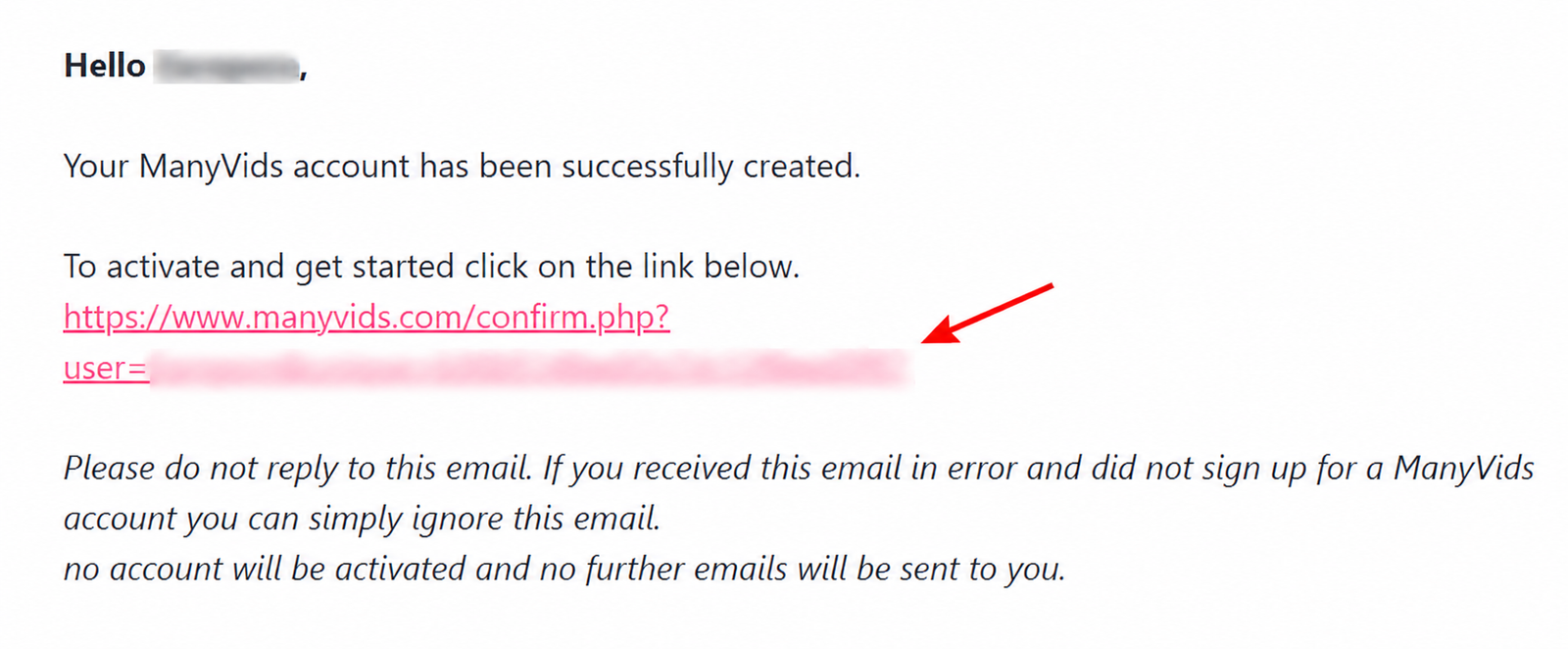
The email says your ManyVids account has been created and asks you to click the link to activate and get started. Click the confirmation link and return to ManyVids.
ManyVids explains in its Help Center that after signup they email you a confirmation link, and clicking it takes you to the verification process.
Select Adult 18+ and choose the creator type that fits you.
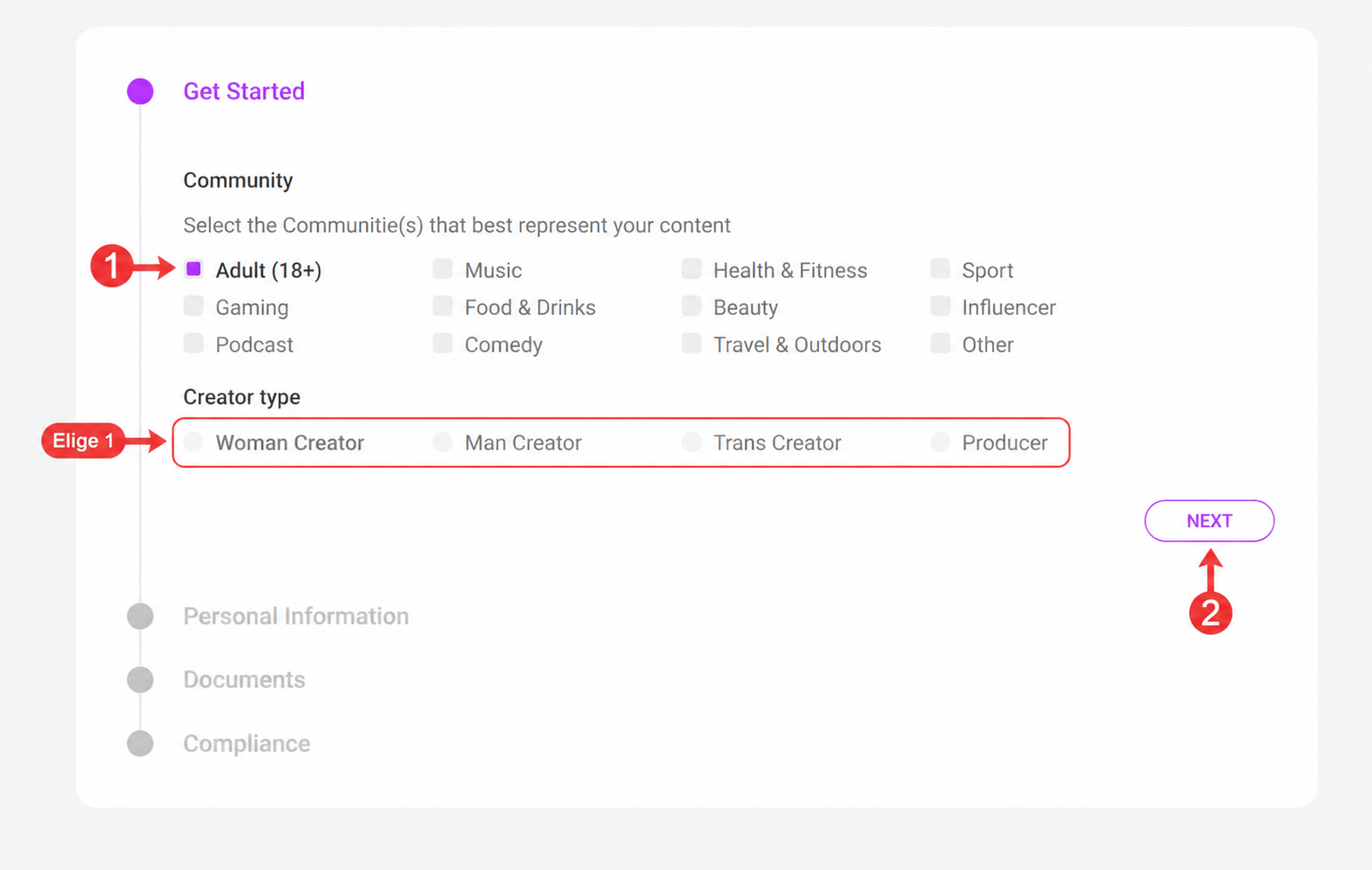
On the Get Started screen, choose the community that represents your content. For this guide, the example uses Adult (18+). Then choose the creator type that matches the account: Woman Creator, Man Creator, Trans Creator or Producer.
Pick the creator type honestly. If you are setting up a producer account, choose Producer. If you are setting up a performer account, choose the option that matches the creator.
Enter your real legal name and date of birth.
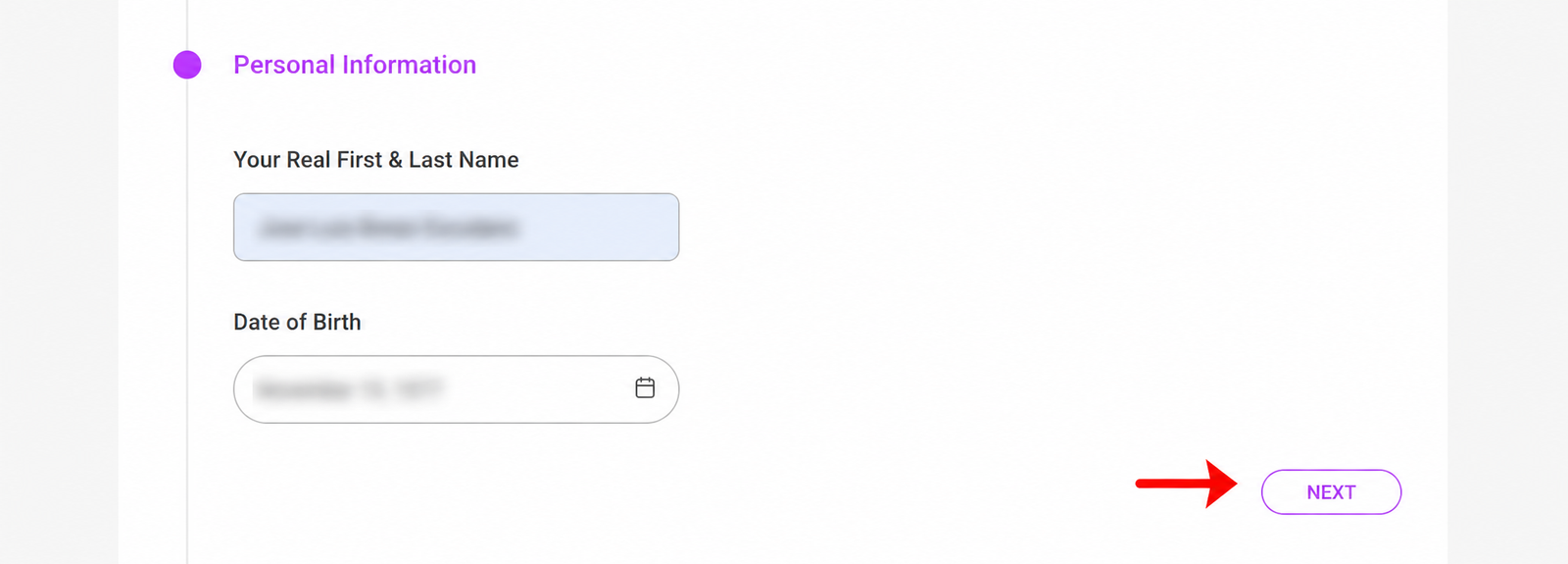
This part is not for your public stage name. Enter your real first and last name and your date of birth exactly as they appear on your ID. These details are used for verification.
Upload your ID and the holding-ID photo requested by ManyVids.
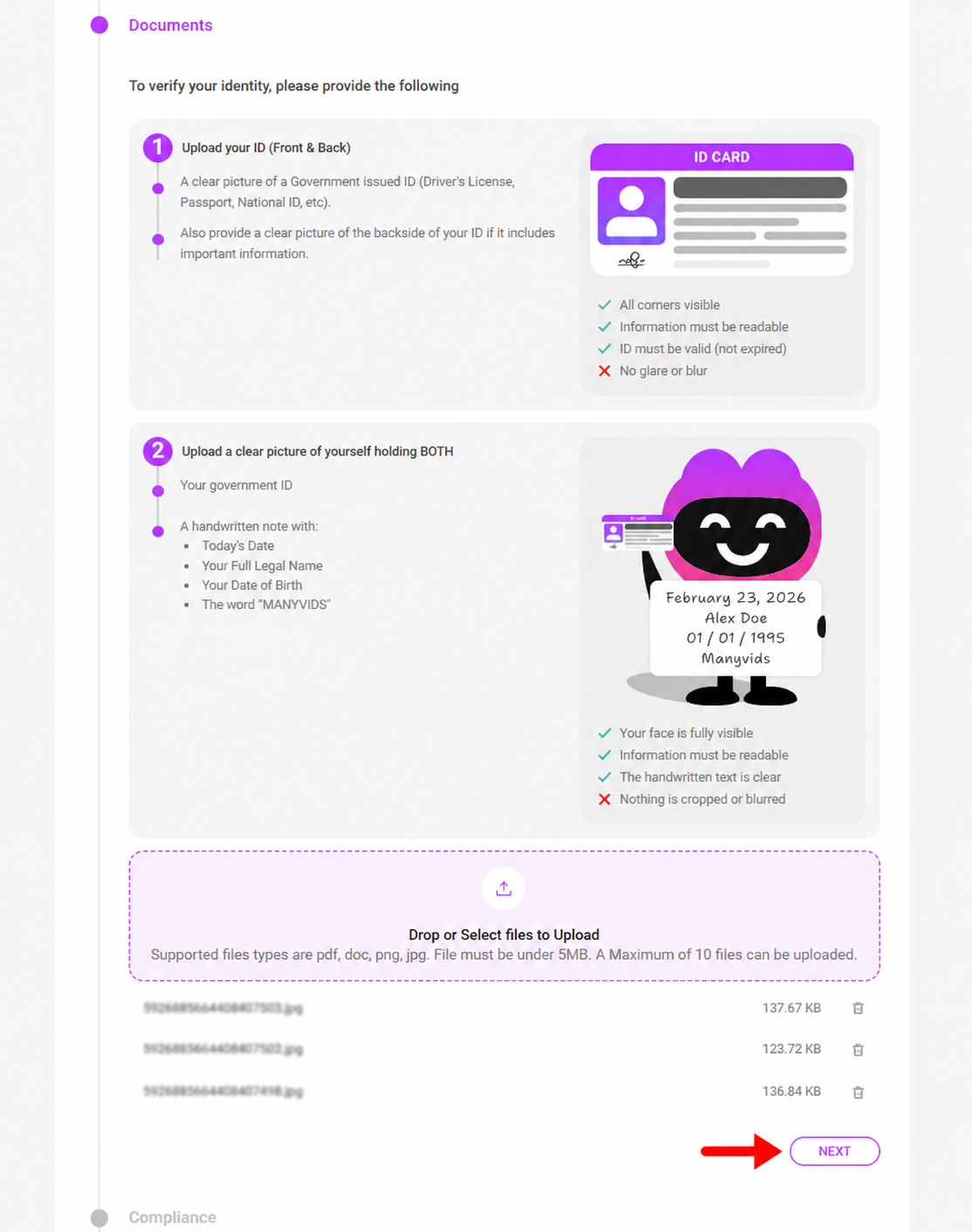
ManyVids asks for clear verification documents. In the approval instructions, they mention a clear close-up photo of a valid government-issued ID, a photo holding your ID with a handwritten note, and the back of the ID if important details are on the back.
The handwritten note may need to include today’s date, your full legal name, your date of birth and the word “MANYVIDS”. Follow the exact wording shown inside your account.
Accept the MV Terms of Services and submit your application.
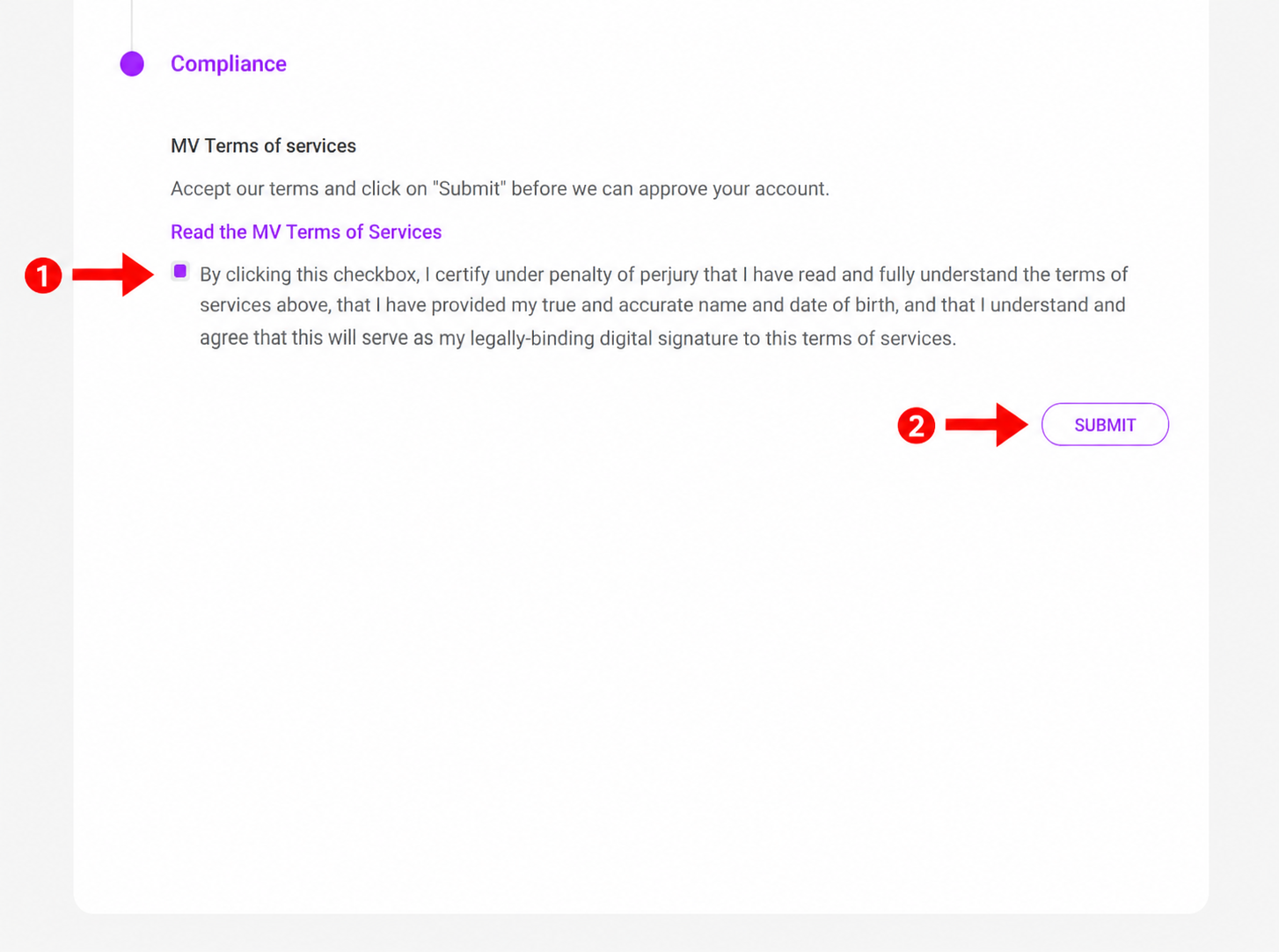
Read the MV Terms of Services, tick the checkbox only if you understand and accept them, and click Submit. This sends the application to the MV Team for review.
ManyVids says you should click the box confirming you have read the Terms of Services and then submit the application.
Wait for ManyVids to review your application.
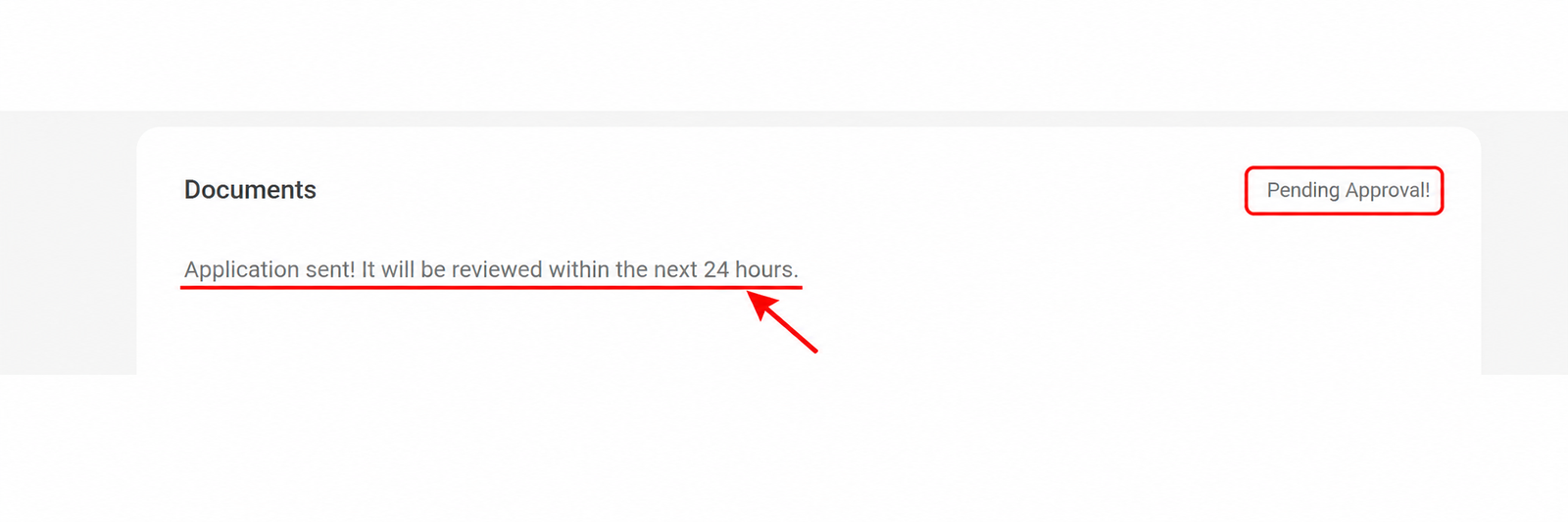
After submission, your account may show a Pending Approval message. ManyVids says the MV Team typically replies within 24–48 hours after application submission, and they will email you if they need more documents.
Not sure ManyVids is the best first platform? If you want subscriptions and an easier funnel for beginners, compare Fanvue and Fansly before spending all your energy on a clip-store setup.
Start on Fanvue ↗What to do after ManyVids approves your creator account.
Approval is not the finish line. It is where the store actually starts. Your goal is to avoid an empty profile and give people a reason to buy.
Build your profile like a storefront
Add a strong avatar, profile text, intro, teaser style and a clear niche. ManyVids is a marketplace, so your profile needs to look like something worth clicking.
Upload your first vids carefully
Prepare titles, descriptions, thumbnails, categories and pricing. Do not upload a random file with no sales angle.
Set up Custom Vids
Custom vids let fans order content with their own request. Use clear boundaries, delivery times and prices.
Create a Club strategy
Use Clubs for recurring fans who want posts and updates, instead of relying only on single clip sales.
Use Live if it fits your style
MV has live features and token-based earnings. It can help you build audience attention and send people to your clips or custom offers.
How ManyVids creator payouts work in 2026.
ManyVids payout percentages vary by service or product. Always check the live payout page inside your account before making financial plans.
| Income stream | Official creator payout shown by ManyVids | Plain-English use case |
|---|---|---|
| Club | 80% | Recurring community-style income from subscribers. |
| Custom Vids | 80% | Higher-value custom orders with packages, extras, delivery speed and exclusivity options. |
| Tips | 80% | Simple support from fans when they like your content or want to interact. |
| Store Items | 80% | Physical or digital items depending on what you offer and platform rules. |
| Tokens | $0.08 per token* | Live-related earnings, with ManyVids noting this reflects MV Live’s 80% promotional payout structure. |
| Vids / Vid Bundles | 60% | Core clip-store sales and bundles. This is one of ManyVids’ strongest use cases. |
| Pay To Open messages | 60% | Paid inbox content or messages that fans pay to unlock. |
*Percentages and product rules can change. Check ManyVids’ current creator payout page or your account dashboard before relying on these numbers.
This is a real signup guide, not a copied platform description.
The page is built around a real ManyVids registration flow with screenshots, honest limitations and clear disclosure about which platforms we do and do not monetize.
We went through the signup screens
The steps are based on the actual account creation, email confirmation, creator type, legal details, document upload and pending approval screens shown in our screenshots.
We explain the platform fit
ManyVids is treated as a clip-store and creator marketplace, not as another simple subscription page. That helps the reader choose the right platform for the right job.
We disclose the affiliate situation
ManyVids is not a confirmed EarnPorn referral link here. Our commercial CTAs go to confirmed referral partners like Fanvue, Fansly, Chaturbate and BongaCams.
Common questions about registering as a ManyVids creator.
Is ManyVids good for beginners?
Yes, if you understand what it is best for. ManyVids is especially useful for creators who want to sell videos, bundles, custom vids and store-style content. It is not just a simple subscription page.
Do we have a ManyVids affiliate link?
No confirmed EarnPorn referral link is used here. ManyVids is linked as an official resource, while conversion links are focused on Fanvue, Fansly, Chaturbate and BongaCams.
Do I need to be 18+?
Yes. You must be 18 or older and legally allowed to create adult content in your country or jurisdiction. Creator verification is required.
How long does approval take?
ManyVids says the MV Team typically replies within 24–48 hours after submission. If documents are missing, unclear or inconsistent, it can take longer.
Can I make money without live streaming?
Yes. ManyVids is strong for vids, bundles, custom requests, clubs, tips, store items and paid messages. Live can help, but it is not the only path.
Should I also create Fanvue or Fansly?
Yes. ManyVids can be your clip store, while Fanvue or Fansly can handle subscription-style creator income. That is a stronger funnel than relying on one platform.
This guide is based on the live registration flow shown in our screenshots and public ManyVids Help Center information about creating a creator account, account approval and creator payout percentages. ManyVids links on this page are official non-affiliate links. Confirm current rules inside your own ManyVids account before making business decisions.
Ready to build a creator income funnel, not just one account?
Use ManyVids if you want to sell vids, bundles and custom requests. But if your goal is subscriptions and recurring fan income, start with Fanvue or Fansly too. That gives you a stronger funnel than relying on a single marketplace.
For adults 18+ only, or the legal age for adult content in your country or jurisdiction, whichever is higher. Age and identity verification are mandatory before creator activity. Earnings are not guaranteed. This guide is informational and is not legal, tax or financial advice. EarnPorn may earn a commission when you join confirmed partner platforms through links on this page, at no extra cost to you.