Fansly Signup Guide 2026: register, verify and start earning the right way
Fansly is one of the strongest adult creator platforms to start with in 2026 because the account setup is simple, the creator application is clear, and the platform gives creators several ways to earn: subscriptions, locked content, messages and tips. We tested this registration ourselves, screen by screen, so this guide is written like one normal person helping another normal person get approved without getting lost.
Disclosure: EarnPorn may earn a referral commission if you join Fansly through our links, at no extra cost to you. We only recommend platforms that make sense for the guide. We also link to Fanvue, OnlyFans, Chaturbate and BongaCams so you can compare your options honestly.
Prepare Fansly like a small creator business, not a random profile.
Fansly can be quick to start, but the creators who convert better usually do the boring setup correctly: separate email, creator username, good profile visuals, clear niche, clean ID photos and a content plan before pushing traffic. That is what makes the registration useful, not just “having an account.”
- 01 Use a separate email you can verify immediately.
- 02 Choose a creator username that does not expose your real identity.
- 03 Keep your legal, payment and ID details accurate and consistent.
- 04 Use a phone camera if your laptop webcam is weak.
- 05 Prepare a profile, subscription tiers and first posts before sending traffic.
Create your Fansly account and complete creator approval in the right order.
This is the exact structure we recommend: open the official Fansly application page, click Sign up, create the account, verify email, add payment method, complete camera/ID checks, finish the creator application and then build the profile for conversions.
Ready to start? use the red Fansly button to open the official Fansly application page. Keep this guide open in another tab while you follow the real signup screens below.
Start Registration on Fansly ↗On the official Fansly page, click Sign up.
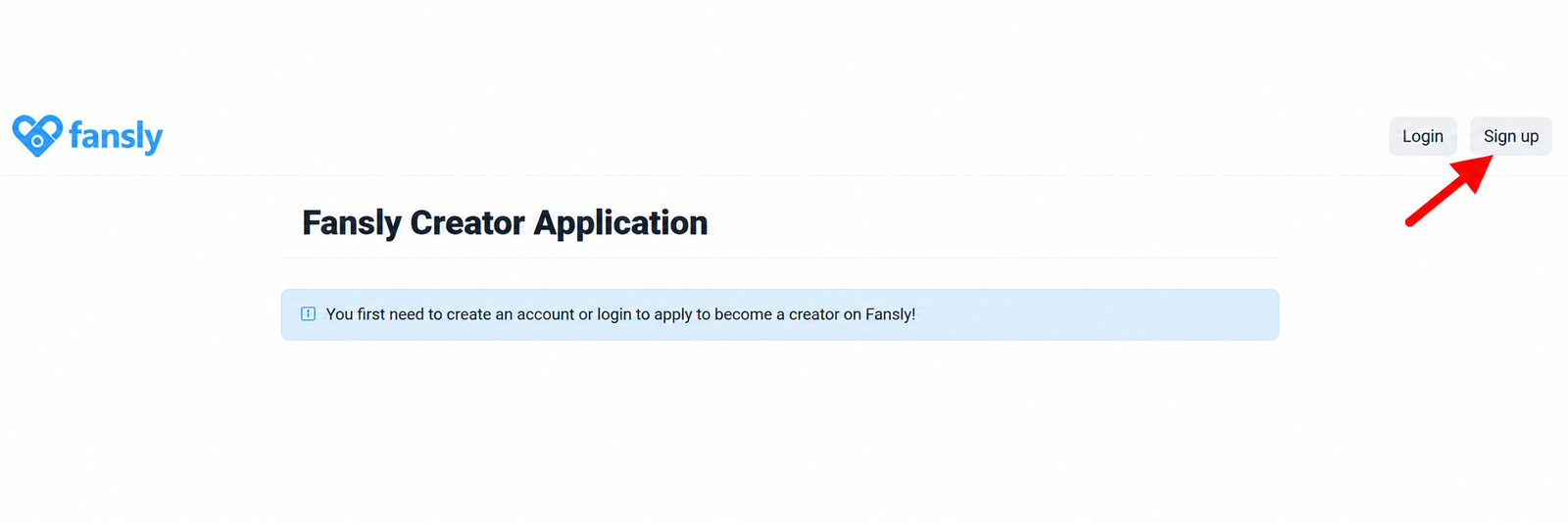
After clicking the EarnPorn button, you should land on Fansly’s official application page. Click the Sign up button in the top-right corner to create your account and begin the application flow.
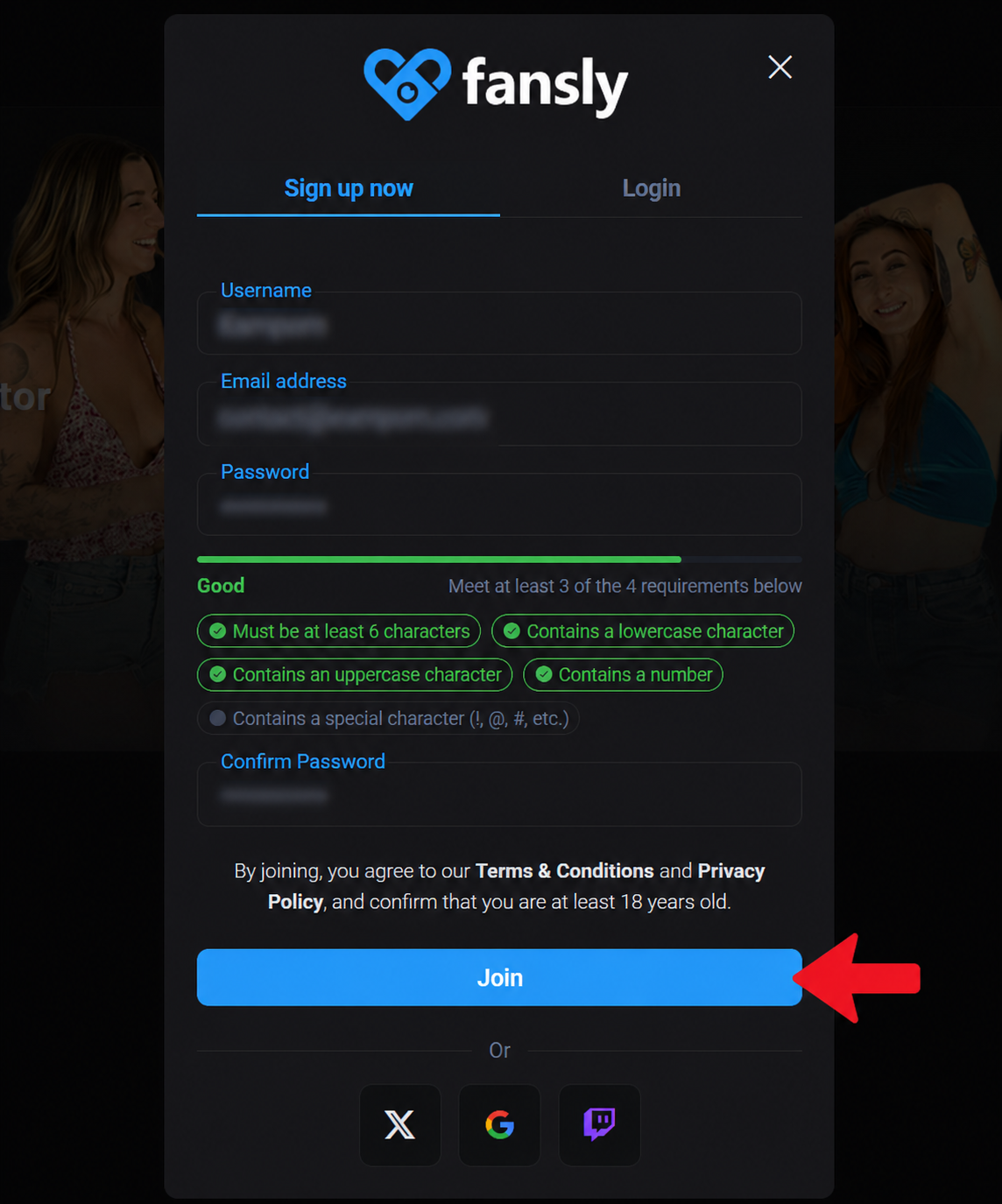
Fill in username, email and password, then click Join.
Choose a username that fits your creator brand, enter the email address you want to use for Fansly, create a password and confirm it. Once everything is filled in, click Join.
- Use a clean creator username.
- Use an email you can access right away.
- Save your password somewhere safe.
Open the Fansly email and confirm your account.
Fansly sends a verification link to the email you used during signup. Open your inbox, click the verification link and then return to Fansly. Do this before going deeper into the creator application.
- Check inbox, spam and promotions tabs.
- Click the verification link from Fansly.
- Return to Fansly once the email is confirmed.
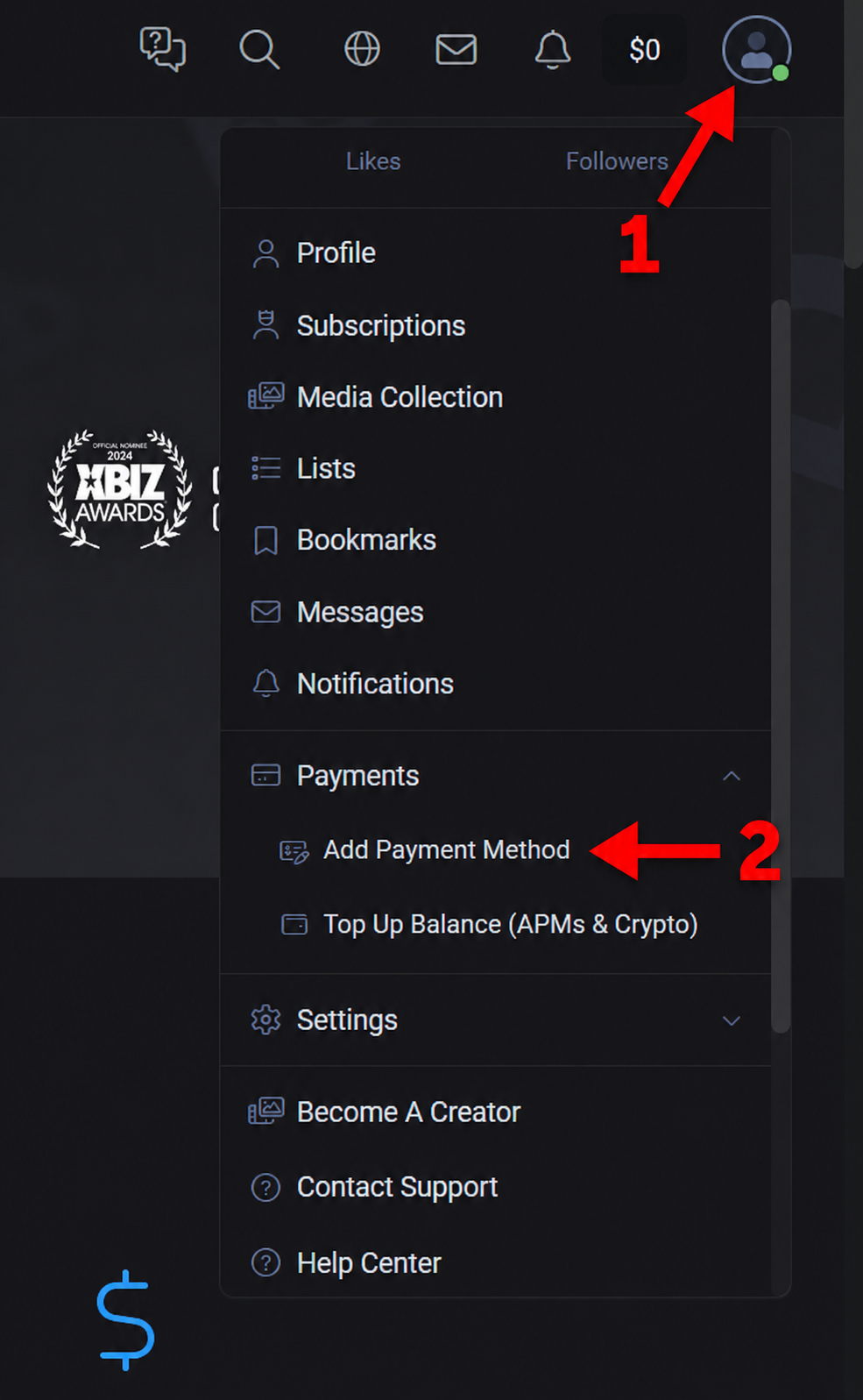
Open the account menu and click Add Payment Method.
Once email verification is done, open the round account/profile icon, go to Payments and click Add Payment Method. This step can appear before or around the creator application depending on your flow.
- Click the profile/account icon.
- Open the Payments section.
- Click Add Payment Method.
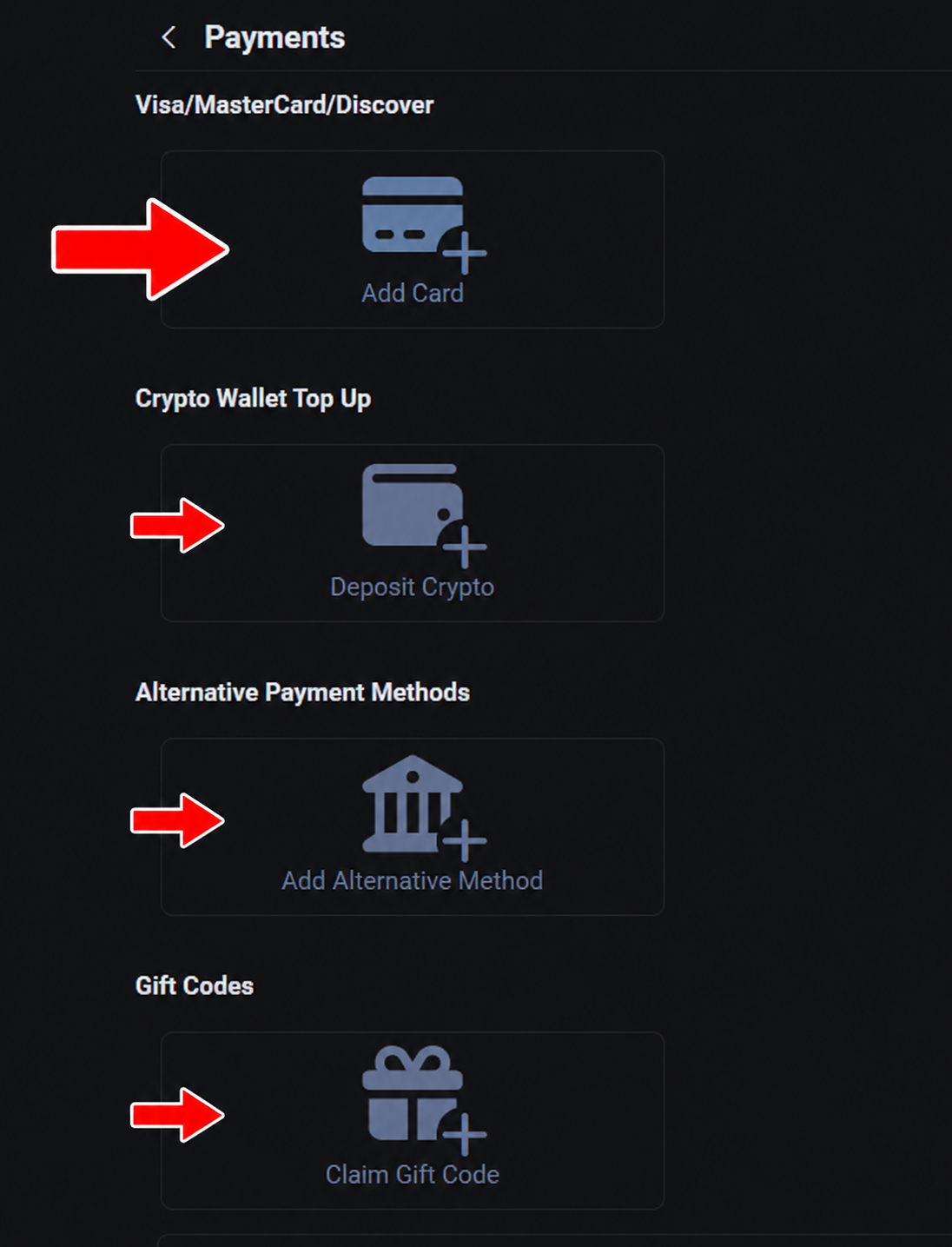
Select the payment method you want to use.
Fansly may show several options, such as card, crypto top-up, alternative payment methods or gift codes. In this guide, the card option is the simplest example for most beginners.
Enter the details for the payment method you selected.
Complete the billing or payment details requested by Fansly. Use accurate information. If you are applying as a creator, keep details consistent with the person applying and the identity verification you will complete.
- Fill in the required billing information.
- Enter the card or payment details carefully.
- Click the final button to add the method.
Start the Fansly Creator Application verification.
Once the basic account is ready, start creator verification. Fansly checks identity because creator accounts involve adult content and payouts. Your identity, payment details and application details should all match.
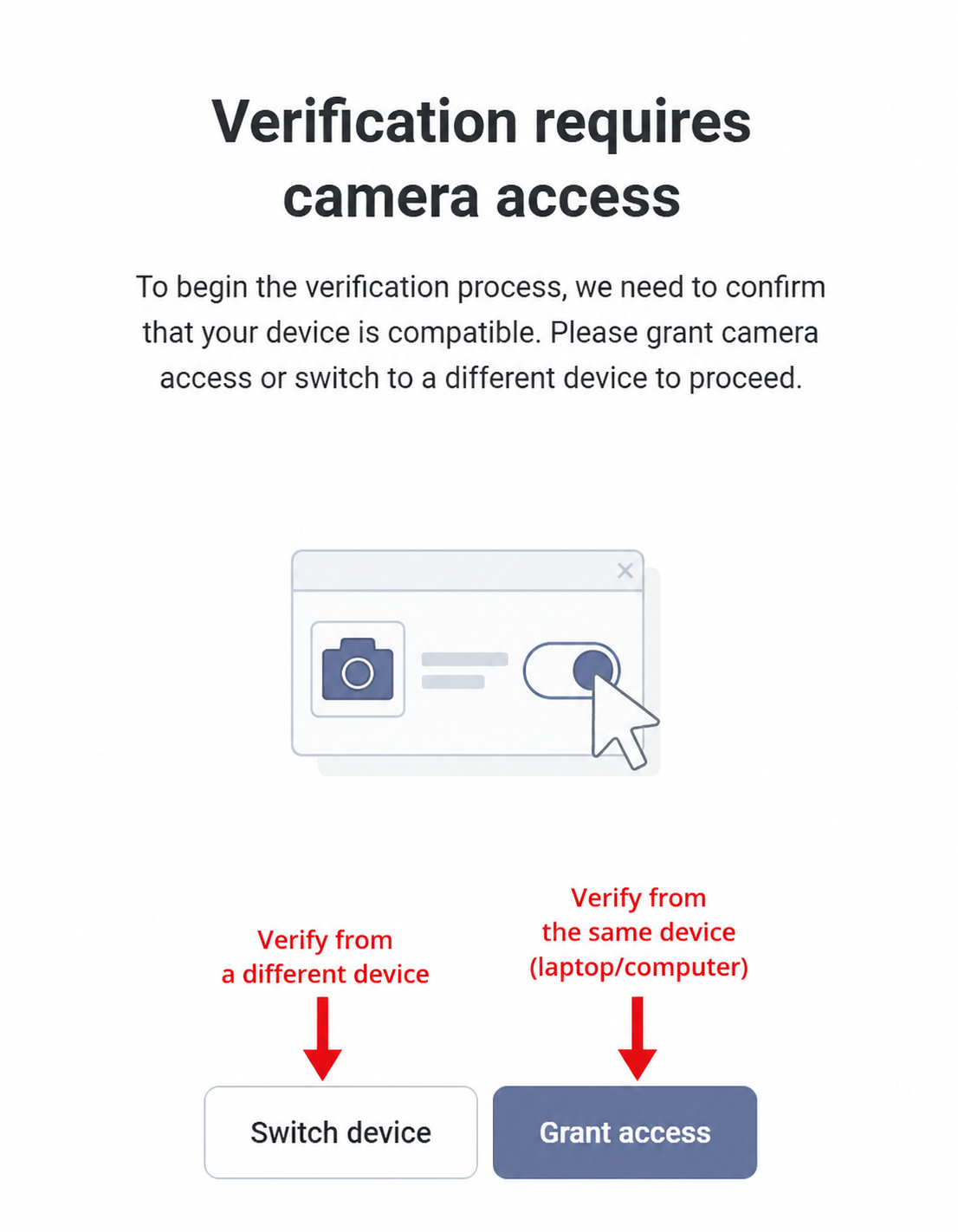
Grant camera access or switch to your phone.
The verification flow needs a camera. You can continue from the same computer if the camera is clear, or switch to a phone if the laptop camera struggles with the document.
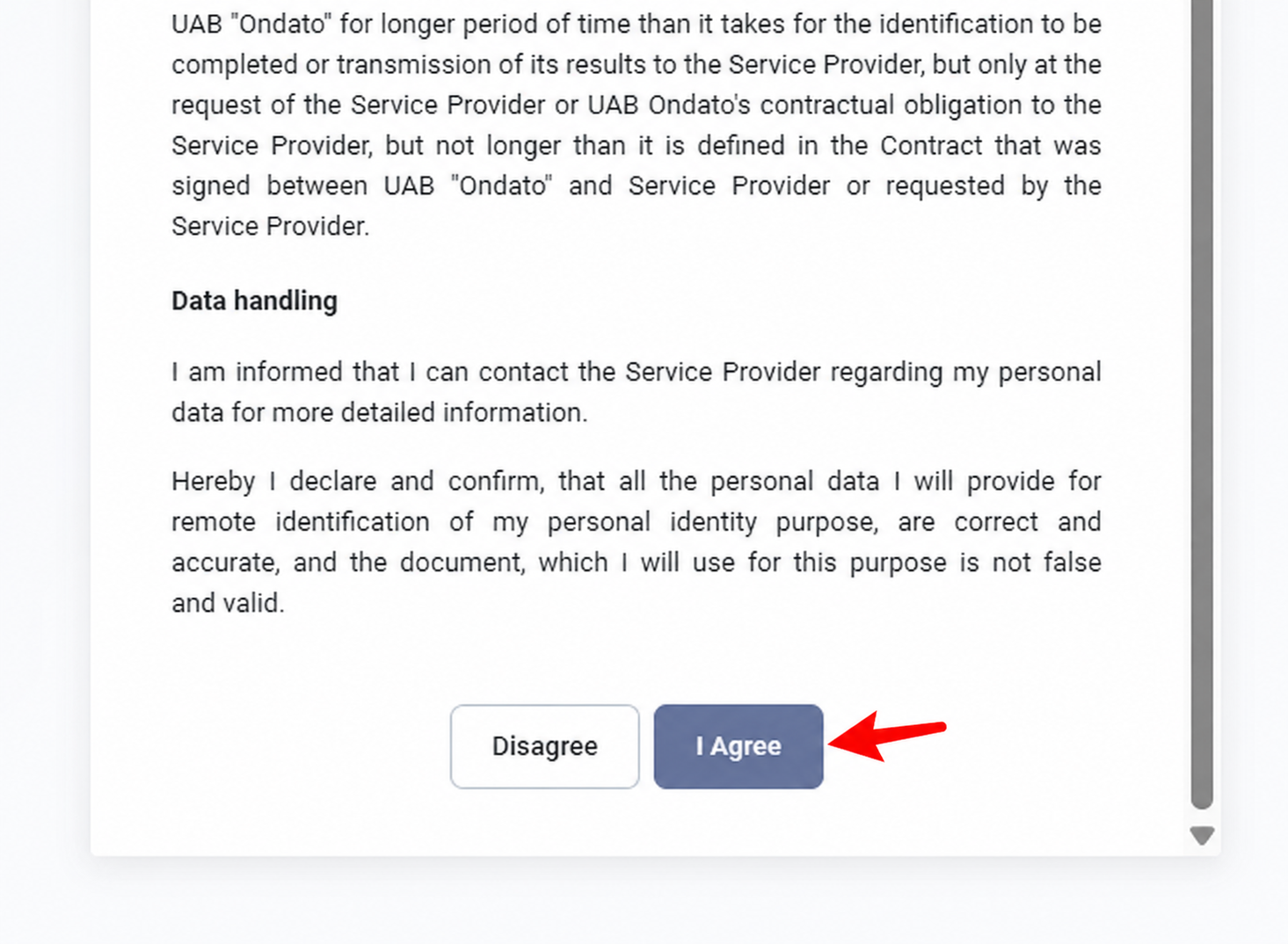
Read the verification terms and click I Agree.
Before taking ID photos, the verification provider asks you to accept its terms. Read the text and continue only if you agree.
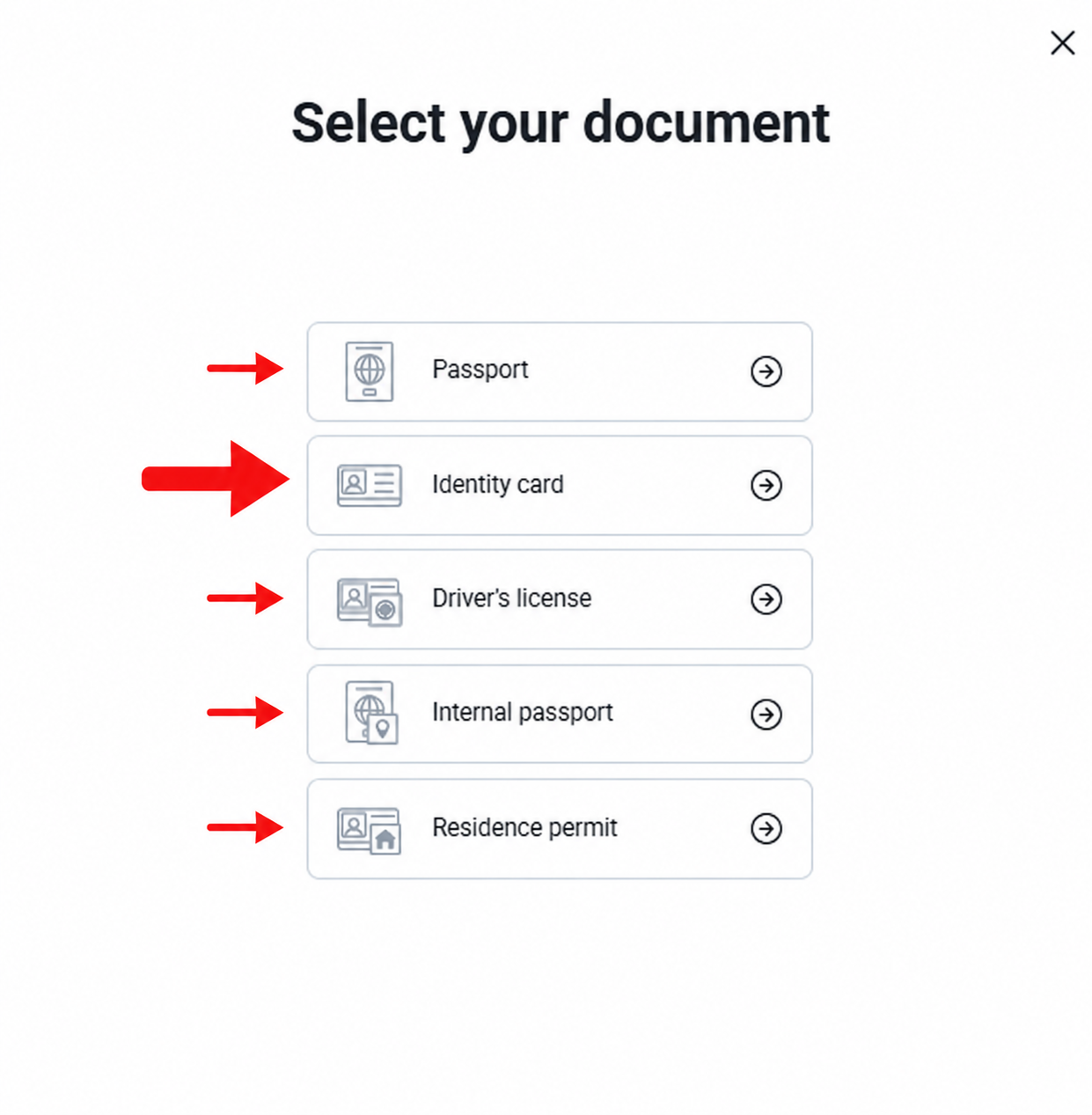
Choose the ID document you will use.
Select a valid, non-expired government document. In the example, Identity card is the preferred option, but passport, driver’s license or residence permit may also appear depending on your country.
Take a photo of the front of your ID.
Place the document inside the frame. Make sure the image is not blurry, the lighting is good and the document is readable. If you cannot read it clearly, Fansly probably cannot either.
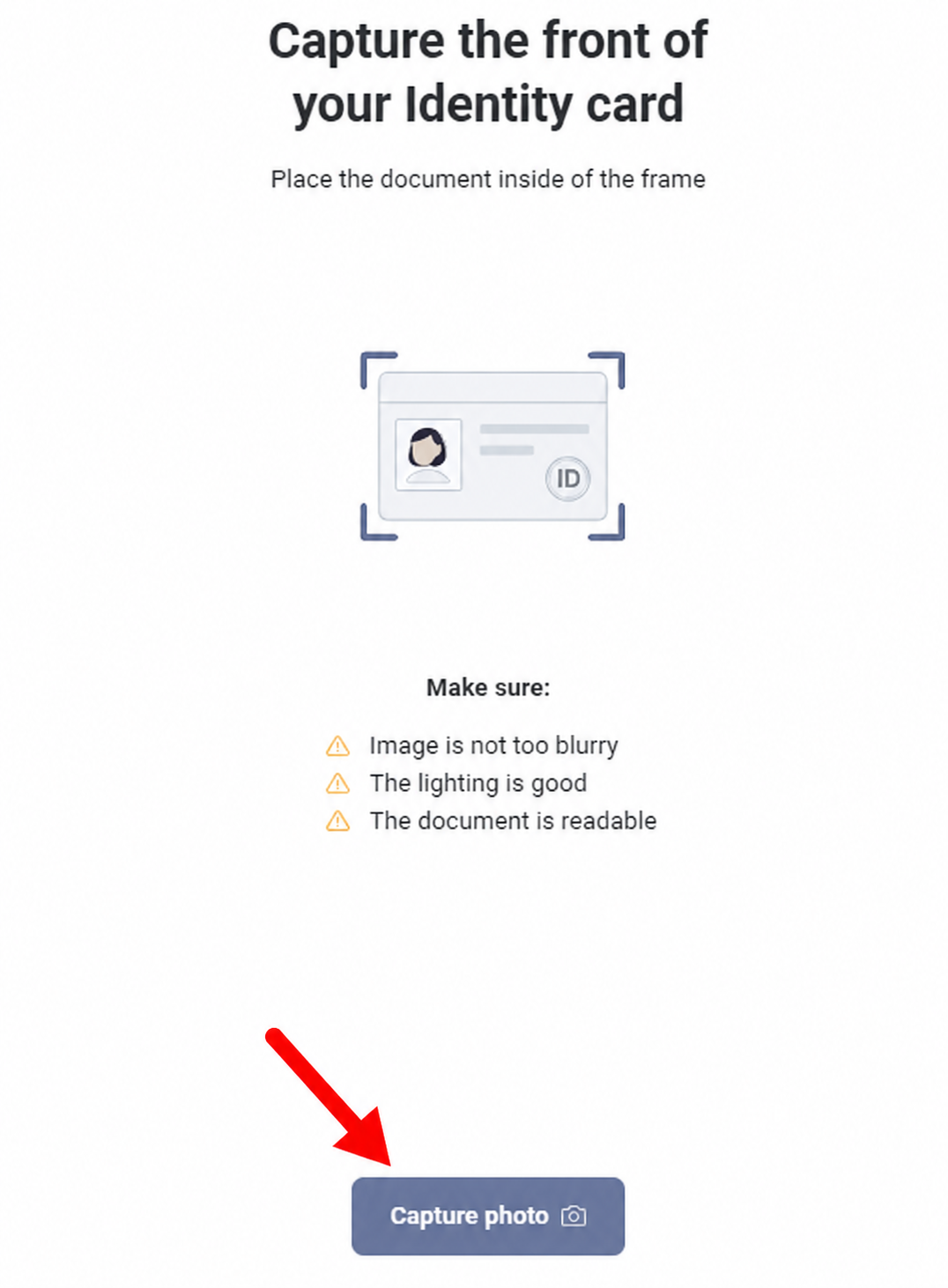
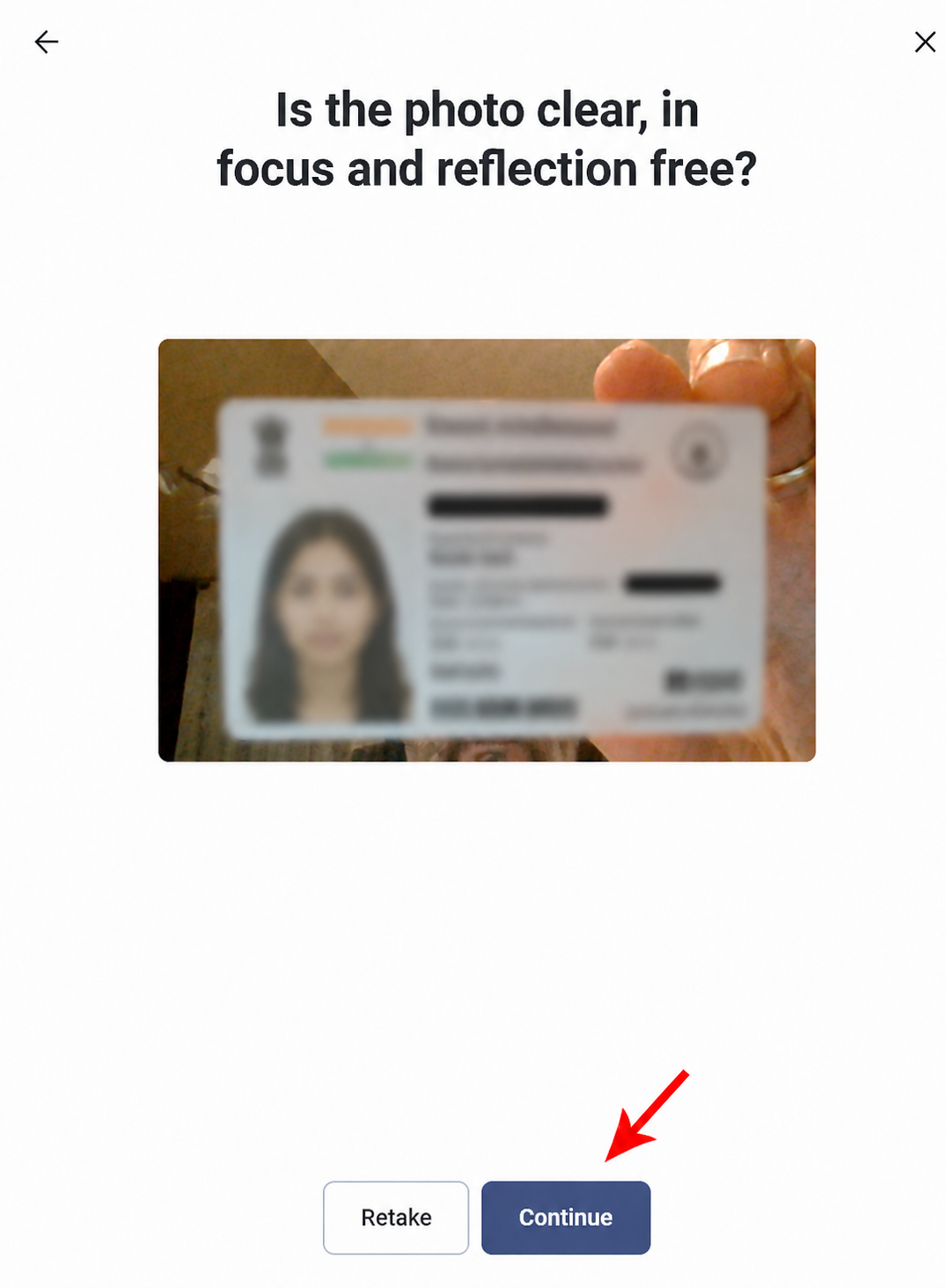
If the front photo is clear, click Continue.
Do not continue with a blurry, cropped or reflective photo. Retake it now if needed. A clean ID photo can prevent delays later.
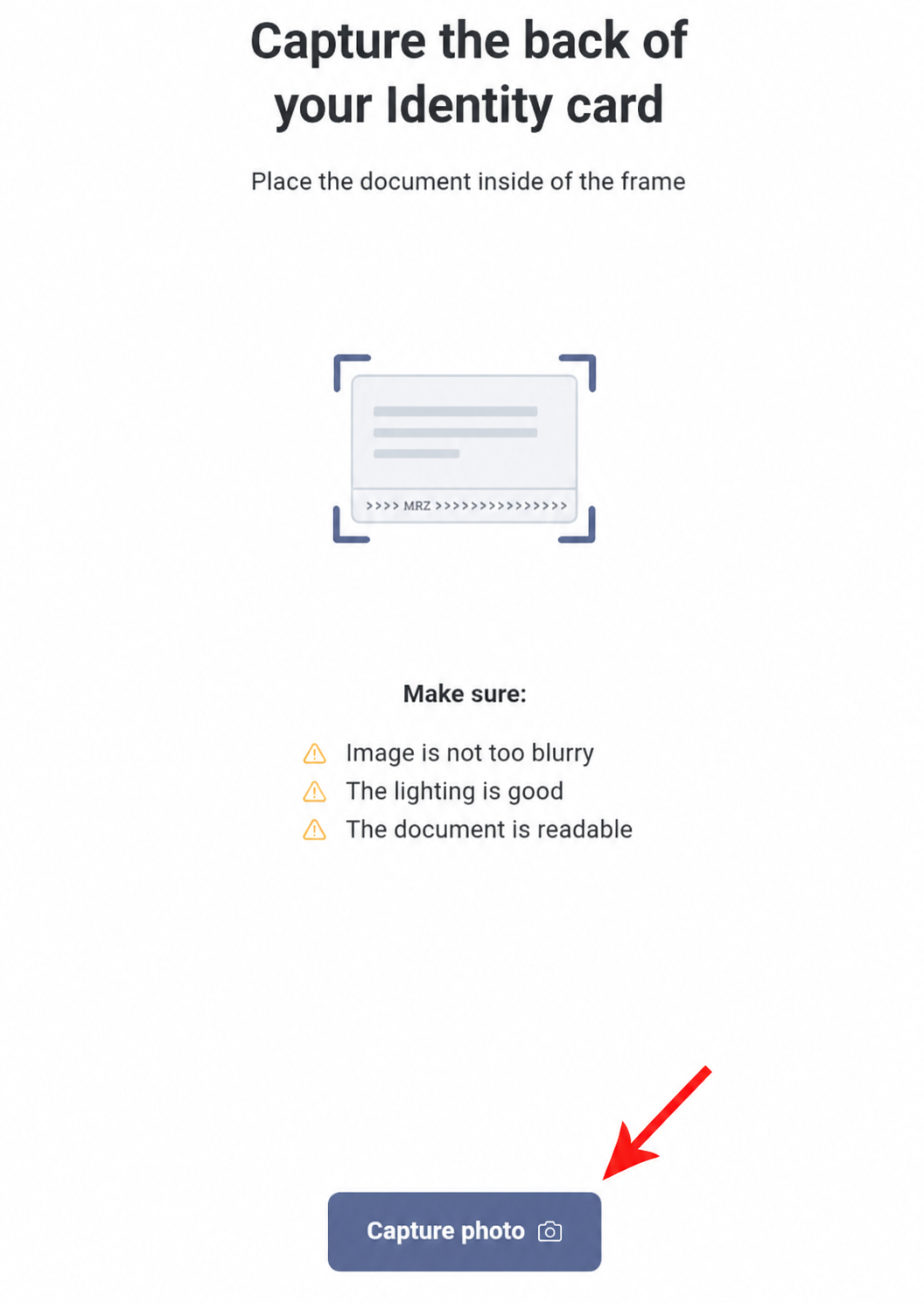
Take a photo of the back of your ID.
If your document has a back side, capture it as well. Keep the document flat, inside the frame and readable.
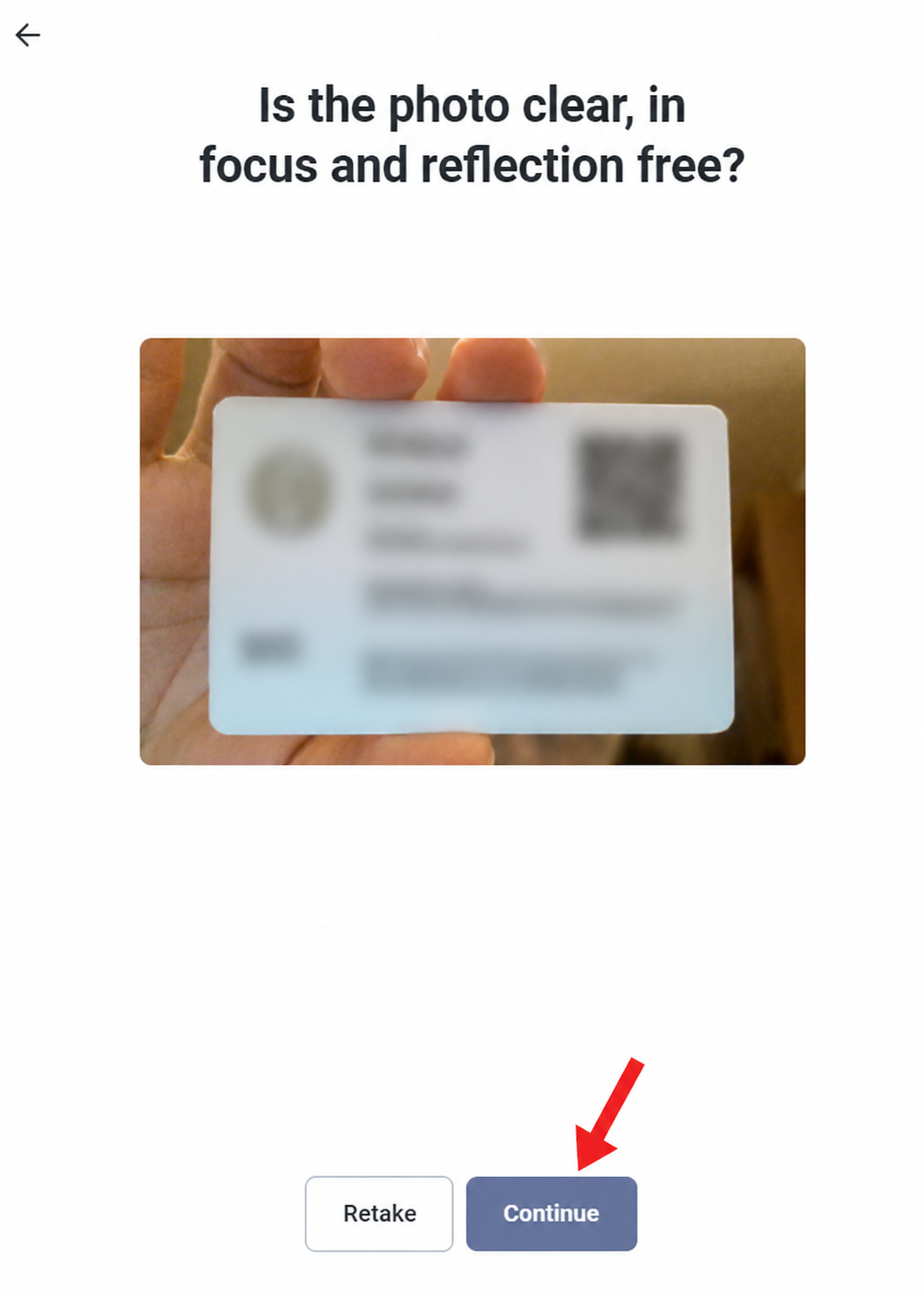
Review the back image and click Continue.
Only continue if the back image is sharp enough. If it is blurry, retake it before moving forward.
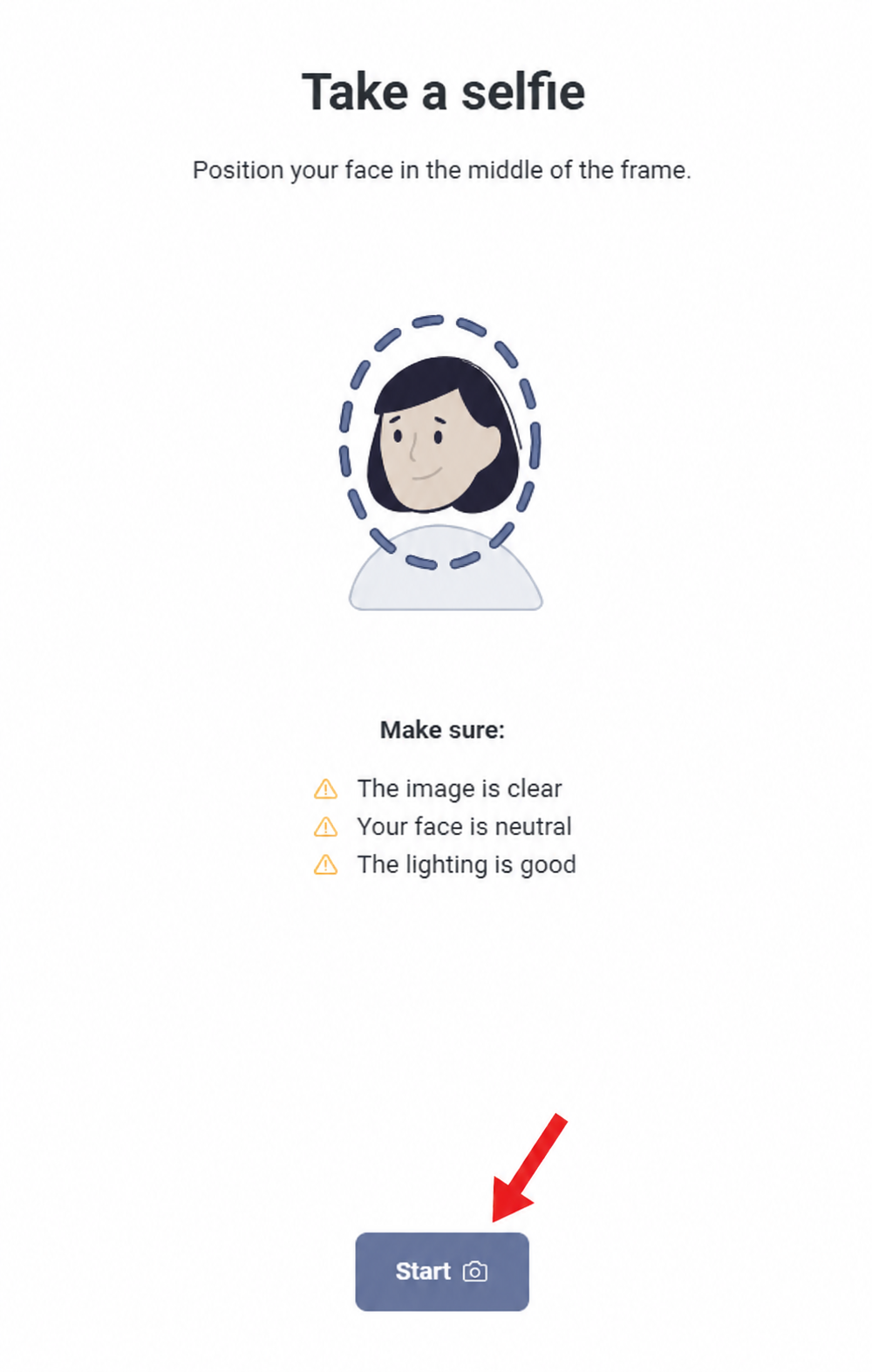
Start the selfie check.
Position your face in the middle of the frame. Keep the lighting good, remove filters and keep your face neutral. This checks that the person applying matches the document.
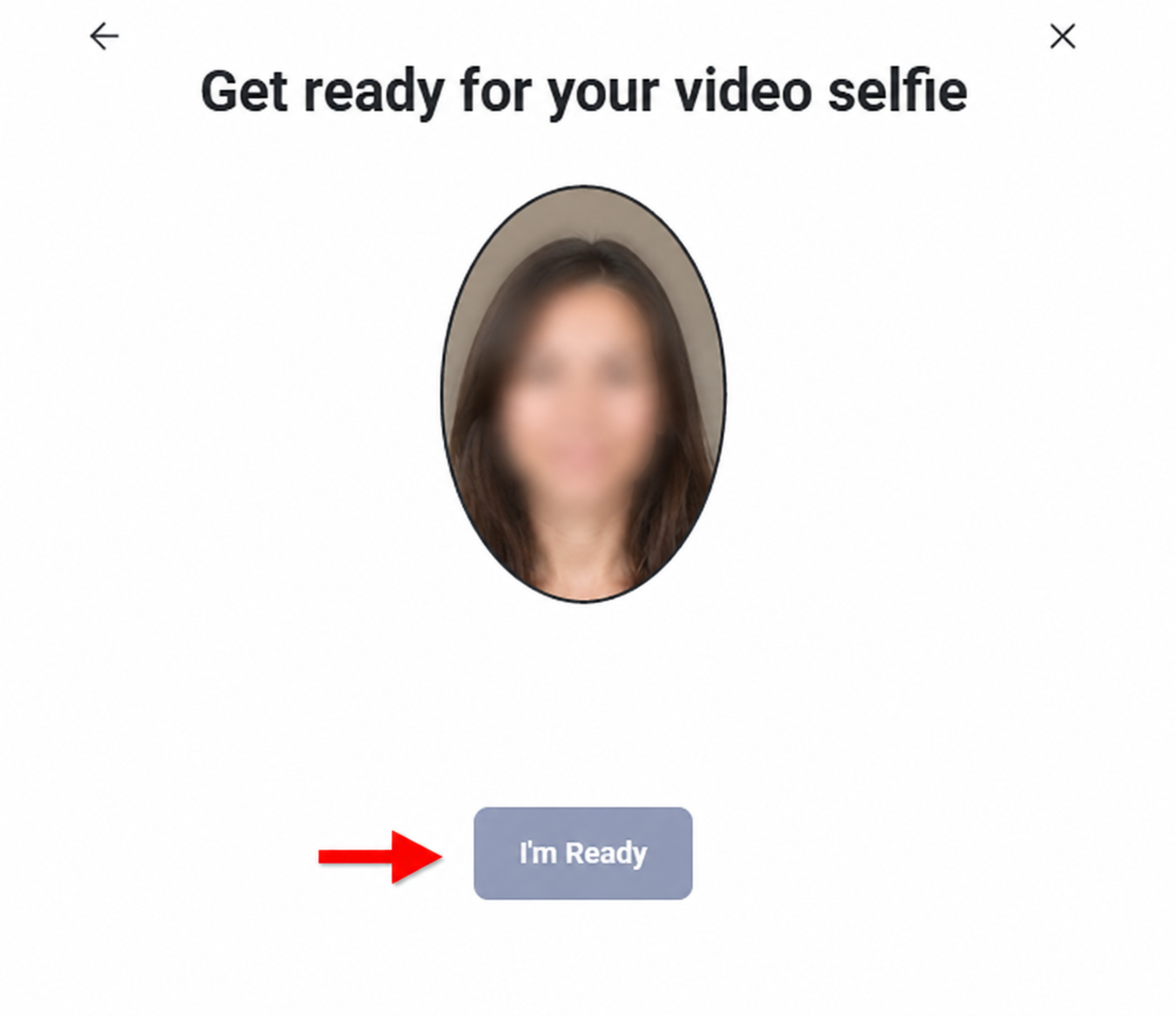
Get ready for the video selfie if requested.
Some flows ask for a short video selfie or liveness check. Follow the on-screen instructions, keep your face centered and avoid moving too fast.
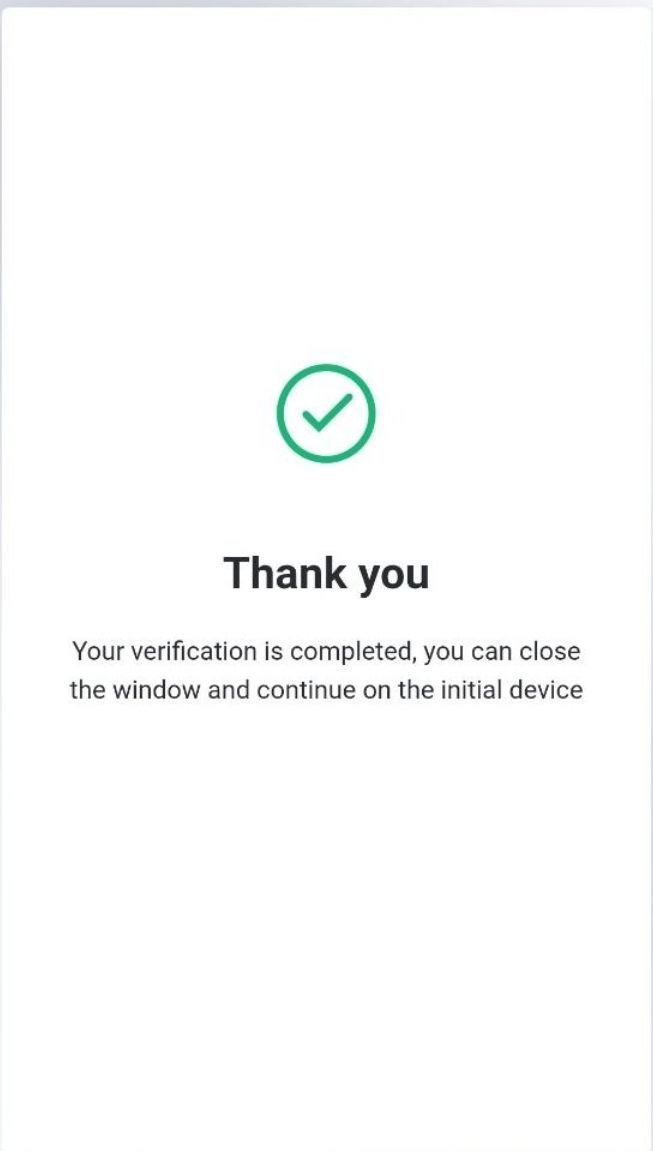
Fill in the Fansly Creator Application carefully.
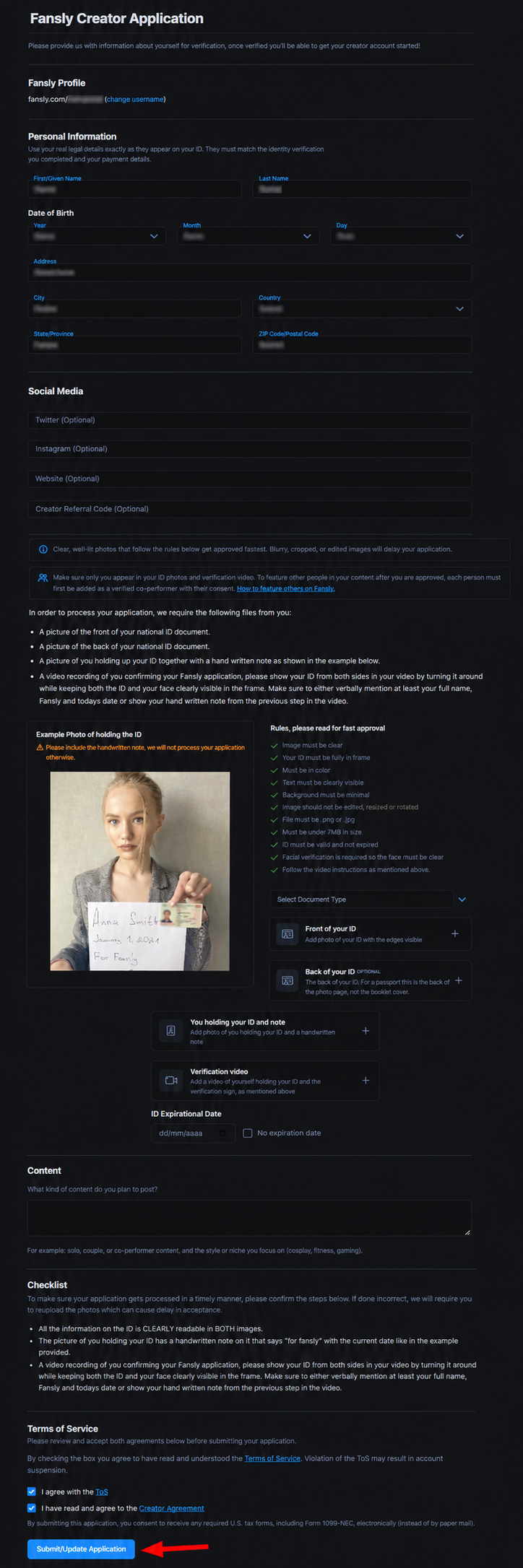
After identity verification, complete the full creator application form. Your legal name, birth date, address, country and ZIP/postal code should match your ID and payment details. Add social media or website fields if you have them.
- Use your real legal details privately.
- Select the correct document type.
- Upload the required ID images, holding-ID photo and verification video if requested.
- Describe the type of content you plan to post in a clear, professional way.
Accept both agreements and click Submit or Update Application.
Before submitting, review the checklist. Fansly asks for clear ID images, required verification media and correct information. Check the Terms of Service and Creator Agreement boxes, then submit your application.
Ready to do it? Keep this page open, start the Fansly registration, and follow the steps slowly. Do not rush the ID photos.
Start Registration on Fansly ↗How creators can make money on Fansly.
Once your account is approved, do not just upload random content and wait. Fansly works better when you combine a profile setup, subscription tiers, locked content, tips, messages and a simple promotion routine.
Subscriptions
Create subscription tiers so fans can pay monthly for access. Use benefits that are easy to understand: exclusive posts, updates, early access, locked discounts or personal interaction.
Sold media / locked content
Locked posts and paid media let you sell specific content without depending only on monthly subscriptions. This is useful for photo sets, videos, bundles and special requests.
Messages and tips
Fans can pay through messages, tips and paid interactions. Messages become a real income channel when you answer consistently and offer clear paid options.
| Area | What to do | Why it helps conversion |
|---|---|---|
| Profile image & banner | Use attractive, clean visuals that match your niche. | People decide quickly. A good profile makes the click feel safer. |
| Bio | Explain what fans get, who the page is for and how often you post. | Clear expectations reduce hesitation. |
| Subscription tiers | Create simple tiers with clear benefits, not ten confusing plans. | Easy choices convert better. |
| First posts | Have a small starter batch before promoting hard. | An empty profile wastes traffic. |
| Traffic | Use Reddit, X/Twitter, creator communities, webcam traffic and your own site if you have one. | Platforms help, but traffic still matters. |
Common mistakes that slow down Fansly approval.
Most delays are avoidable. The signup itself is not complicated, but sloppy photos or inconsistent details can still slow everything down.
Blurry ID photos
If the text is not readable, retake it. Use a phone camera, clean lens and good lighting.
Mismatched names
Your payment, ID and application details should match. Do not mix nicknames with legal details.
Weak content description
Do not write one vague sentence. Explain the type of adult creator content you plan to publish and that you will follow platform rules.
Empty profile before launch
After approval, prepare visuals, bio, first posts and tiers before sending traffic. An empty page kills conversions.
This guide is built from our own registration process.
We are not pretending from the outside. The guide is based on the real Fansly signup and verification screens we went through ourselves, written in plain English for beginners.
We completed the real flow
The screenshots come from the actual process: account setup, email confirmation, payment section, identity verification, selfie/video check and creator application.
We connect signup with monetization
The guide does not stop at “click Join.” It explains what to do after approval: subscription tiers, sold media, messages, tips, profile setup and traffic.
We say clearly how we earn
Fansly is a confirmed EarnPorn referral path. We may earn a commission if you register through our link, at no extra cost to you. That does not change the practical steps or the approval advice.
Need the full adult content map? Go back to Make Money with Adult Content. For legal basics, read our 18+ age verification policy, privacy policy and terms of use.
Fansly creator signup questions.
Do I need to be 18+?
Yes. You must be at least 18 and the legal age in your country or jurisdiction. Creator platforms require identity and age verification.
Do I need to verify my email?
Yes. After creating the account, click the verification link sent to the email address you used during signup before applying as a creator.
Is Fansly approval fast?
It can be smooth when your documents are sharp, your details match and your camera works well. Bad ID photos or inconsistent details can slow things down.
What if my laptop camera is bad?
Switch to your phone. A sharper mobile camera usually makes ID and selfie verification easier.
How do creators earn on Fansly?
Fansly creators can earn through subscriptions, sold media, messages and tips. The real result depends on profile quality, traffic and consistency.
Should I also create Fanvue?
Yes, it can be smart. Fanvue is another confirmed EarnPorn referral path and we also tested its creator registration with real screenshots.
This guide is based on the live application flow shown in our screenshots and public Fansly resources, including the official application page, creator application help, creator monetization guidance, subscription setup guidance and Fansly referral documentation. Useful official pages: Fansly Application, How to Apply to be a Creator, Getting Started on Fansly, Set Up Your Subscriptions and Referral and Tracking Links.
Fansly is one of the best places to start if you want a real creator funnel.
Create the account, verify your email, add the right payment details, complete the ID check with clear photos, then submit the creator application with a real content plan. After approval, focus on profile quality, tiers, locked content, messages, tips and daily promotion.
For adults 18+ only, or the legal age in your country/state/jurisdiction if higher. Adult platforms require age and identity verification. Earnings are not guaranteed. Taxes, compliance, content rules and payment requirements are your responsibility. EarnPorn may earn a referral commission when you join Fansly or other partner platforms through our links, at no extra cost to you. Read our 18+ policy, privacy policy, terms of use or contact us.