OnlyFans Signup Guide 2026: register, verify and avoid the approval mistakes
OnlyFans is the name everyone knows, but the creator signup was the hardest one we tested — and we don’t say that for drama. Creating the account is simple. Getting approved is not. When we went through identity verification ourselves, OnlyFans rejected us four or five times — each time for a different problem — even though the selfie-with-ID photos we submitted looked perfectly clear to us. This guide is written from that real experience — one person explaining it to another, with the actual rejection emails as proof, and no fake guru talk.
Disclosure: OnlyFans is not currently an EarnPorn referral partner, so the OnlyFans button goes to the official site without affiliate tracking. EarnPorn may earn a commission if you join Fanvue, Fansly, Chaturbate or BongaCams through our links, at no extra cost to you. How we work.
Prepare it like a creator business, not like a random social profile.
OnlyFans is not just “open an account and earn.” Your profile has to look trustworthy, your documents have to be sharp and high-resolution, and your public page has to explain quickly why someone should subscribe. The first goal is not perfection. The first goal is to pass verification without wasting days — and, as we found out, that is harder than it sounds.
- 01 Use a separate email for your creator business.
- 02 Choose a stage name that does not expose your real identity.
- 03 Prepare a profile photo and cover image that fit your niche.
- 04 Take ID photos in strong light, at high resolution, with no glare and all corners visible.
- 05 Be ready to retry. OnlyFans rejected our verification four or five times.
Follow the real signup flow screen by screen.
The screenshots below show the core OnlyFans account and creator application path. Your exact screen can vary by country, device or account status, but the logic stays the same: create account, verify email, build profile, open creator application, complete ID/payout/tax information and submit for approval.
Start here: open the official OnlyFans registration page. Remember: this is not an affiliate link for EarnPorn. We include it because this is the official place to start.
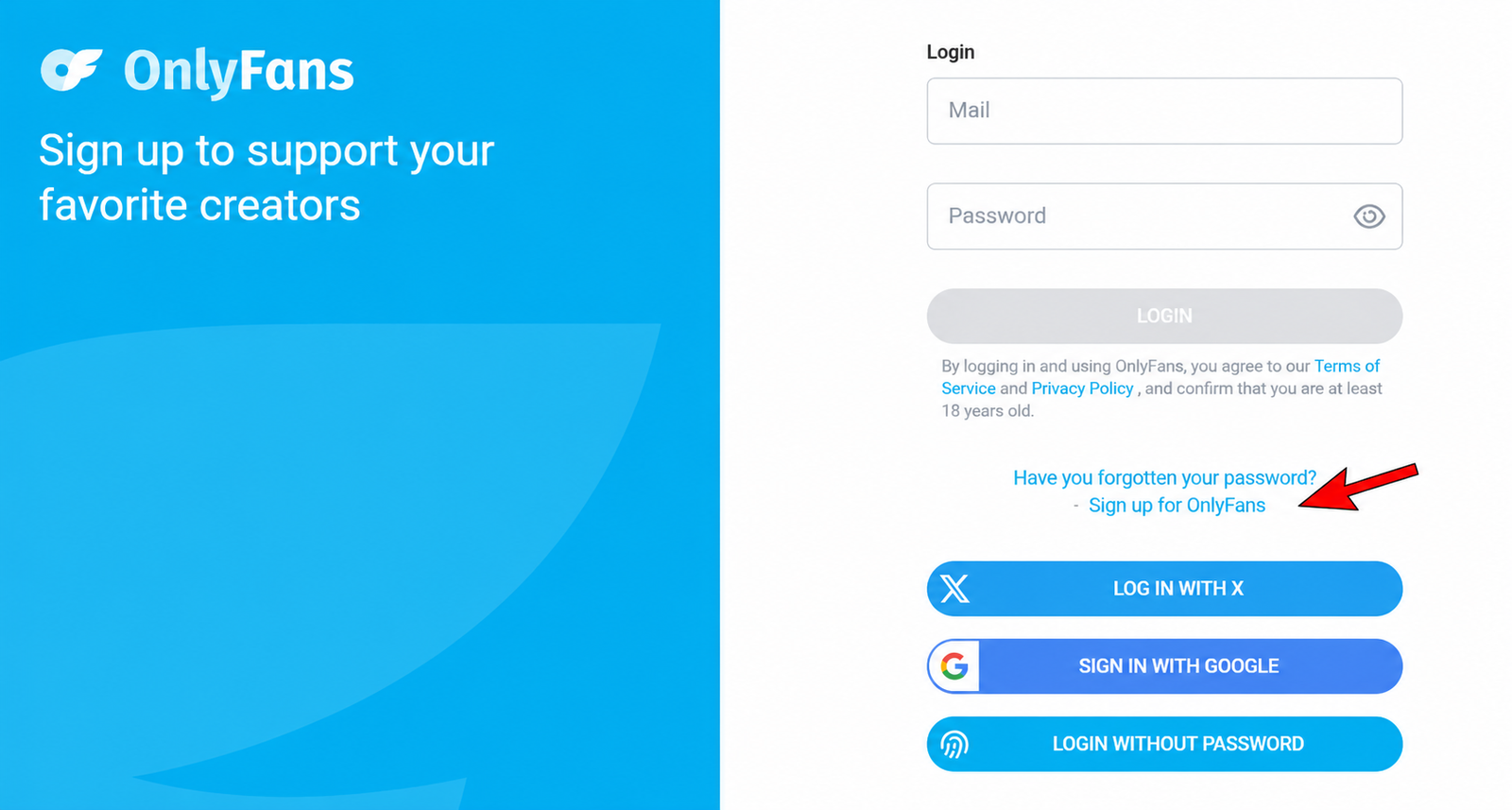
Open OnlyFans Official Site ↗Click “Create new account” to begin.
First, open OnlyFans and choose the option to create a new account. At this stage, you are not yet applying as a paid creator. You are just creating the base account that will later be upgraded into a creator profile.
Use a clean browser session and a dedicated email. If you are serious about privacy, do not use your personal everyday email.
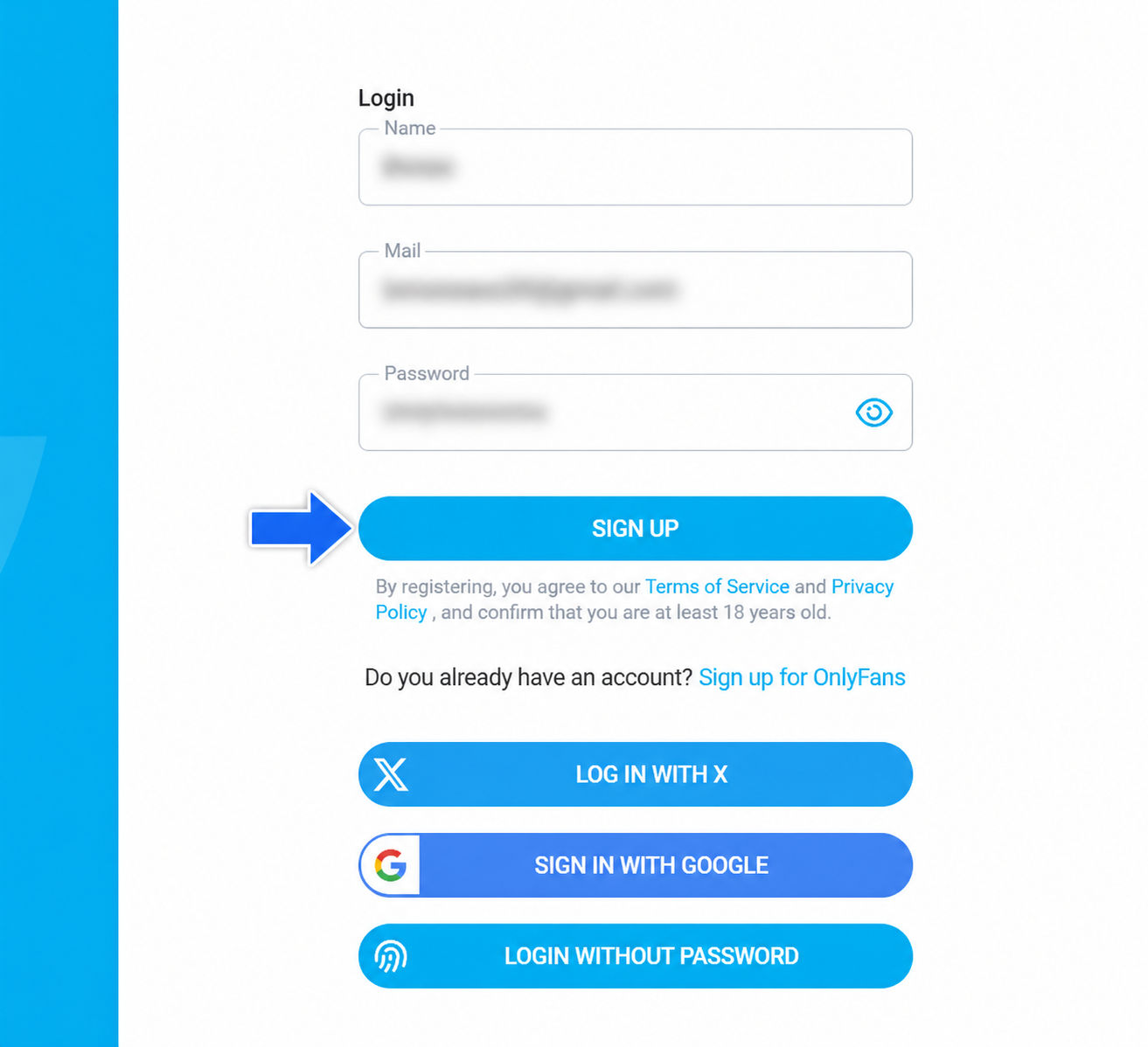
Enter your name, email and password.
Fill in the signup form with your display name, email address and password. For a creator account, it is better to use a separate email and a name that fits your brand. You can use a stage name publicly, but your private legal verification later must match your real documents.
Once everything is filled in, click Sign Up.
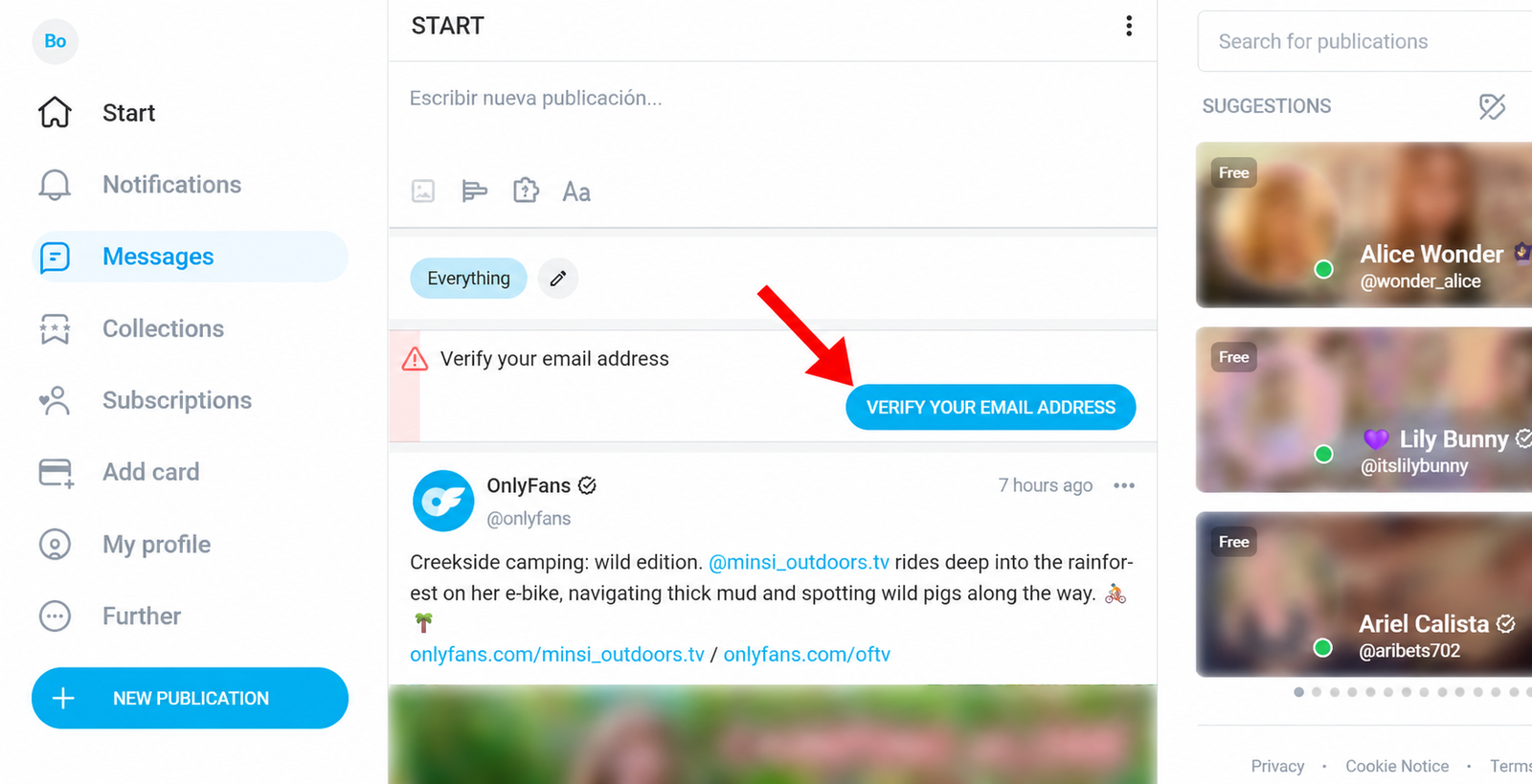
Verify your email before you go further.
OnlyFans sends a confirmation email to the address you used. Open your inbox, find the email and verify the account. Do this before touching the creator application, because unverified email can block or delay later steps.
If you do not see the email, check spam, promotions and updates tabs.
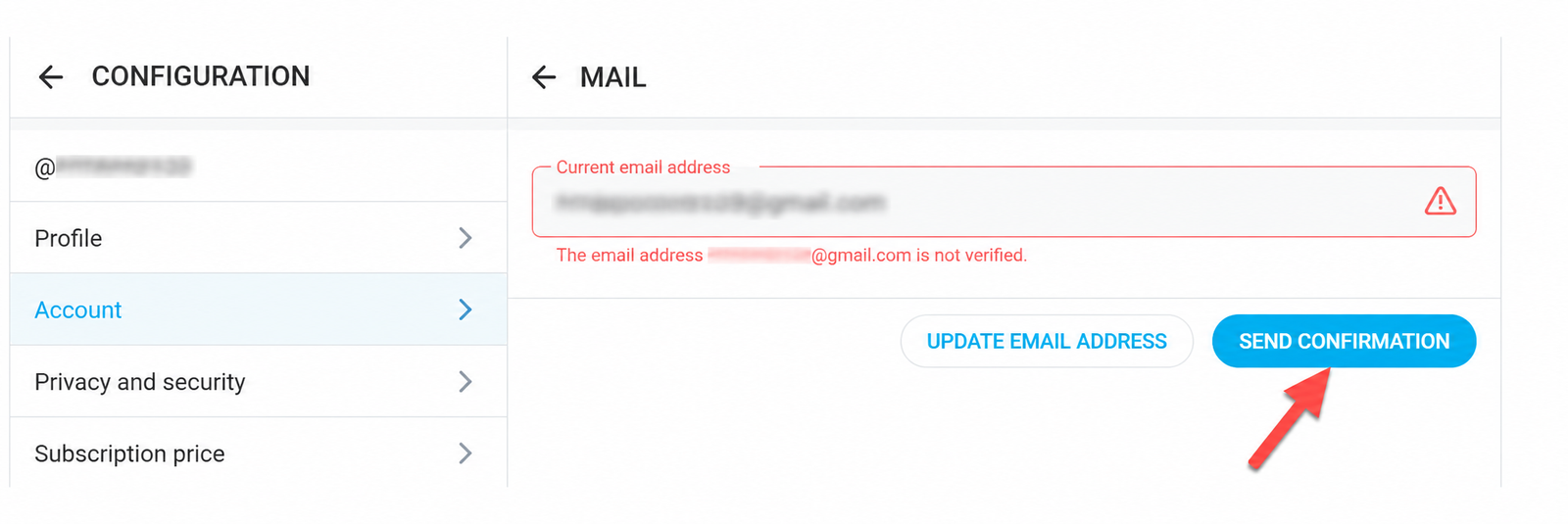
If the email is still unverified, send confirmation again.
Sometimes the account still shows the email as unconfirmed. If that happens, open the email settings page and click Send Confirmation. If the address is wrong, correct it before continuing.
Open the menu and look for the setup options.
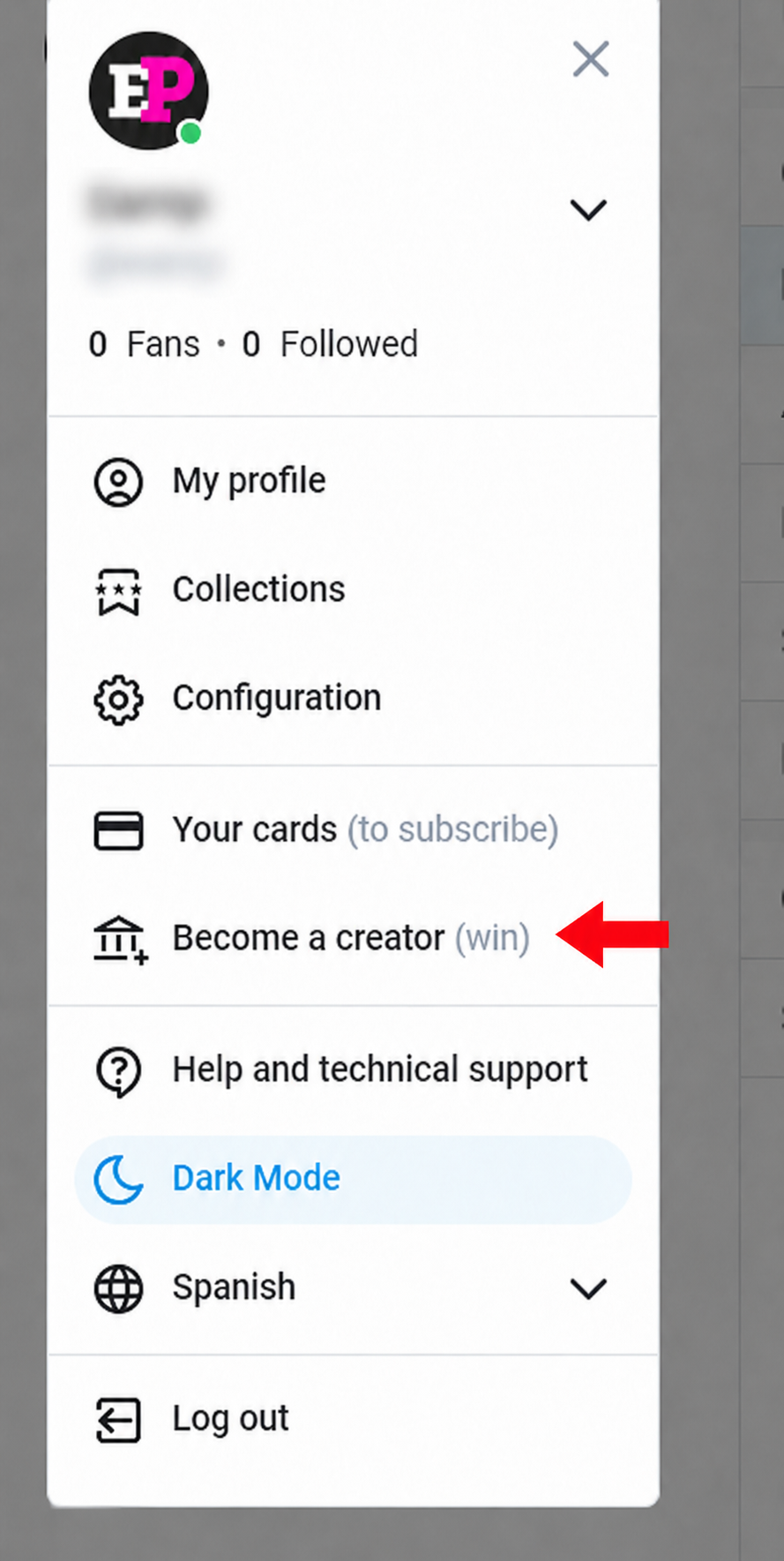
After email verification, open the account menu. This is where you reach profile settings, configuration, account details and the creator application area.
Do not jump straight to monetization with a blank profile. A weak or empty profile makes the whole page look unfinished.
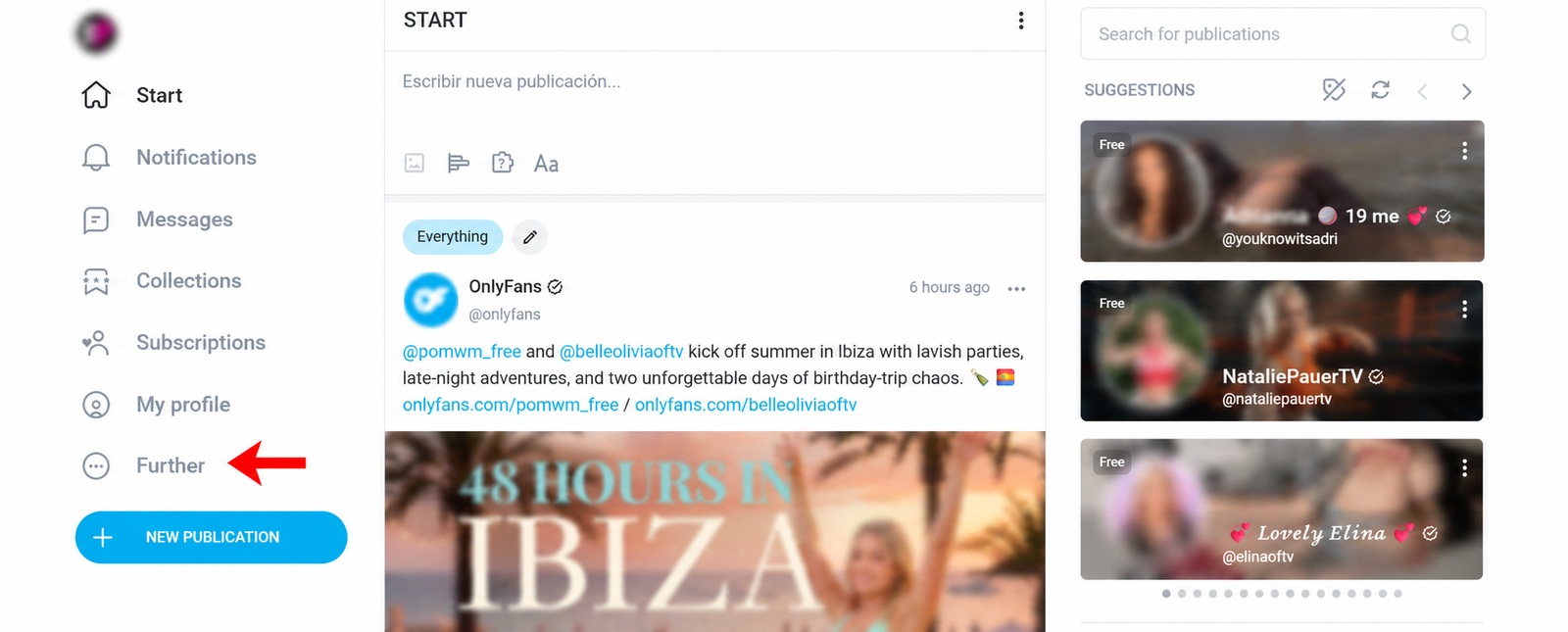
Go into configuration and account settings.
Open the configuration area. This is where you can reach profile details, privacy, security, linked accounts and the settings you need before applying as a creator.
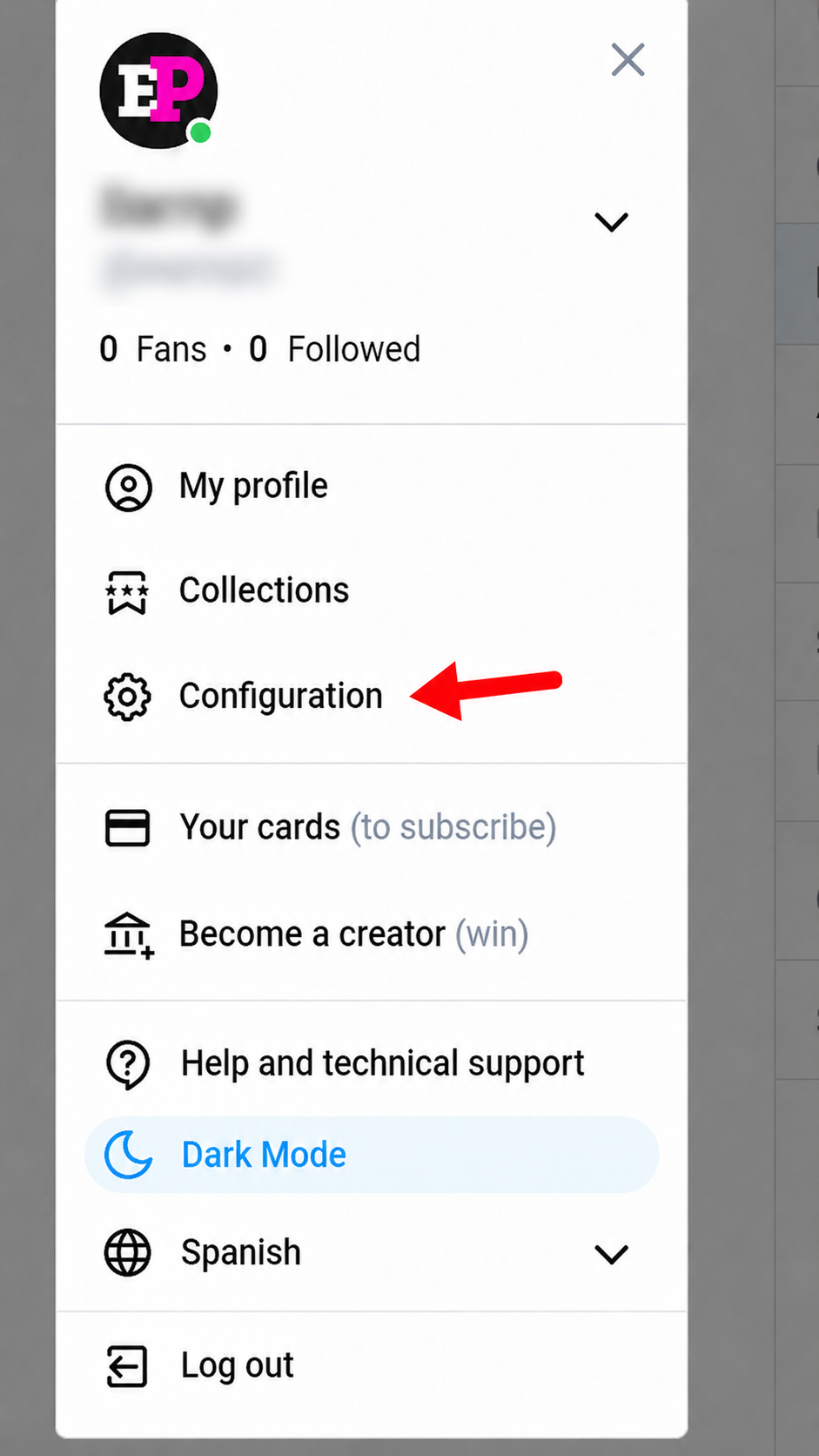
Build a profile that looks real, not empty.
Upload a profile photo, cover image, display name, bio and other public details. The profile does not need to be perfect, but it must make sense. Visitors should understand quickly what kind of creator you are and why they should subscribe.
This is also where many beginners make the page too generic. “Welcome to my page” is not enough. Say what people get, how often you post and what makes the page worth following.
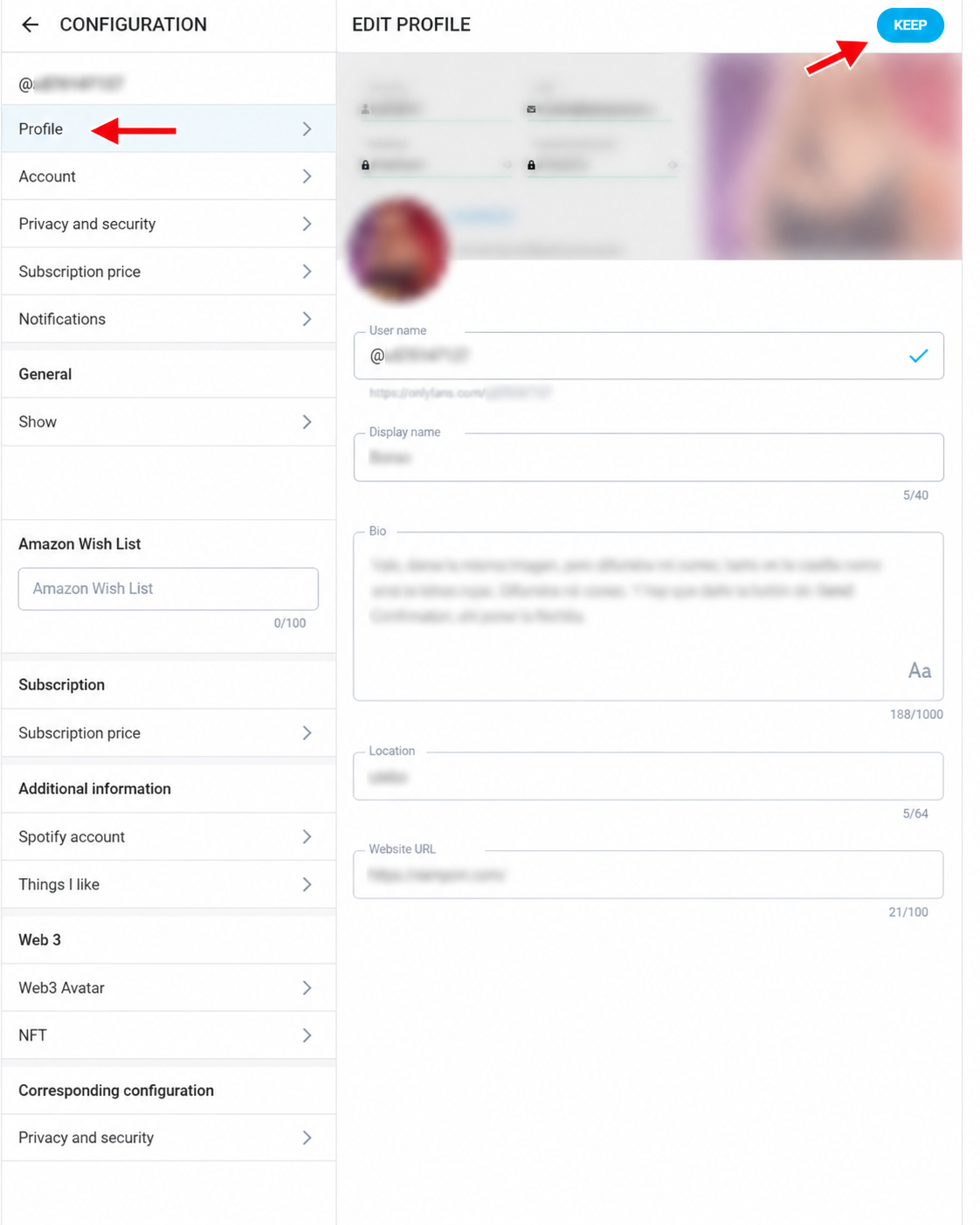
Review your account details and security.
Check username, email, phone, social links, security and account details. If OnlyFans asks for extra social proof, use accounts that look real and consistent with your creator identity.
Names and details should not contradict each other. The public profile can be a stage name, but legal and payout information must be accurate.
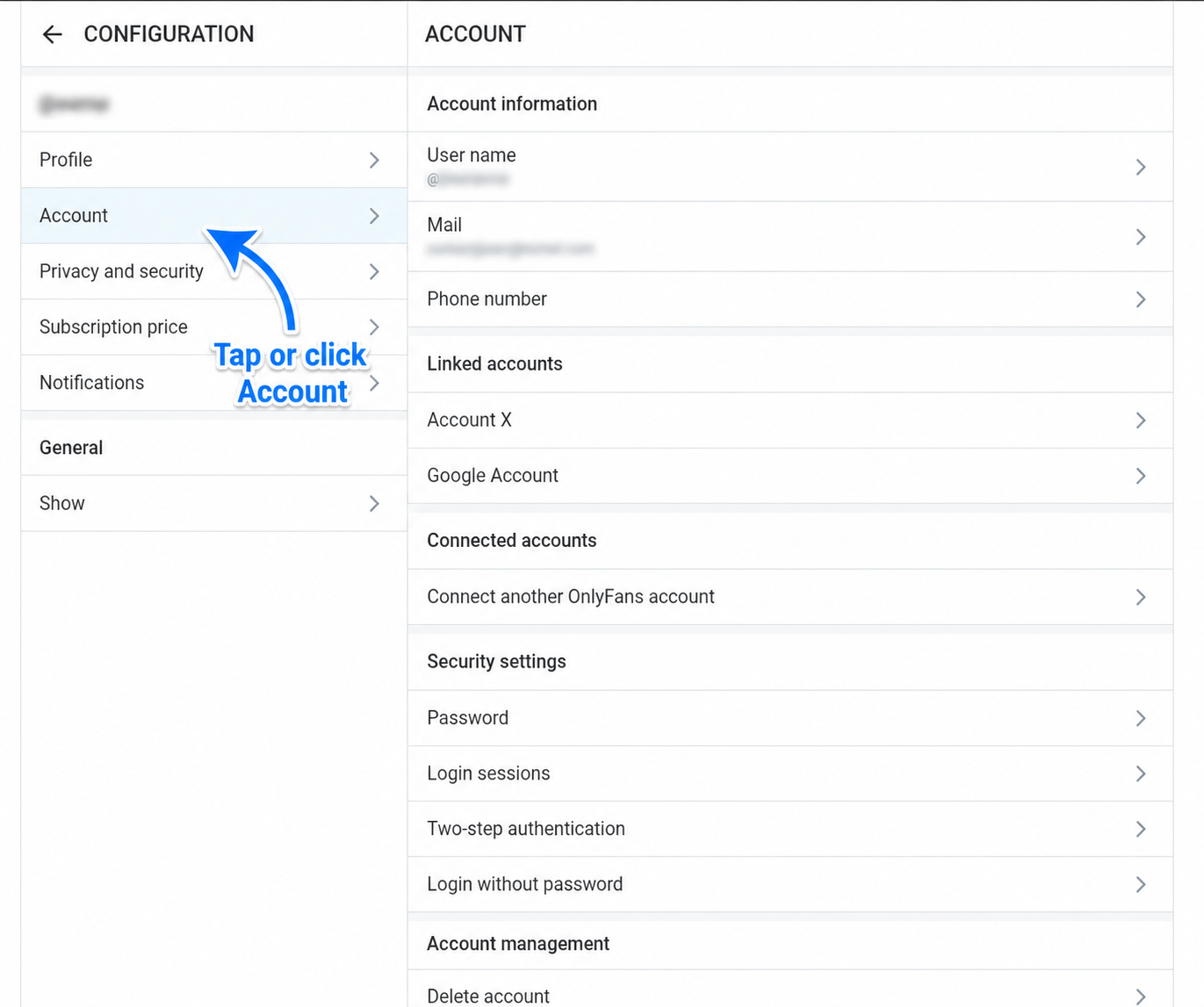
Click “Become a creator” when the profile is ready.
This is where the real creator application begins. OnlyFans will move from a normal account into the monetization setup: creator profile, payout details, tax information, identity verification and approval review.
If your profile is empty or rushed, stop here and fix it first. You want the application to look consistent, complete and serious.
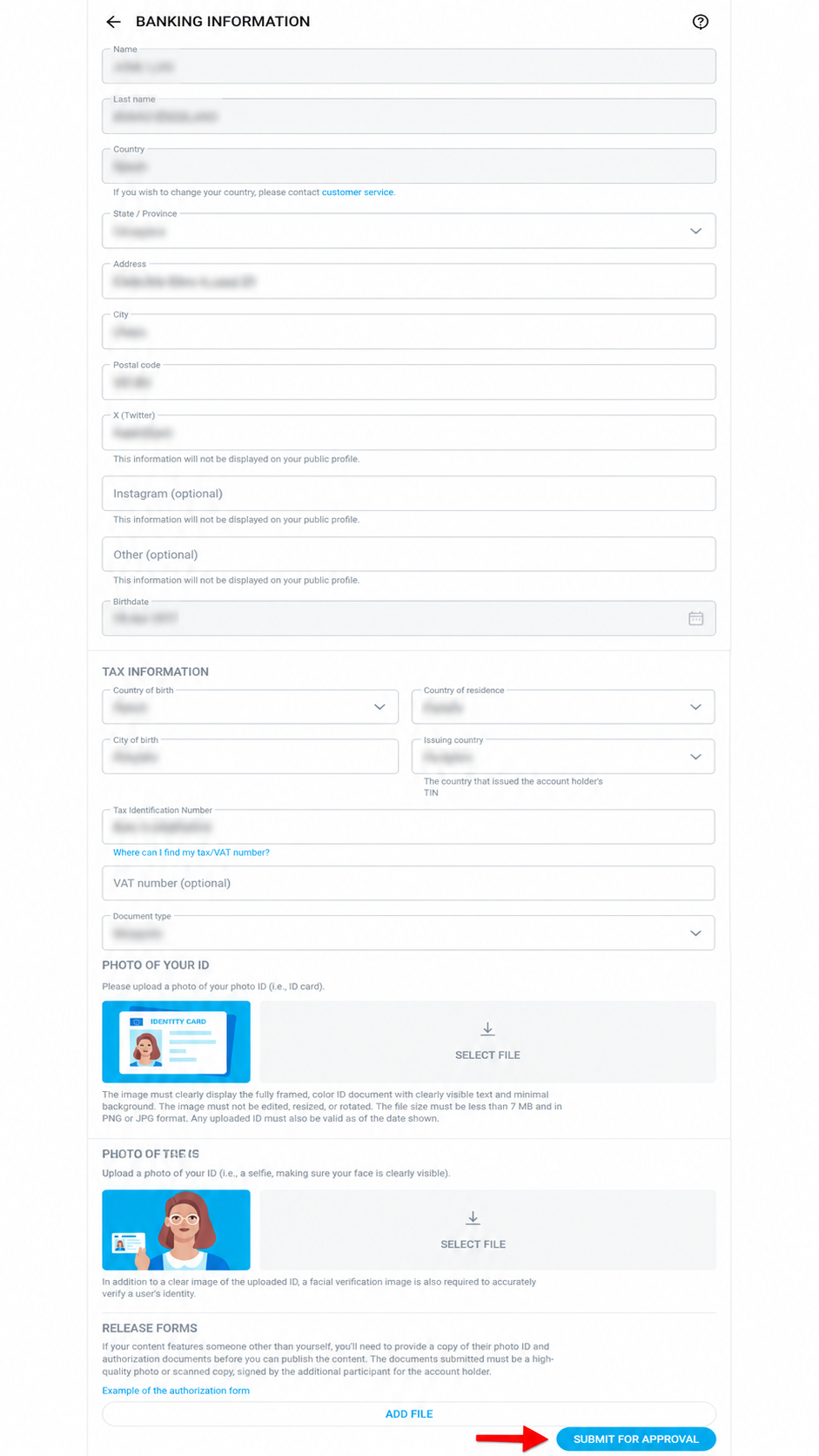
Complete banking, tax, ID and selfie verification.
This is the hardest part, and the reason this guide exists. In our test, OnlyFans rejected our verification four or five times, each time for a different reason. The photos have to be extremely precise: high resolution, sharp focus, and every single number on the document readable in the same frame as your face. Our images looked clear to us and were still declined, so budget time and patience for this step.
You may need to add personal information, bank or payout details, tax forms, social information, a clear government ID and a selfie or photo holding the same ID. The document must be readable, not cropped, not blurry and not covered by glare. Your face must be sharp too, and it has to be legible enough that a reviewer can match every detail.
Once everything is complete, click Submit for Approval and wait for review. If it fails, do not panic. Retake the images at higher resolution and correct the exact issue they mention.
We didn’t just test the signup. We were rejected four or five times.
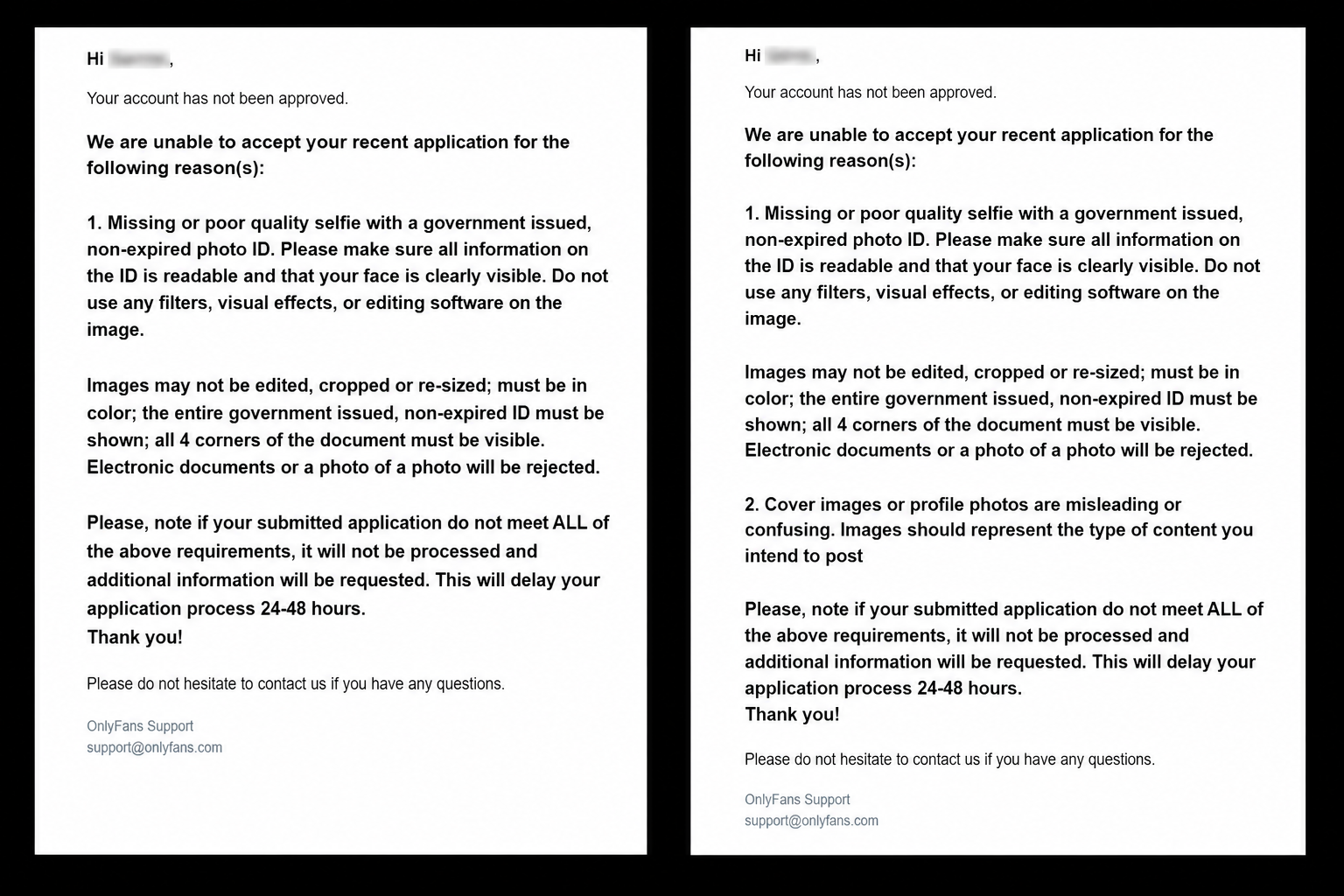
This is what separates this guide from the copy-paste signup articles: we actually went through OnlyFans identity verification, and we did not pass on the first try — or the fourth. The screenshots below are two of the real rejection emails we received.
Honest warning: the verification is the wall, not the signup.
Opening the account took minutes. Then we hit identity verification and got stopped cold. We were not careless — the photos of our selfie together with the ID document looked clear and readable to us. OnlyFans still sent them back — four or five times, each rejection citing a different problem.
What we learned the hard way is that the platform’s identity checks are extremely strict. That security protects OnlyFans, but it also makes creator approval genuinely hard for ordinary people signing up honestly. The real bottleneck is resolution: your camera has to be sharp enough that every number and every detail on your document is perfectly legible in the same shot as your face. “Looks fine to me” is not the standard the reviewer uses — it has to be flawless.
We are showing you the actual emails because no guide written by someone who never submitted verification can warn you about this. If it happens to you, your account is not dead. Read the exact reason, retake the photo at higher resolution, and resubmit.
OnlyFans verification can reject you for tiny photo problems.
This is the part we would warn a friend about. The form itself is not the problem. The problem is image quality and resolution: your ID must be readable, your face must match, the document must not be cropped, and the photo holding the ID has to be sharp enough for every number to be reviewed.
In our test, we were rejected four or five times, each for a different reason — and our photos looked clear to us. That is exactly why this guide is useful: a normal person can fail this step even when they are doing everything honestly. If it happens to you, do not assume the account is dead. Retake the photos at higher resolution and submit again.
If OnlyFans approval slows you down, do not stop there.
OnlyFans has the brand name. But if your goal is to actually start building creator income, it makes sense to prepare a second platform too — especially one we have already tested with real screenshots and a smoother verification than the one that rejected us four or five times.
Fanvue is our strongest tested alternative right now.
We created a Fanvue creator account ourselves, completed the onboarding, verified identity, reached the dashboard and documented the whole process. Compared to the OnlyFans verification that rejected us four or five times, it was a noticeably smoother experience — which makes it a much stronger recommendation for EarnPorn than a random platform we have not tested.
Fanvue is especially interesting if you want an OnlyFans-style creator platform with subscriptions, paid content, messaging and modern onboarding. It is also one of our confirmed referral partners, so it is a priority conversion path for this site.
Fansly if you start from zero
Fansly is another strong adult content platform with a confirmed EarnPorn referral link. It is useful for creators who want discovery tools and tiered subscriptions.
Start on Fansly ↗Webcam for faster live traffic
If you want live traffic instead of waiting for subscribers, compare Chaturbate and BongaCams. We have confirmed referral links and step-by-step guides for both.
Webcam Earnings GuideHow creators actually earn after OnlyFans approval.
The account itself does not make money. The system makes money: profile, traffic, content schedule, paid messages, fan retention and clear offers.
Subscriptions
Monthly subscription income is the base. It works best when visitors understand quickly what content they get and why the page is worth joining.
PPV messages
Pay-per-view messages can turn subscribers into repeat buyers. Do not spam them on day one; build trust first, then send stronger locked content.
Tips and custom requests
Fans often pay more for personalized content, but you need boundaries, clear prices and rules so requests do not become chaos.
Reddit and X promotion
OnlyFans will not magically promote you. Use Reddit promotion and X/Twitter carefully where adult content is allowed.
Faceless content
You can build a public faceless brand, but private verification still requires your real identity. Start with our faceless OnlyFans guide.
Webcam cross-promotion
Live platforms can bring faster human traffic. See Chaturbate and BongaCams if you want a second income channel.
Do not kill approval or conversions with beginner mistakes.
Most people do not fail because the idea is impossible. They fail because the setup is rushed, the profile is vague, the ID photos are low-resolution or they expect subscribers without traffic.
Low-resolution ID photos
Blurry, cropped, dark or reflective document photos cause rejection. This is exactly what happened to us — four or five times. Take them again at higher resolution.
Empty profile
A blank profile does not convert. Use a clear bio, niche, profile photo and cover image.
Using your real name publicly
Public stage name and private legal verification are different. Protect your identity where possible.
No traffic plan
OnlyFans is not discovery-first. You need Reddit, X, webcam, SEO or another traffic source.
Over-promising income
Do not expect instant money. Earnings depend on traffic, niche, consistency and how well you sell.
No backup platform
If OnlyFans approval is slow, build Fanvue or Fansly too. One platform should not control your whole plan.
This is not copied theory. We tested the registration flow.
This page was built to be useful for a real beginner: direct language, real screenshots, our own rejection emails, honest warnings and clear next steps. We also separate editorial honesty from affiliate priority.
We tried the OnlyFans creator flow and were rejected four or five times
The most valuable part of this guide is not the signup button — it is the rejection warning. ID photos, document visibility and resolution can make the process much harder than it looks, and we have the emails to prove it.
We explain what happens after signup
Opening an account is not the business. The business is subscription strategy, PPV, tips, traffic, retention and privacy. This guide connects the signup steps with the real monetization path.
OnlyFans is not our affiliate right now
We link OnlyFans because users search for it and it belongs in an honest guide. Our conversion priority is Fanvue, Fansly, Chaturbate and BongaCams because those are confirmed EarnPorn referral partners.
Found something outdated in this guide? Contact us. Read our 18+ age verification policy, privacy policy and terms of use.
OnlyFans signup questions beginners ask.
Is OnlyFans free to join as a creator?
Yes. Creating an account is free. Creator monetization depends on approval, identity verification, payout setup and platform rules.
Why is OnlyFans approval so difficult?
Because identity checks are extremely strict. In our test we were rejected four or five times, each for a different reason — the document and selfie photos need to be high-resolution and perfectly legible, and images that look clear to you can still be declined.
Do I need to show my face publicly?
No, not necessarily. Some creators run faceless brands. But private verification still requires your real identity and clear, high-resolution documents.
Can I use a stage name?
Yes, for the public profile. Legal, banking and tax details must be accurate and match your real documents.
What if OnlyFans rejects my application?
Do not panic — a rejection does not kill the account. Fix the exact reason and resubmit. In our case it took four or five attempts, each for a different problem: usually it means clearer, higher-resolution ID photos, a better selfie with ID, stronger lighting, less glare or stronger social proof.
Should I also create Fanvue or Fansly?
Yes, it can be smart. OnlyFans has the name, but Fanvue and Fansly give you alternative monetization paths — and Fanvue is our strongest tested creator platform right now.
Start OnlyFans if you want the name — but build the full creator funnel.
OnlyFans is powerful, but approval can be frustrating (it rejected us four or five times) and traffic is still your job. Use the guide above to register properly, then build Fanvue, Fansly and traffic channels around it so one platform does not control everything.
For adults 18+ only, or the legal age in your country/state/jurisdiction if higher — see our age verification policy. Adult platforms require identity and age verification. Earnings are not guaranteed. Taxes, compliance, platform rules and payment requirements are your responsibility. EarnPorn may earn referral commissions from Fanvue, Fansly, Chaturbate and BongaCams links, at no extra cost to you. OnlyFans is currently linked as an official non-affiliate resource. Read our privacy policy, terms of use or contact us.