LoyalFans Signup Guide 2026: register as a creator, verify your ID and start properly
This guide shows the LoyalFans creator signup flow in plain English, screen by screen. No fake guru talk. Just what to click, what to prepare, how Ondato identity verification works, how to finish the creator profile, and how to submit the account without getting stuck on blurry documents or missing details.
Disclosure: LoyalFans is linked here as an official non-affiliate resource because we do not currently have a confirmed EarnPorn LoyalFans referral link. EarnPorn may earn a commission if you join Fanvue, Fansly, Chaturbate or BongaCams through our links, at no extra cost to you.
Use LoyalFans as an extra platform — but send beginners to Fanvue or Fansly first.
LoyalFans has useful tools: subscriptions, messaging, video store, live, tips and referrals. But because EarnPorn does not have a confirmed LoyalFans referral link right now, this page should be informational and SEO-safe, while the strongest conversion buttons point to Fanvue and Fansly.
The honest funnel is simple: read LoyalFans if you want to compare it, start Fanvue if you want our best tested subscription-style platform, and start Fansly if you want a strong creator platform with a confirmed referral path.
Fanvue: best tested alternative
We created and verified a Fanvue creator account ourselves, with real screenshots and dashboard access.
Read Fanvue GuideFansly: strong creator funnel
Fansly is a confirmed EarnPorn referral path and fits creators who want subscriptions, locked content and discovery tools.
Read Fansly GuideHow to register as a LoyalFans creator — each screen explained like a normal person would explain it.
Use the red button below to open the official LoyalFans creator page. Your screen can vary slightly depending on device, country or browser, but the logic is the same: create account, verify identity, set up profile, accept terms and wait for review.
Before you start: open the official LoyalFans creator page. Only continue if you are 18+ and legally allowed to create adult content in your country or jurisdiction.
Start Registration on LoyalFans ↗Click “Become a Creator” to begin.
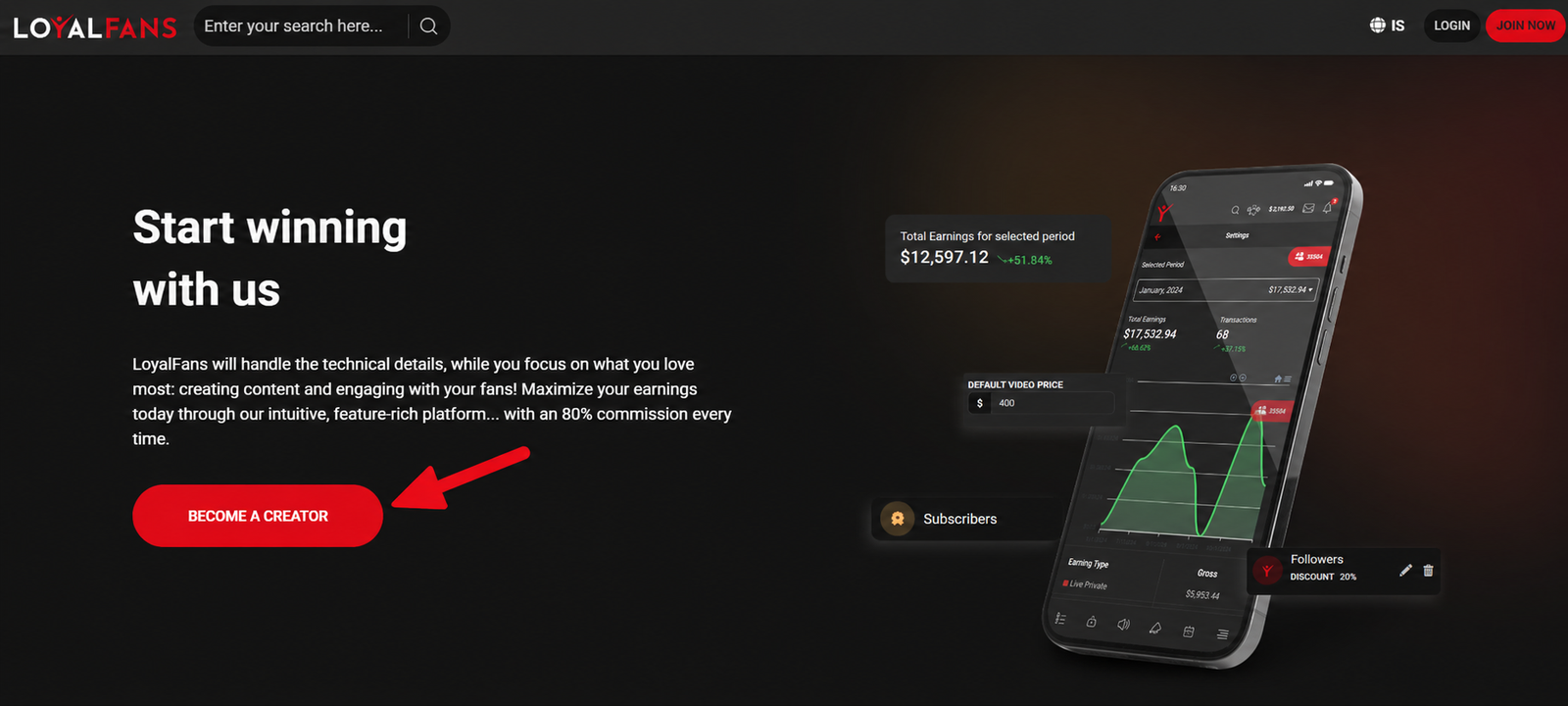
This is the first screen. You are on the LoyalFans creator page, and the important button is “Become a Creator”. Click it to start creating the creator account.
Enter nickname, email and password.
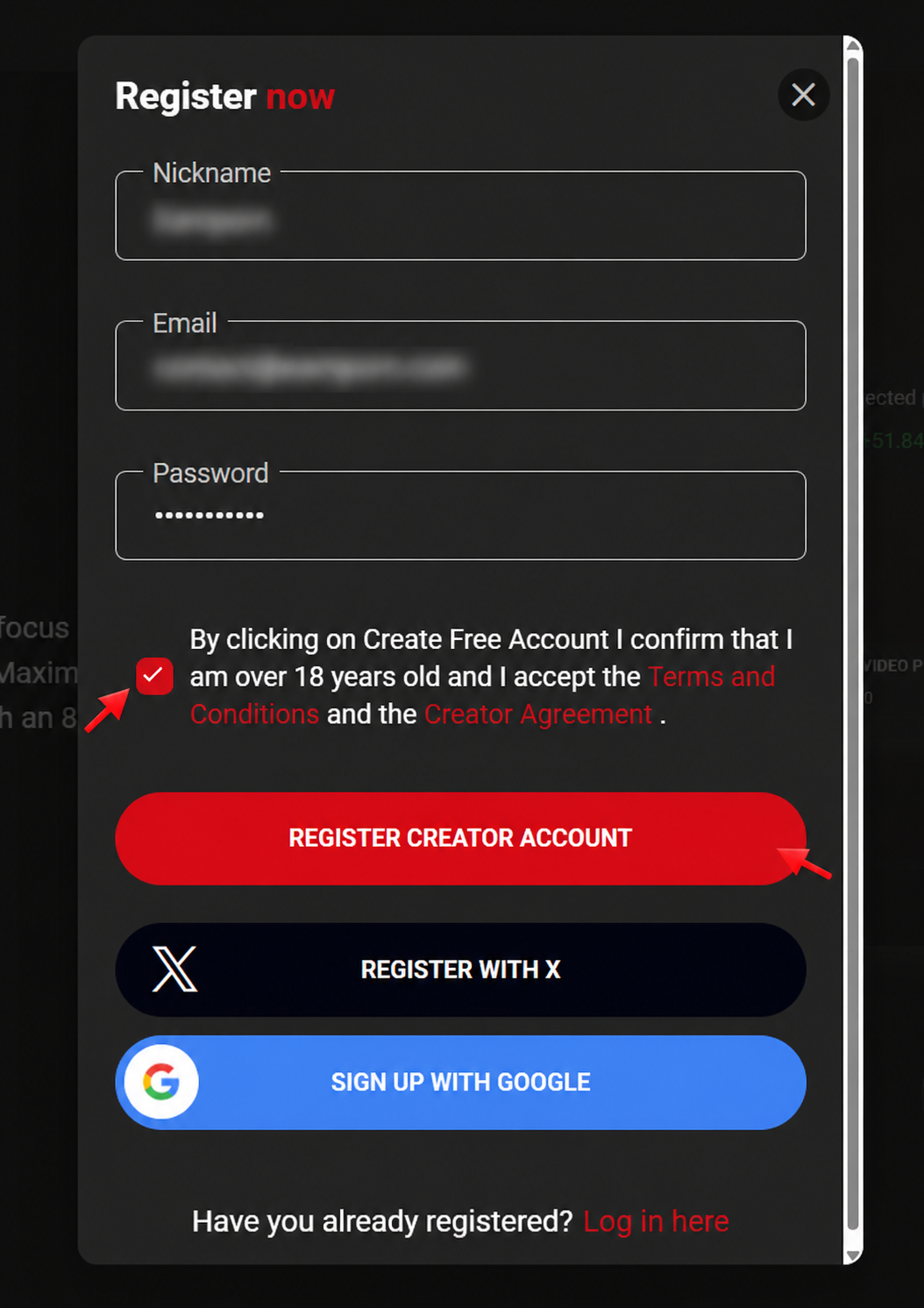
Fill in your nickname, email and password. Then tick the checkbox confirming that you are over 18 and that you accept the Terms and Conditions and Creator Agreement.
After that, click “Register Creator Account”. You may also see options to register with X or Google, but for a creator business a separate email and password is usually cleaner.
Verify your email address.
There is no screenshot for this step, but it is still important. Go to the inbox you used during signup and confirm your LoyalFans email address.
If you do not see the email, check spam, promotions or junk folders. Do this before going deeper into the creator setup, because account and support messages depend on that email being correct.
Start identity verification with Ondato.
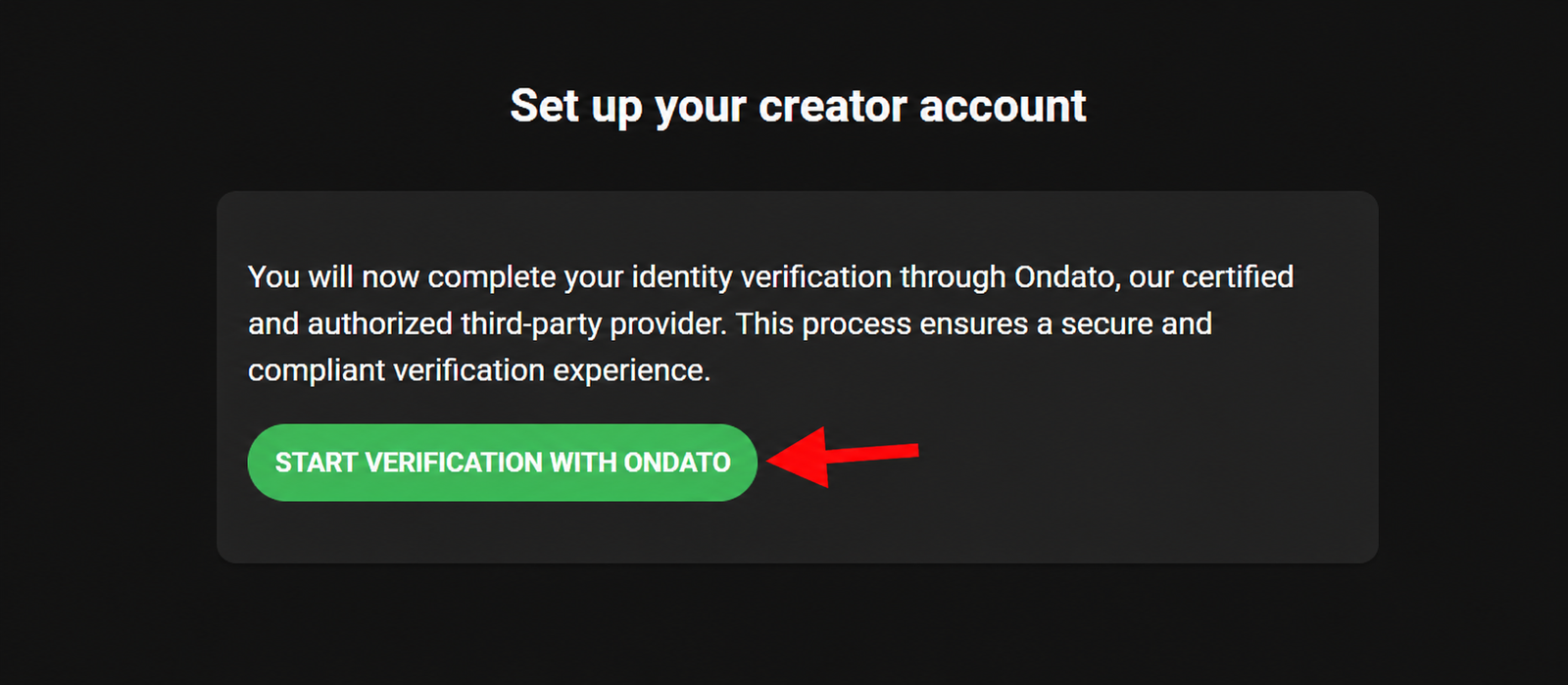
Now LoyalFans sends you into identity verification through Ondato, a third-party verification provider. Click the green button to start the check.
This is where the platform confirms that the person creating the account is a real adult and that the document matches the person going through the flow.
Choose camera access or another device.
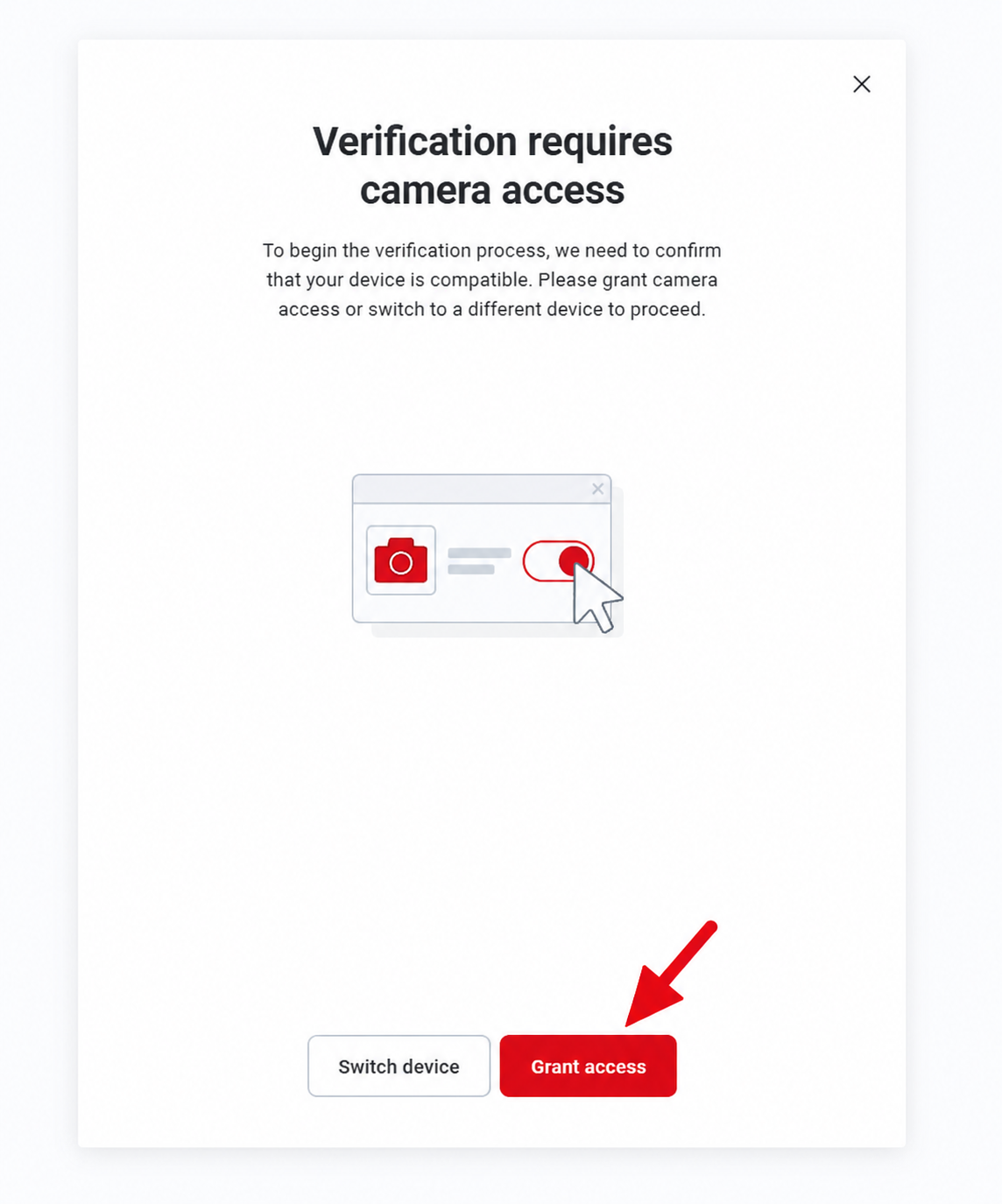
This screen asks for camera access. You can continue with the device you are using, or switch to another device.
In practice, using a mobile phone is often easier because the camera is better, autofocus works better and ID photos usually come out clearer. If you switch devices, the system can show a QR code; scan it with your phone, finish the verification there, and then continue on the computer.
Read and accept the verification terms.
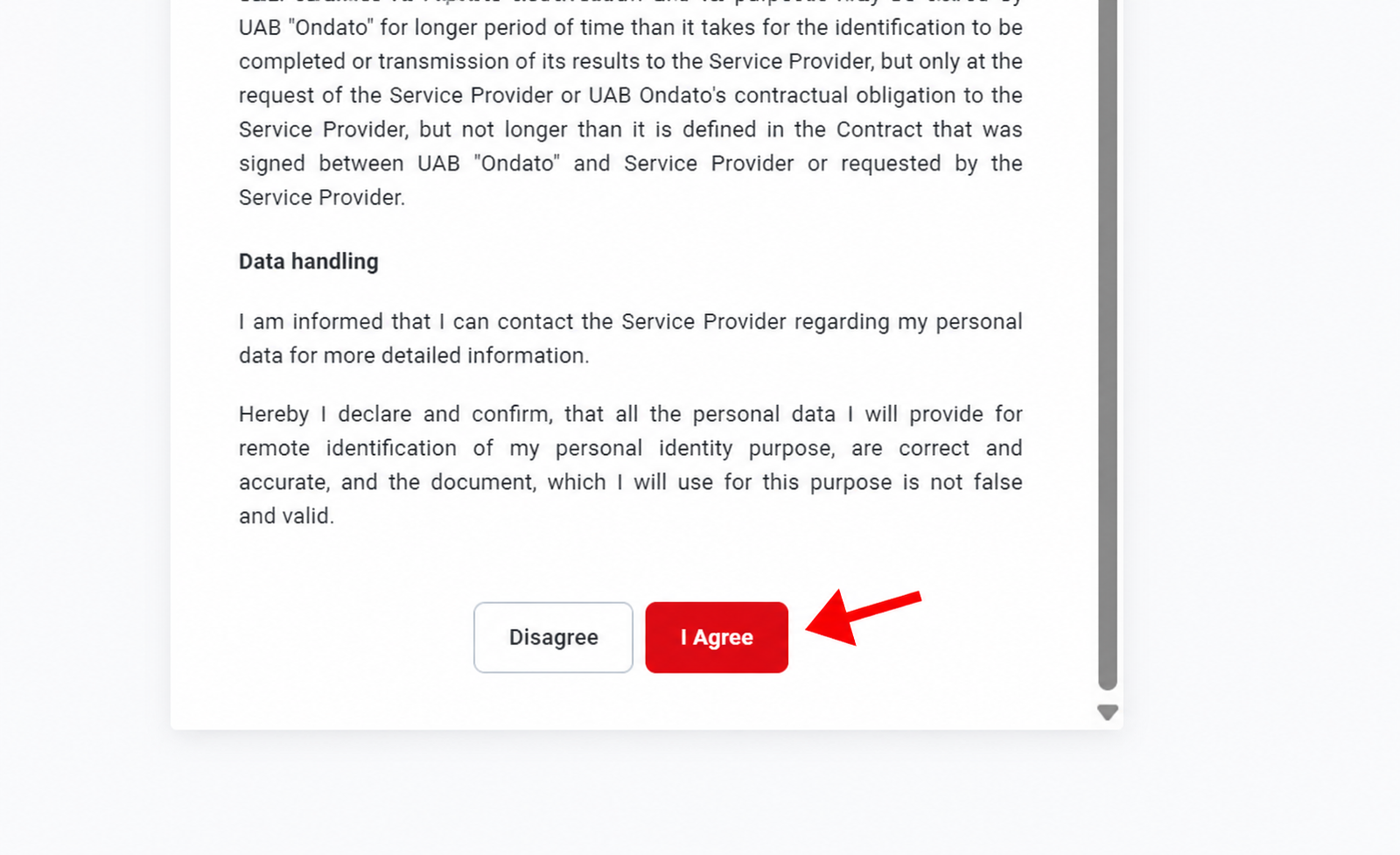
This is the verification consent screen. Read the terms and data handling text carefully. If you agree and want to continue, click “I Agree”.
Choose the document you want to use.
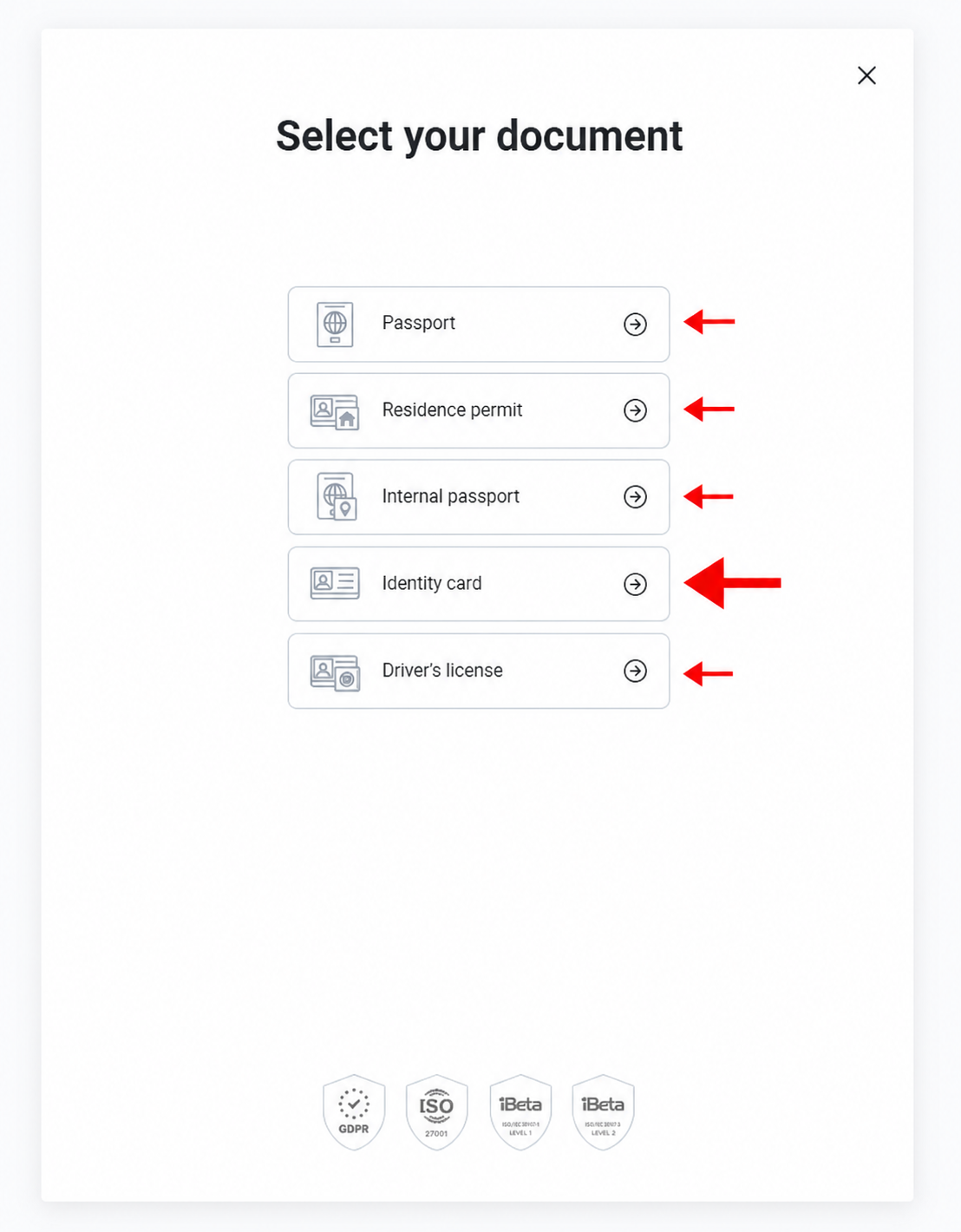
Choose the document you want to verify with. The screen may show options like passport, residence permit, identity card or driver’s license.
In this guide we use Identity Card, but you should choose the document that is valid, unexpired and easiest for you to photograph clearly.
Capture the front of your ID.
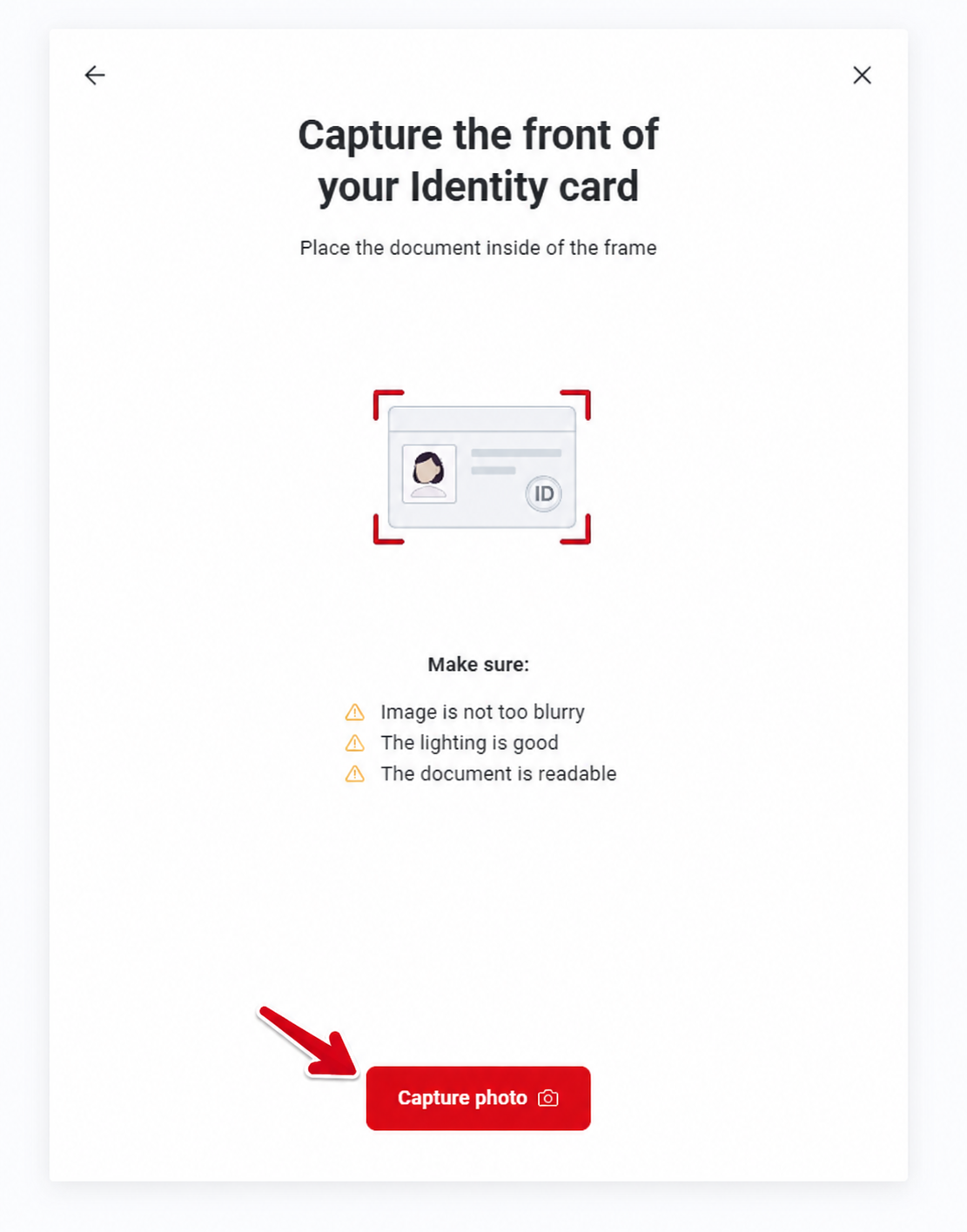
Now prepare the front side of your identity card. Place it inside the frame and click “Capture Photo”.
The screen reminds you what matters: the image should not be blurry, the lighting should be good and the document must be readable.
Review the front photo and continue.
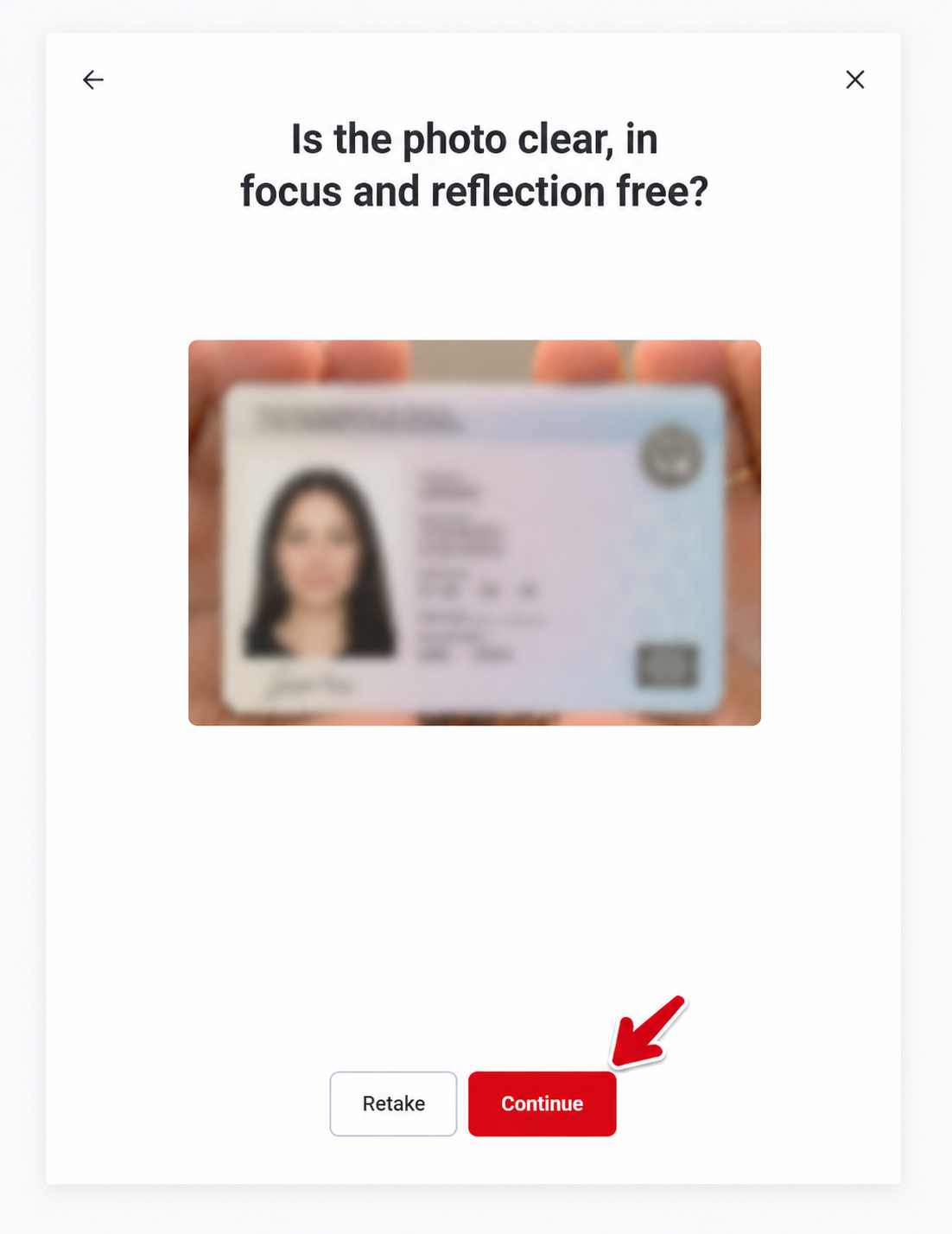
After taking the front photo, the system asks if the photo is clear, in focus and reflection free. If it looks good, click “Continue”.
If the text cannot be read or the image has glare, click retake. Do not continue with a bad photo just to move faster, because that is how reviews get delayed.
Capture and confirm the back of your ID.
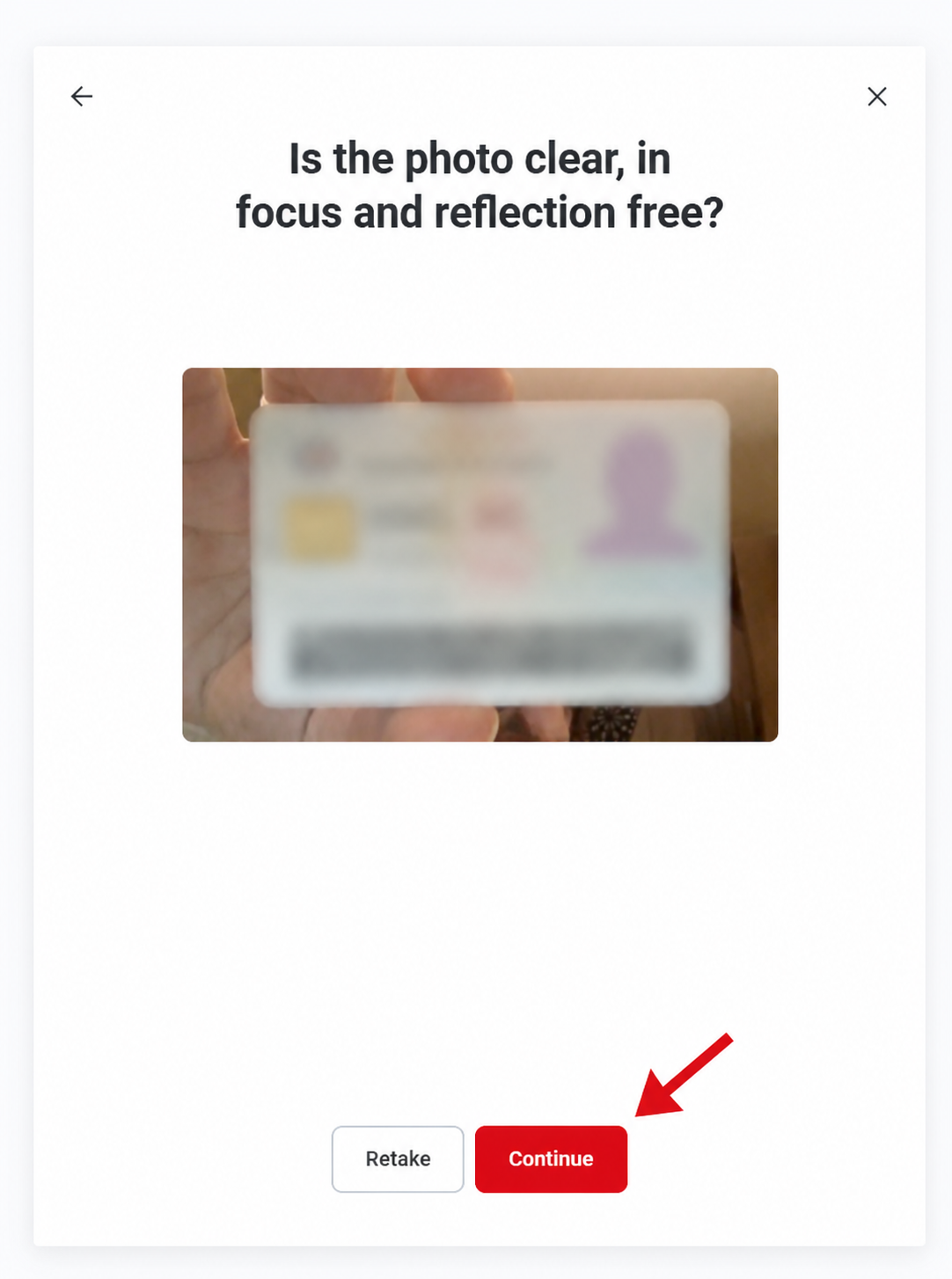
Now do the same with the back side of your identity document. Capture it, review it, and click “Continue” only when the image is clear.
Take the selfie verification.
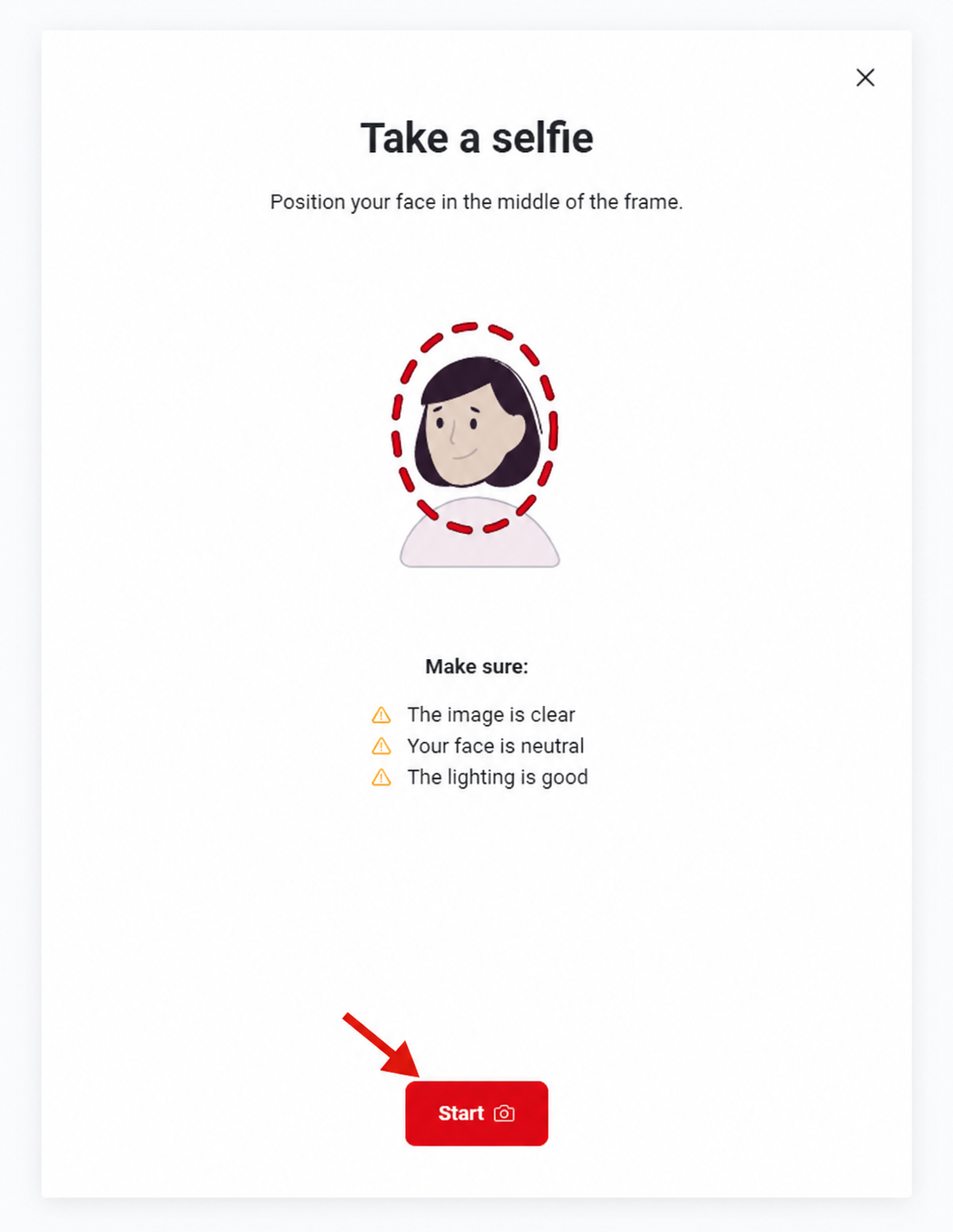
Next comes the selfie check. Position your face in the middle of the frame and click “Start”. The system may ask you to move closer, hold still or adjust the camera until your face is accepted.
This can be done from your phone or computer, but again, the phone is usually easier because the camera is better.
Identity verification accepted.
This screen means the identity verification part has been accepted in the flow. Now you can continue with the LoyalFans creator account setup.
Set up your creator profile.
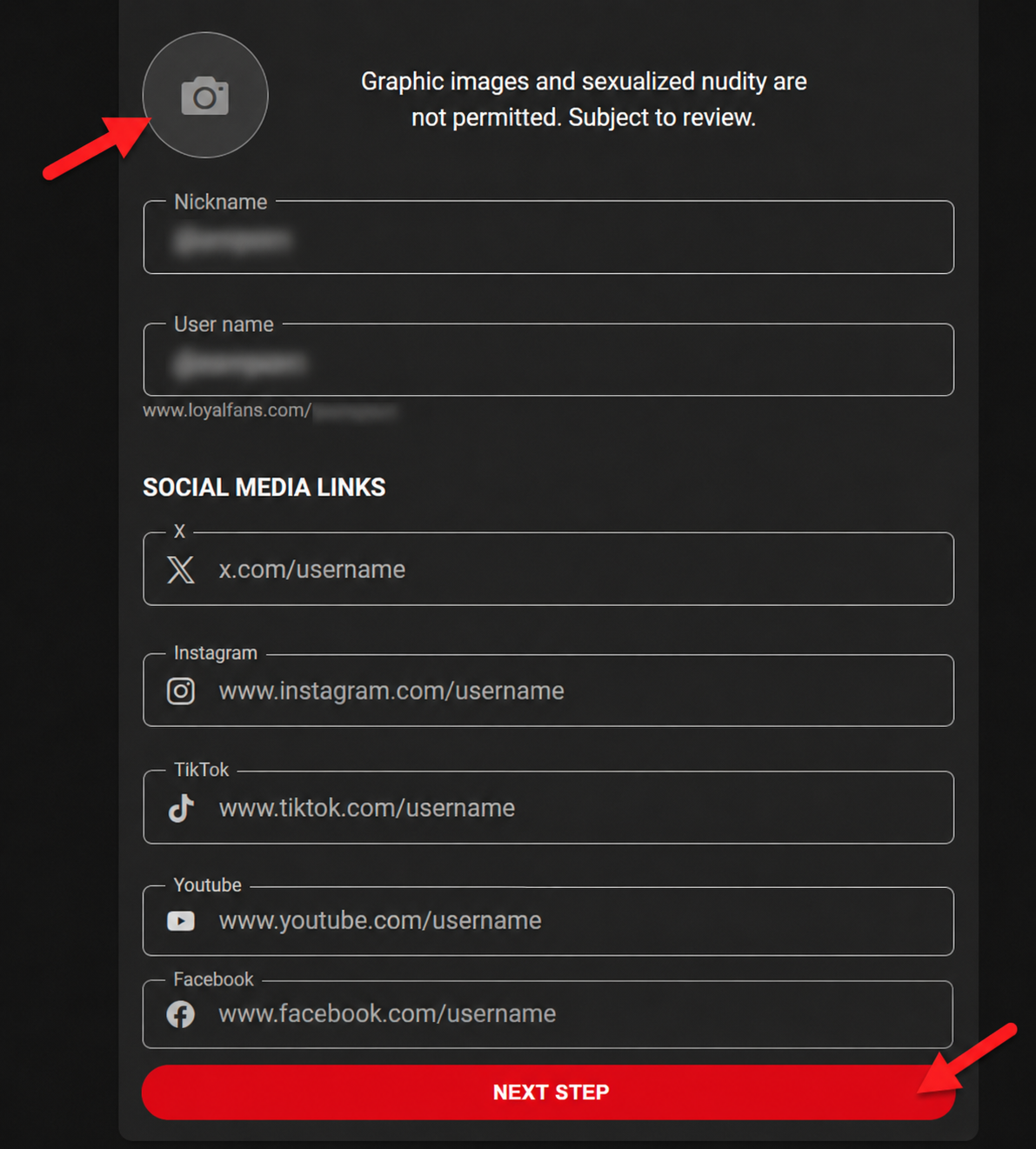
Now set up the profile basics: nickname, username, profile photo and social media links if you want to add them.
You do not have to add every social media link if you do not have them ready. In our test flow, the account was accepted without adding social links. What matters is that the profile is clean, consistent and not misleading.
Read the creator terms, tick the boxes and send.
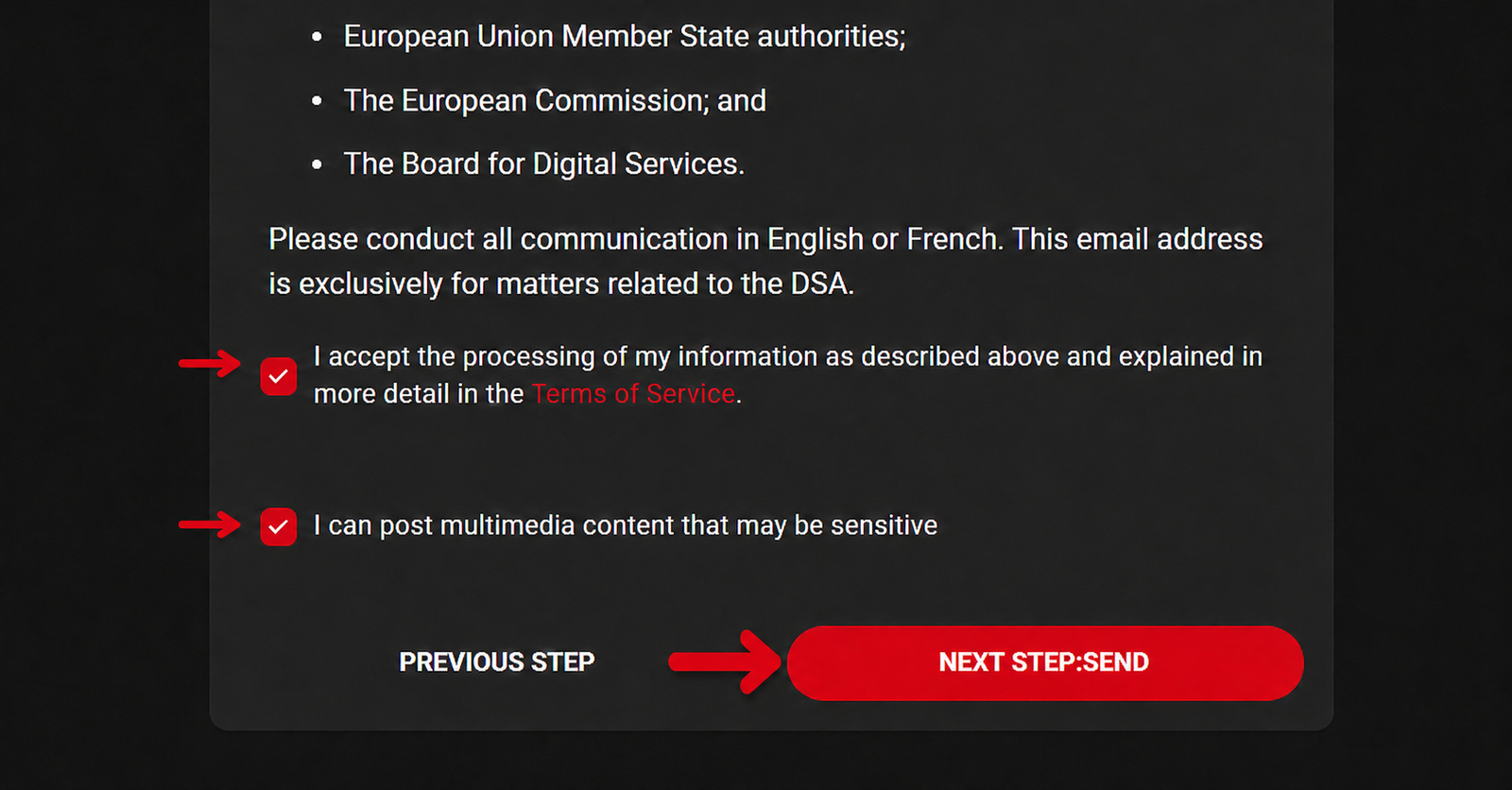
This is the final terms screen. There is a lot of text, so you may need to scroll down. Read it properly, especially the parts about content rules, sensitive content, data processing and creator responsibilities.
When you understand and accept the terms, tick both required boxes and click “Next Step: Send”.
Your information has been received.
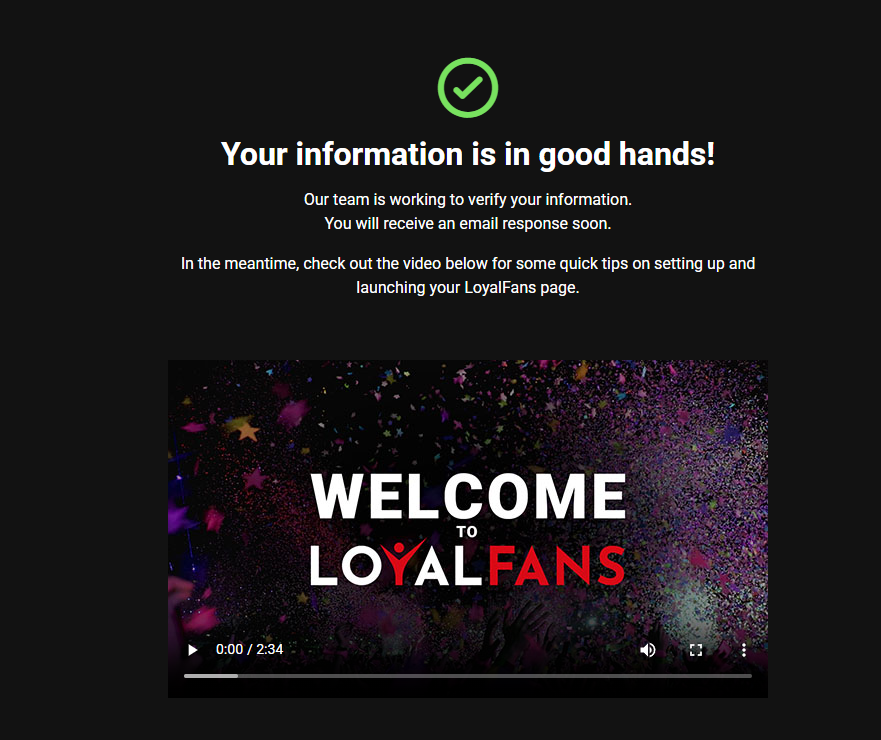
After sending, LoyalFans confirms that your information has been received and will be checked. At this point, wait for the platform to review your account.
Do not promise yourself an exact approval time. The identity flow can be quick, but creator approval can still depend on manual review, image quality, profile details and platform workload.
Not sure LoyalFans is the best first platform? If your priority is a tested EarnPorn conversion path, compare Fanvue and Fansly before spending all your energy here.
Start on Fanvue ↗How LoyalFans earnings work before you build your page around it.
LoyalFans promotes an 80% creator payout across key earning features, pays twice per month and lists a $50 minimum payout threshold. Always confirm the latest payout settings inside your own account before relying on any method.
| Topic | What LoyalFans states | Practical meaning | Conversion angle |
|---|---|---|---|
| Creator share | 80% across key features such as live streaming, subscriptions, video store sales and messaging. | The platform keeps a 20% fee on fan payments, according to its terms. | Easy to explain: creators keep most of the sale. |
| Payout schedule | Payouts occur twice per month: 1st–15th and 16th–end of month, paid within 7 working days after each period. | You do not withdraw every minute. Plan your cash flow around payout periods. | Good for creators who like scheduled payouts. |
| Minimum payout | $50 minimum payout threshold. | If you earn less than $50, the amount rolls over until you reach the threshold. | A clear first goal for new creators. |
| Payout methods | ACH, wire transfer, SEPA and/or Paxum are listed by LoyalFans. | Availability can depend on country and account settings. | Useful for US and international creators. |
| Referrals | LoyalFans describes a 5% lifetime referral program for referred creators and/or fans. | This can become extra passive income if you promote the platform correctly with your own link. | Good for creators, but EarnPorn does not currently use its own LoyalFans referral here. |
Important: payout rules, methods and availability can change. Confirm everything inside your LoyalFans account before making income decisions.
The signup is only the door. Money comes from building a page people understand fast.
LoyalFans is not just a “monthly subscription” page. It has several monetization paths, and that is the real opportunity if you build the profile with a plan.
Monthly subscriber income
Set a clear monthly offer. Tell fans what they get, how often you post and why your page is worth paying for. A vague profile kills subscriptions.
Paid messages and direct contact
LoyalFans promotes messaging as one of its earning features. The money is often in the relationship with repeat buyers, not just public posts.
Clip and video sales
Upload content that can keep selling after you publish it. Think in bundles, themes and clear titles, not random uploads with no plan.
Live shows and interaction
LoyalFans highlights live streaming and one-to-one interaction as monetization options. Live can help turn casual followers into paying fans.
Tip-based support
Use simple tip goals and clear calls to action. Fans spend more when they know exactly what they are supporting.
This is based on a real registration flow, not copied platform marketing.
The page is written from our own screenshot-based walkthrough: creator page, account form, Ondato verification, document capture, selfie check, profile setup, creator terms and received-for-review screen.
We went through the screens
The steps are based on the real signup screenshots in this guide. That lets us explain the confusing parts like Ondato, camera access, ID photo quality and profile setup.
We explain the platform fit
LoyalFans is treated as a subscription, messaging, live and video-store platform — not as a magic money button. The guide explains where it fits in a creator funnel.
We disclose the affiliate situation
LoyalFans is not a confirmed EarnPorn referral path here. Our monetized CTAs go to confirmed partners like Fanvue, Fansly, Chaturbate and BongaCams.
Common LoyalFans creator signup questions.
Is LoyalFans free to join as a creator?
Yes. LoyalFans states that it is free to set up a personal paid fansite. You still need to complete verification and account review before using creator features properly.
Does EarnPorn have a LoyalFans referral link?
No confirmed EarnPorn LoyalFans referral link is used on this page. LoyalFans is linked as an official resource, while conversion links are focused on Fanvue, Fansly, Chaturbate and BongaCams.
Does LoyalFans require ID verification?
In this signup flow, LoyalFans uses Ondato for identity verification. You should prepare a valid government ID, good lighting and a device with a working camera.
How long does LoyalFans approval take?
Do not rely on an exact time. The identity flow can be quick, but creator account review can vary depending on document quality, profile information and platform workload.
How much does LoyalFans take from creators?
LoyalFans terms describe a 20% fee deducted from fan payments, and the platform promotes 80% creator earnings across key features.
Should I also create Fanvue or Fansly?
Yes. LoyalFans can be useful, but Fanvue and Fansly are confirmed EarnPorn referral paths with full tested guides and stronger conversion priority for this site.
This guide is based on the live registration flow shown in our screenshots and public LoyalFans information about payouts, fees, payout schedule, minimum threshold, payout methods, subscription pricing and referral features. LoyalFans links on this page are official non-affiliate links. Confirm current rules inside your own LoyalFans account before making business decisions.
Ready to build a creator income funnel, not just one account?
Use LoyalFans if you want to test its subscriptions, messaging, video store, live and referral tools. But if your goal is EarnPorn’s strongest monetized funnel today, start Fanvue or Fansly too.
For adults 18+ only, or the legal age for adult content in your country or jurisdiction, whichever is higher. Identity verification and platform review are required. This guide is informational and is not legal, tax or financial advice. EarnPorn may earn a commission when you join confirmed partner platforms through links on this page, at no extra cost to you.